
Top Sales
Debtors >Reports > Report list
Shows a summary per debtor of invoices less credit notes of sales made.
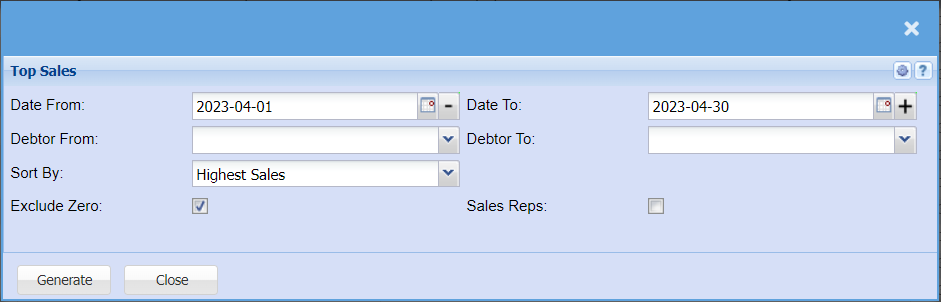
The report shows debtors top sales
| Date From / Date To | Choose the date range for which you want to view the report from / Select a date range of when you want to see up to on the report. |
| Debtor From / Debtor To | Select a Customer/Debtor you wish to view the report from. Select the Customer/Debtor you wish to see up to in the report. |
| Sort By | Choose from the drop-down menu how you would like your report sorted, your options are code, Customer name, Highest Sales, Lowest Sales and Sales Rep |
| Exclude Zero | By ticking the box, the report will exclude zero balances |
| Sales Reps | By ticking the box, the report will include sales reps in a separate column in your report |
No Comments