
Head Office Statements
Consolidated statements or branch statements
Video training manual 2016 - Click Here
Head office statements combine branch invoices into one statement to the head office broken down into sections.
For best results, have these settings active
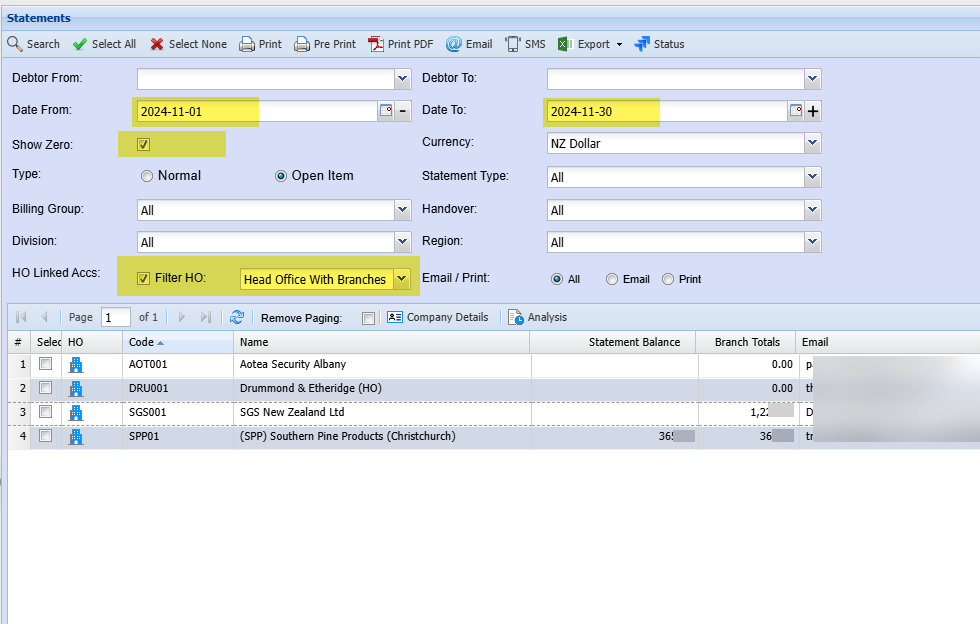
| Date From and Date To | Select the correct dates from and to for statements |
| Show Zero |
For best results select show zero The reason for this is that if a branch has invoices but the head office has none, then the search will not bring back any results for the branches |
| HO Linked Accs | Head Office Linked Accounts - active tick to filter by Head Office accounts only |
| Filter HO | Filter by Head Office with Branches |
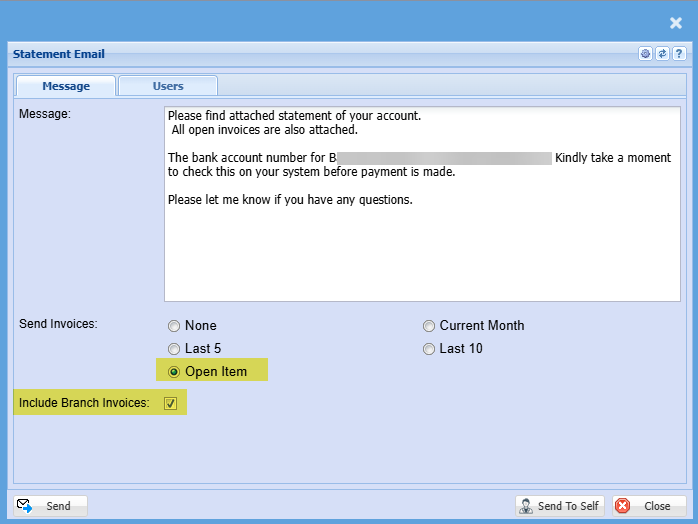
Sending out emails selections for Head Office
Select open Item to send outstanding invoices with statement
Include Branch Invoices to send the invoices of invoices outstanding at each branch
No Comments