
Weekly Debt Movement Summary
Debtors>Reports>Report List
Shows a summary and detail movement of transactions between a specific date range.
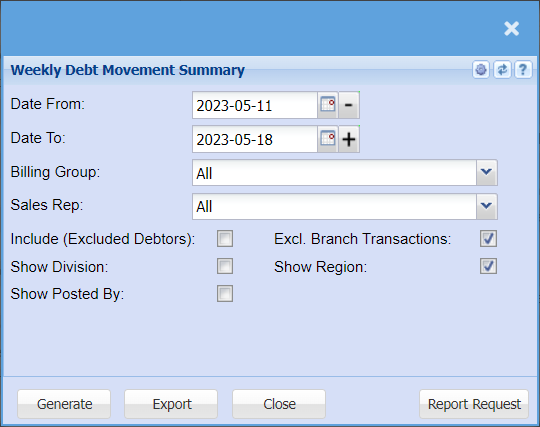
This is a report that shows a debtor’ summary of transactions movement
| Date From / Date To | Choose the date range for which you want to view the report from / Select a date range of when you want to see up to on the report. |
| Billing Group | If you have set up billing groups you will be able to pull the report for a specific billing group |
| Sales Rep | If you want to run a report by a specific sales rep, then you will need to select the sales rep on the drop-down menu. If you leave the sales rep on all the report will run by all sales rep. |
| Include (Excluded Debtors) | It gives the user an option to include or exclude debtors on the report by ticking or not ticking the box |
| Show Division | Tick this box if you want to add a column to your report that shows the Divisions |
| Show Posted By | Tick this box if you want to add a column to your report that shows who processed the transaction |
| Excl. Branch Transactions | it gives the user an option to include or exclude branch transactions on the report by ticking the box |
| Show Region | Tick this box if you want to add a column to your report that shows the regions |
No Comments