
Debtors Allocation Report
Debtors> Reports> Report List
Shows all detailed allocations of payments of invoices per Debtor.
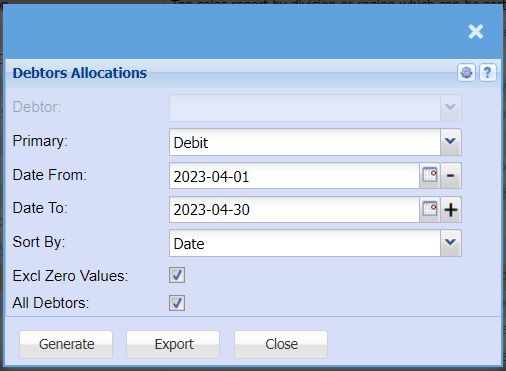
Allows a user to generate debtor’s allocation report
| Debtor | Select a Customer/Debtor you wish to view the report for |
| Primary | Select the primary source from the drop-down Menu that you would like to pull the report for. |
| Date From and To | Select the date range for which you want to view the report from / Select a date range of when you want to see up to on the report. |
| Sort By | Select a sort criteria on the drop-down menu |
| Excl Zero Values | Tick this box to exclude zero values to your report. If not ticked, it will include zero values |
| All Debtors | Tick all Debtors to include all debtors to your report in a separate column |
| Generate button | Click the "Generate" button to open the report. You will have options to copy, email, or print the report. To view the report in an Excel document, copy the report and paste it into an Excel file. |
No Comments