
Sales Forecast Report
Debtors >Reports >Report list
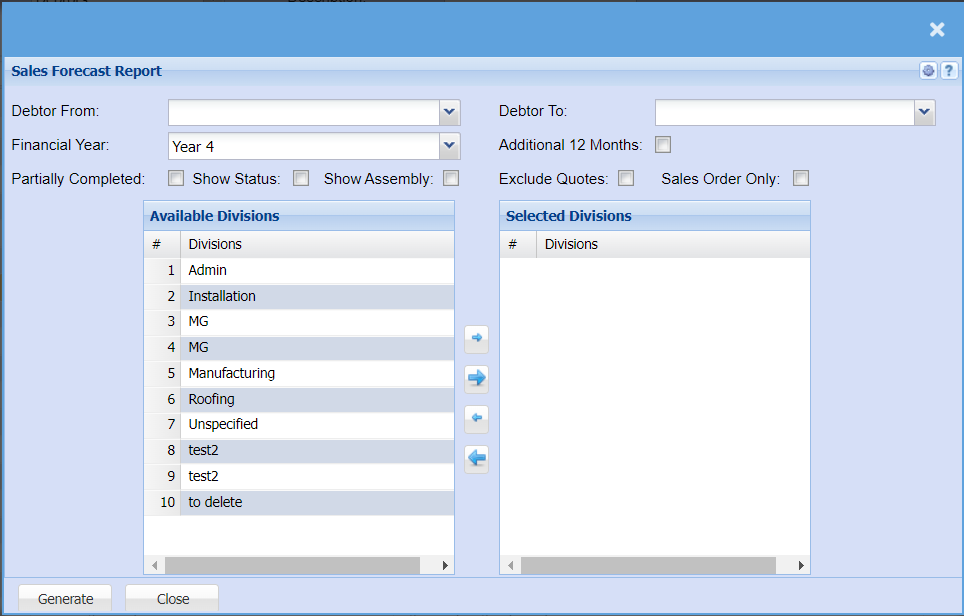
| Debtor From / Debtor To | Select a Customer/Debtor you wish to view the report from. Select the Customer/Debtor you wish to see up to in the report. |
| Financial Year | Select the financial year you would like to pull the report for. |
| Additional 12 Months | This allows you to forecast for an additional 12 months from now and not when back dating. |
| Partially Completed | Tick this box to include all sales orders that are not yet complete. |
| Show Status | Tick this box to include a column that will show the current status, e.g. Sales order could be in preparation stage. |
| Show Assembly | Tick this box if you would like your report to include Assembly which is associated with work in an assembly line. |
| Exclude Quotes | Tick this box to exclude quote from your sales forecast report. |
| Sales Order Only | Tick this box if you would like a report with sales orders only. |
No Comments