
Recurring Transaction Report
Debtors> Reports> Report List
List of recurring transactions
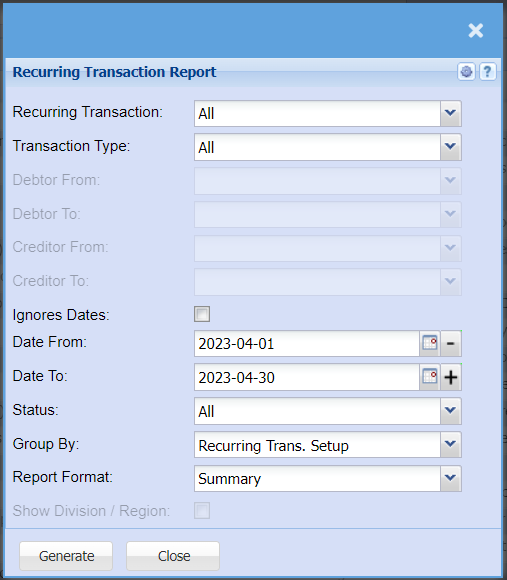
| Recurring Transaction | Select from the drop-down menu to pull a report for a specific transaction type, or you can select all to include all recurring transactions. |
| Transaction Type | If you want a report for a specific transaction type e.g. Invoices or Goods Received; you can select this from the drop-down menu. Leave the report on all if you want a full report on all transaction types. |
| Debtor From / Debtor To | Select a Customer/Debtor you wish to view the report from. Select the Customer/Debtor you wish to see up to in the report. |
| Creditor From / Creditor To | Select a Supplier/Creditor you wish to view the report from. Select the Supplier/Creditor you wish to see up to in the report. |
| Ignores Dates | Tick this box to pull all creditors with recurring transactions no matter the date. |
| Date From / Date To | Choose the date range for which you want to view the report from / Select a date range of when you want to see up to on the report. |
| Status | If you select all the report will pull all statuses. If you want to view report by status, select the status on the drop-down menu |
| Group By | Select from the drop-down menu if you want to pull your report by a specific group, you can choose from No Grouping, Region, Division or Sales Rep. |
| Report Format | Select from the drop-down menu if you want a detailed report or a summary. |
| Show Division / Region | By ticking this box there will be added columns to the report that will show Division and Region for each Customer/Debtor |
No Comments