
Quote to Job
When promoting a quote to a job, there are a few considerations as to whether this quote will be a new job or add to an existing job.
If the quote has been created from a quote and not as a sub quote within a job.
Then when promoting the quote to the job it will create a new job.
However you do have the option at the "promote to job" to link this new quote to an existing job.
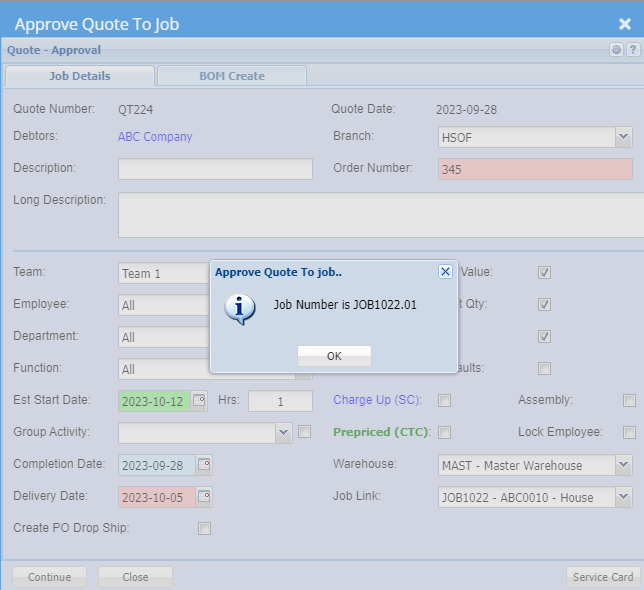
The new job will create a sub-job under the existing job.
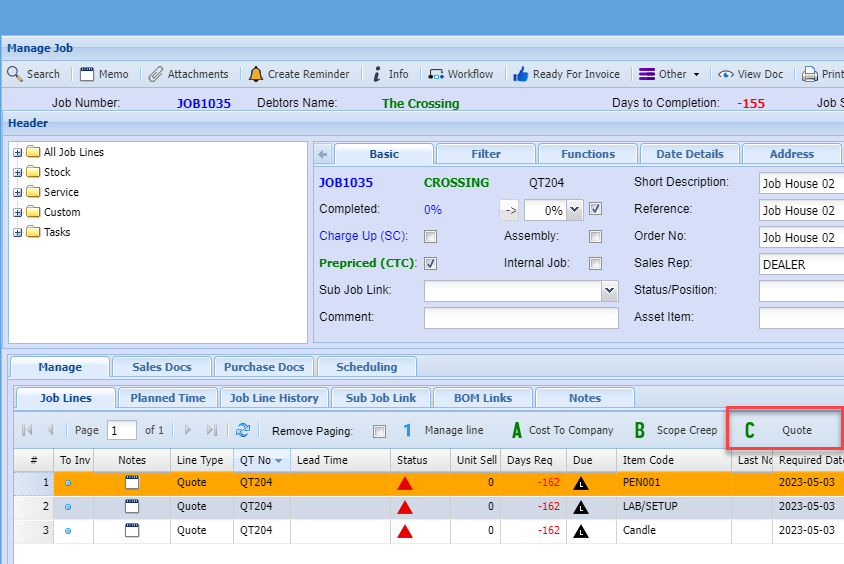
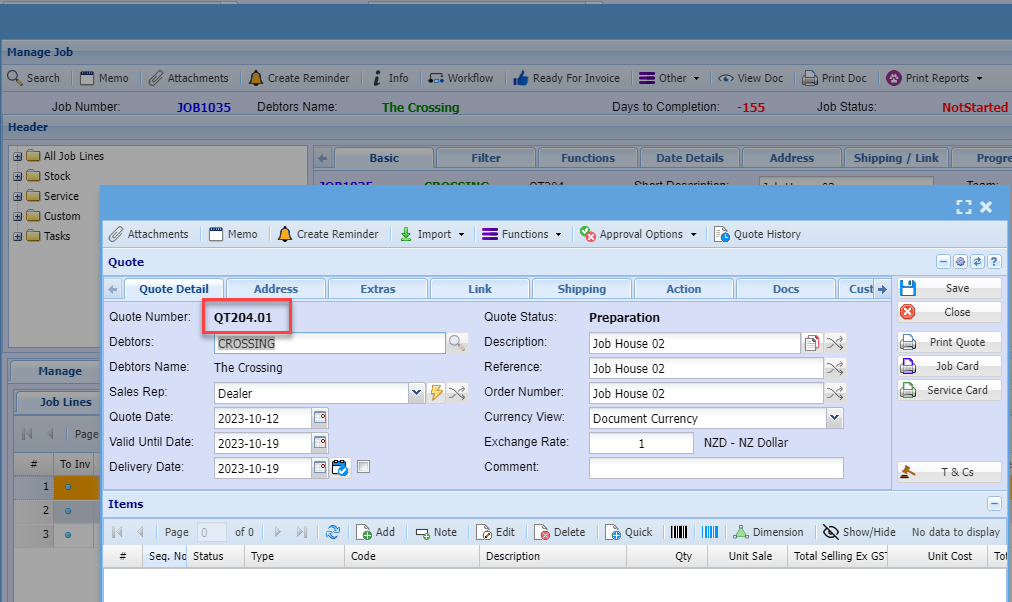
If you want a quote to be added within the job, then the quote would have had to be created within the job as a job quote (Option C). This creates a document number QT100.02 and then adds the quote to the job lines.
New quote promoted to an existing job.
Select the Job that you want to link using the Job Link
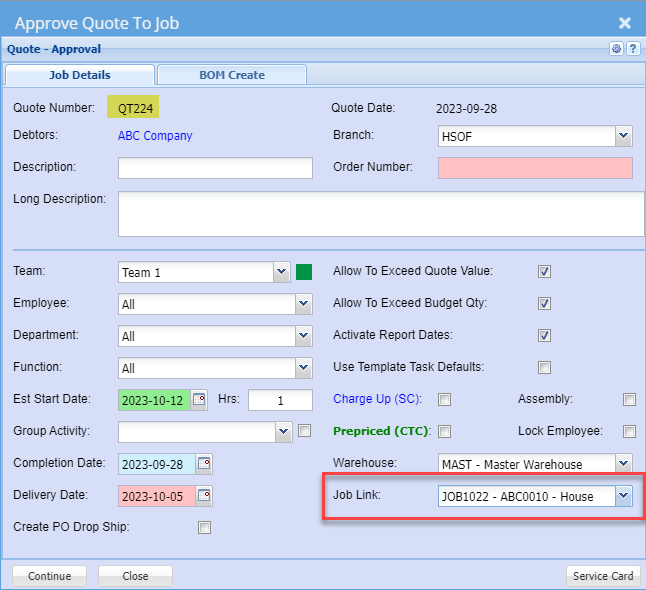
This will create a new sub job under the main job
Creating a Quote to be added within the job
This requires you to have created the quote from within the job
When the quote is created within the job, then it is assigned a quote number with a .01 etc
After approving the quote to the job, it will add the quote lines to the existing job and mark the lines as quote lines
No Comments