
Inventory cost price rules
Inventory cost price rules
Cost prices on inventory items can only be changed via a document journal if the item has transactions.
A cost price on an inventory item can be changed if the item has had NO transactions.
If the cost price was entered incorrectly in the setup, one can change the cost price in various ways:
- Manually change the price (only if no transactions on item)
- If you are creating a GRV to bring stock in, the GRV price will override the setup price.
- Clone the item and delete the old item (remember to change the existing code before cloning)
Cost prices are very important when importing new stock for opening balances as this will take the cost price inserted at setup.
Manually change cost price
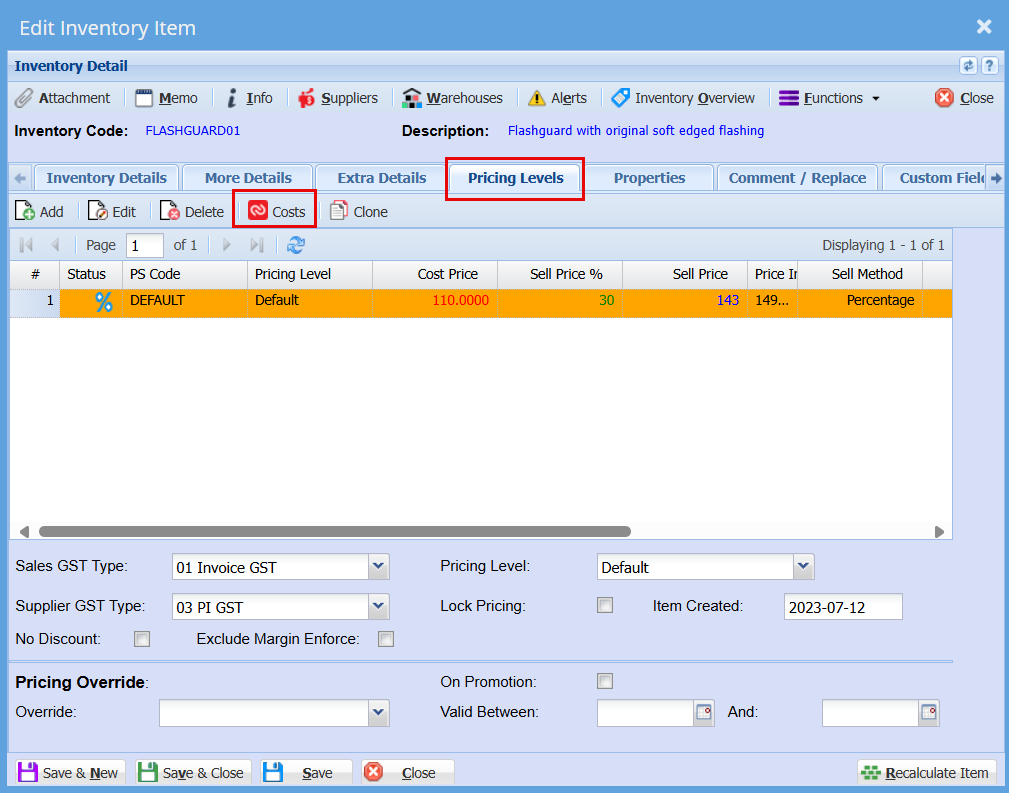
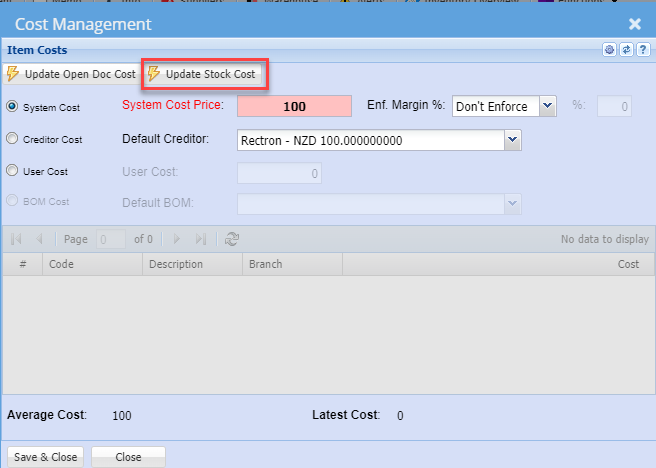
The Update Stock cost button will be active IF the stock item has had no transactions.
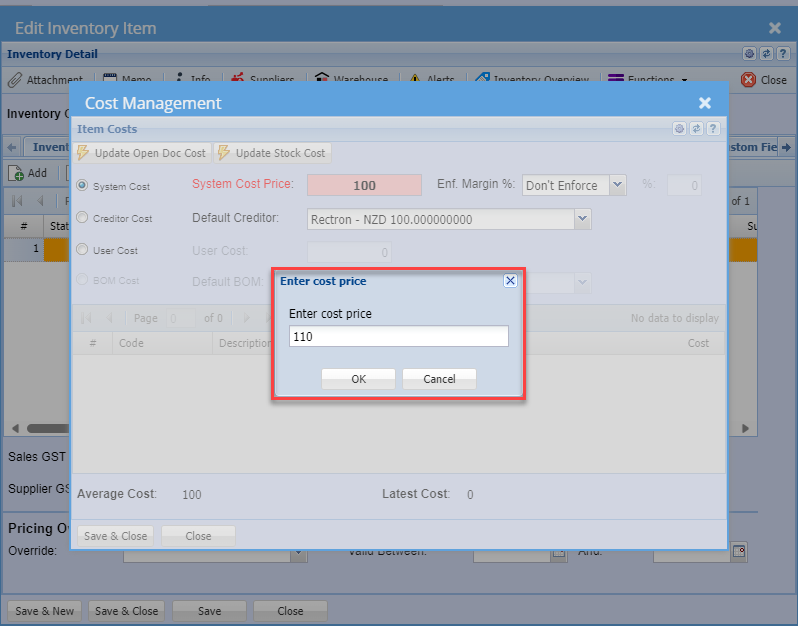
Enter your new cost price
No Comments