
Dimension selling price matrix example
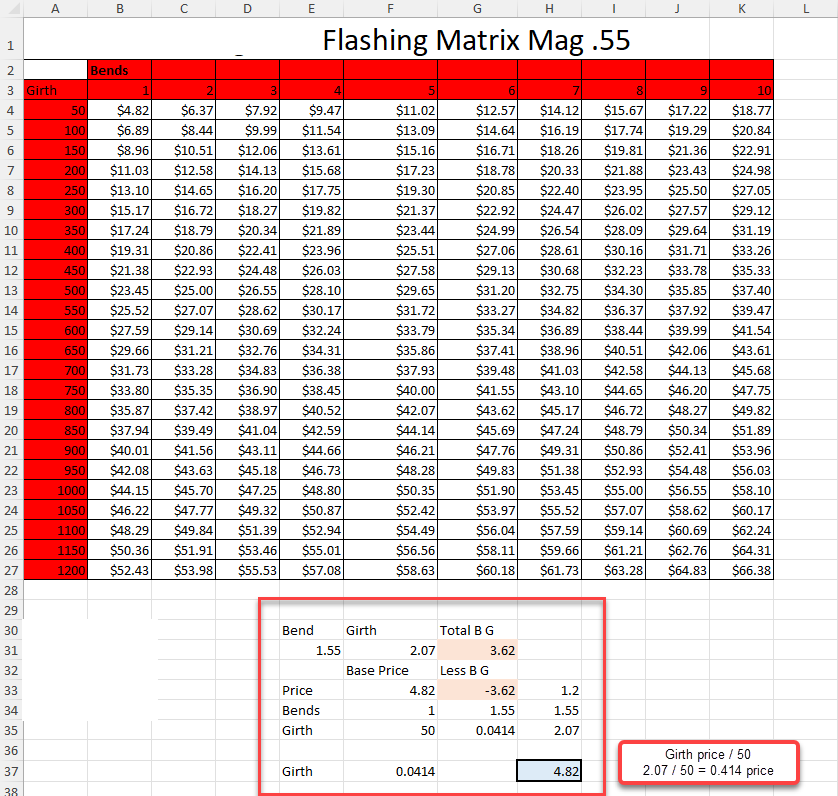
Setting up a price matrix with calculations
Pricing below is based on 1m
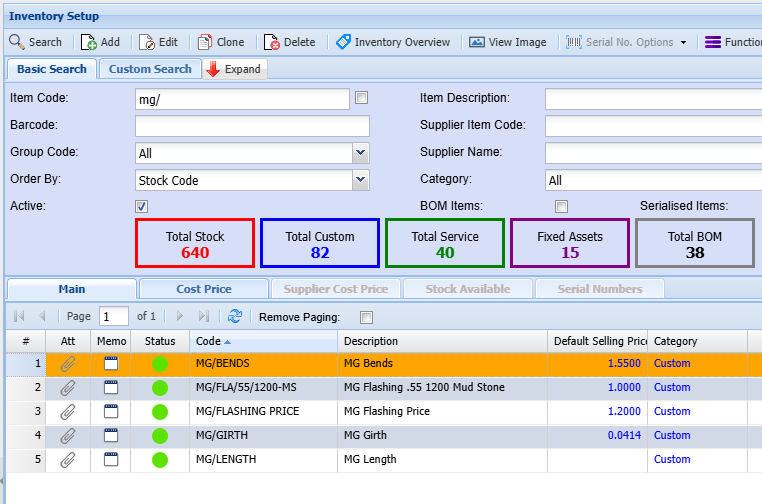
Create the following Custom items
- Flashing item
- Flashing base price
- Bends
- Girths
- Length
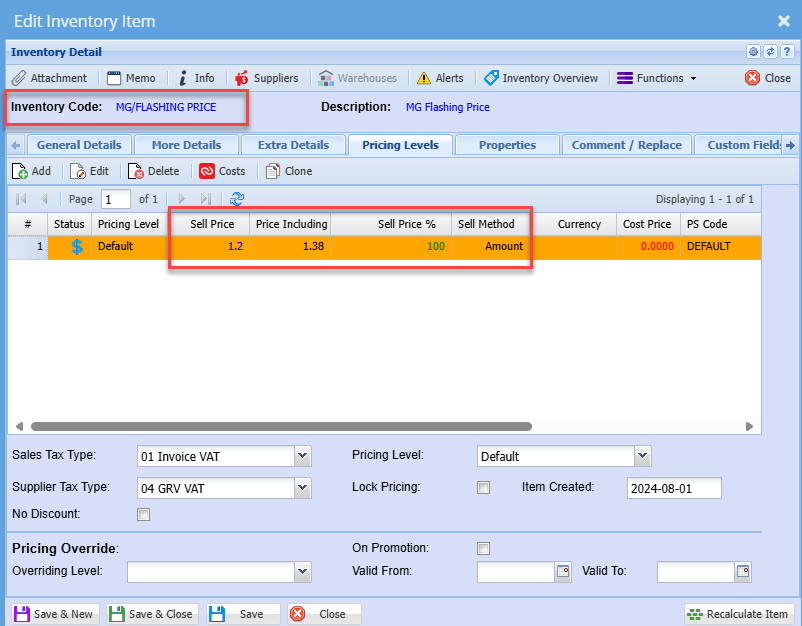
Setup Flashing base price
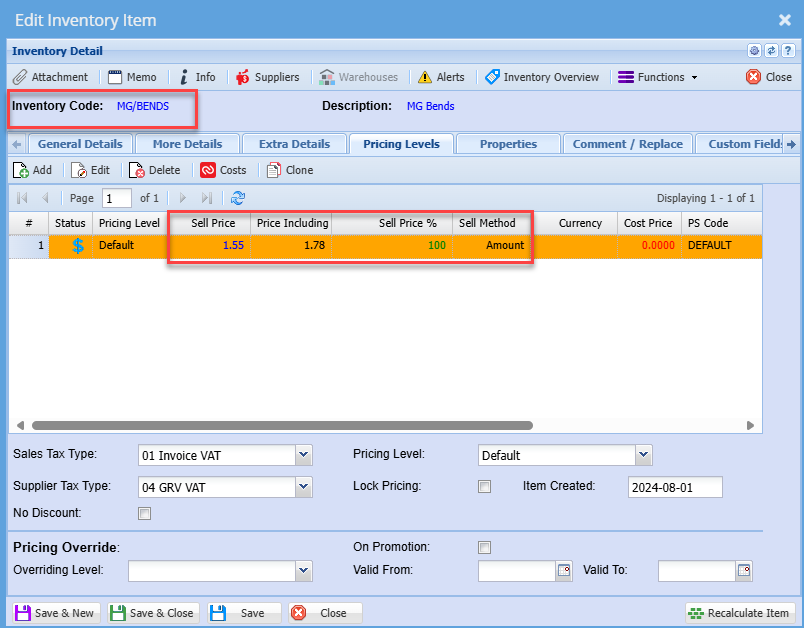
Setup Bends
Setup Girth
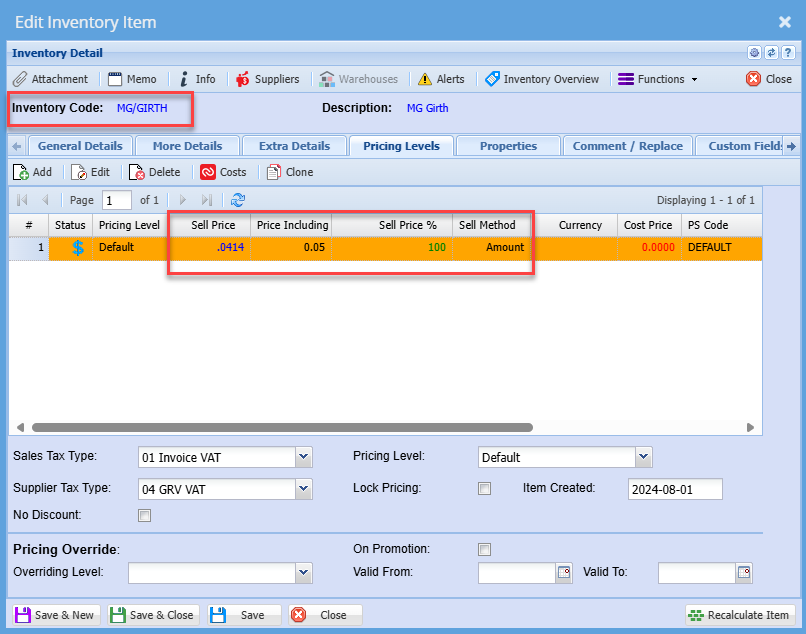
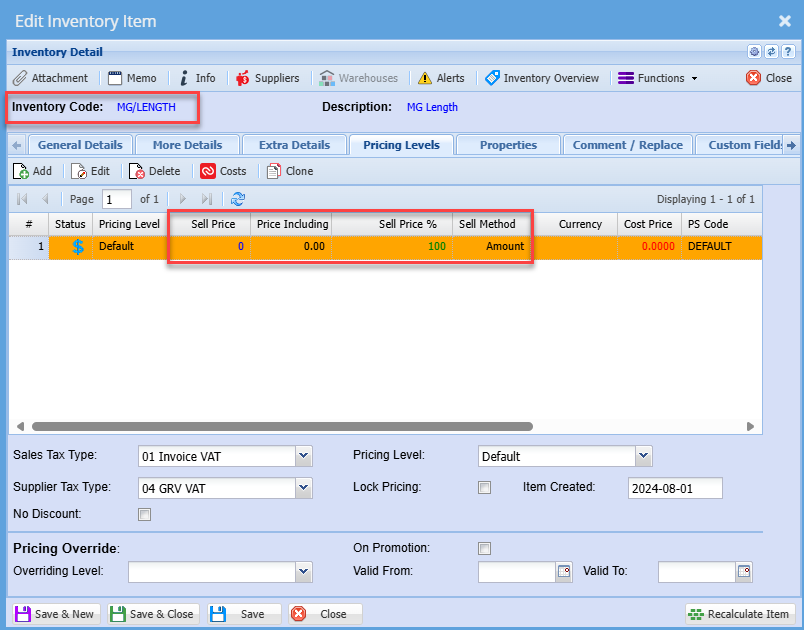
Setup Length
Sell price is zero as this is only going to be used as a multiplier
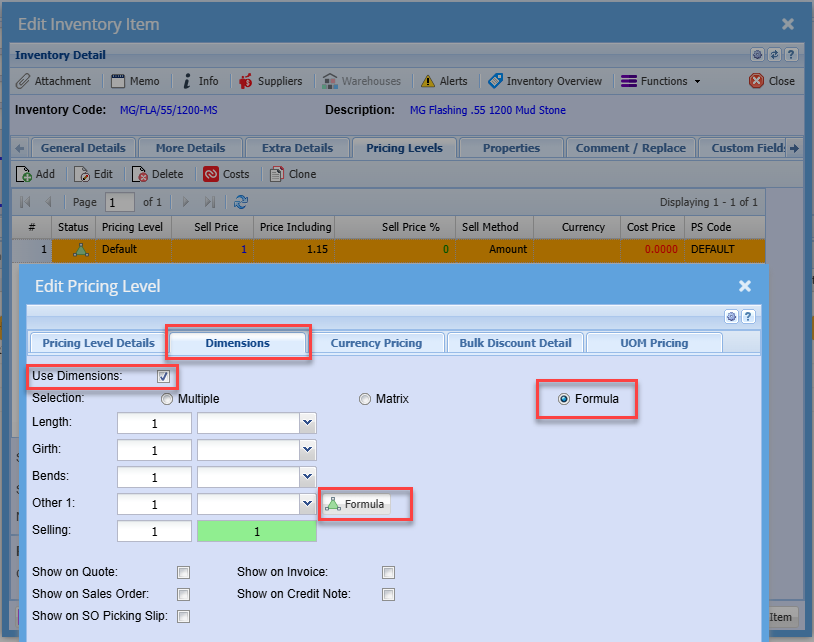
Setup Flashing item with Dimension Formula
Enable Dimensions formula
Setup line items to affect sell price
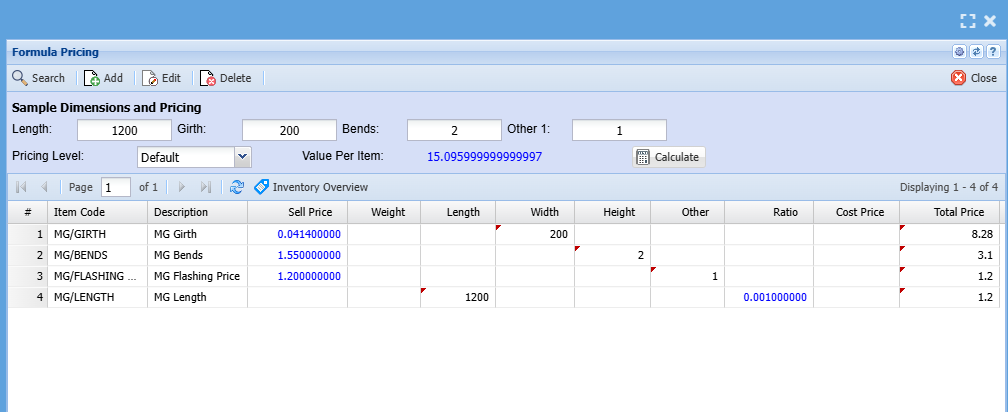
Setup Girth sell pricing
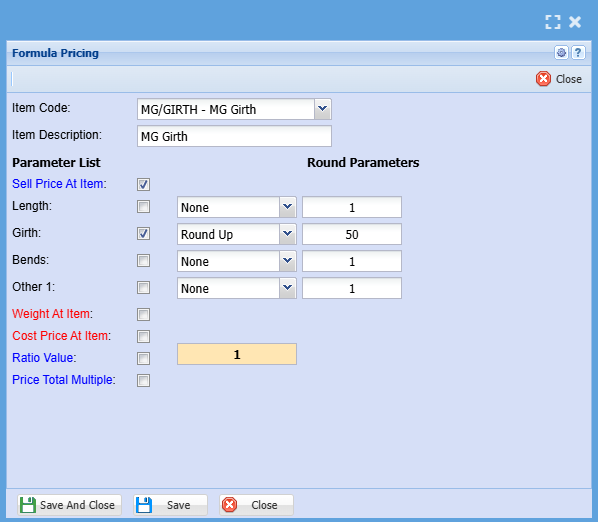
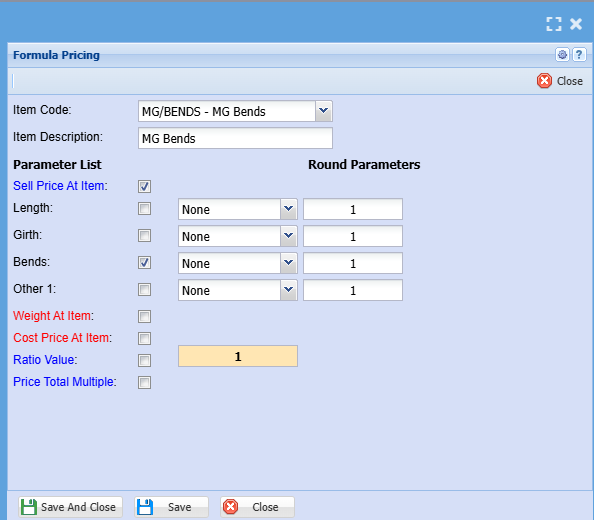
Setup Bends sell pricing
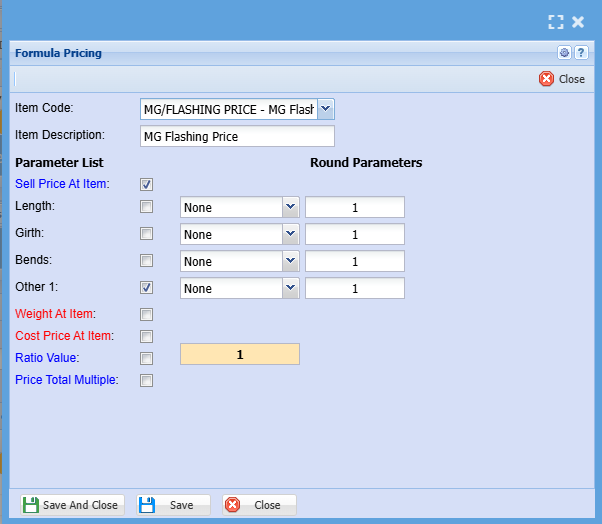
Setup Flashing sell pricing
The items above will add up together
- Girth
- Bends
- Flashing Price
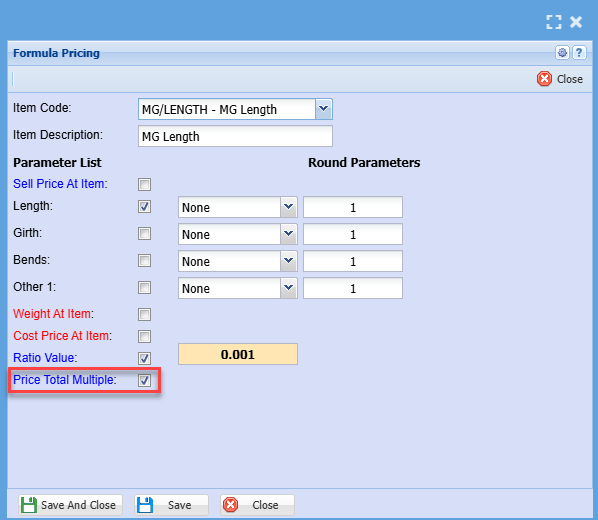
Then add in Length which will be marked as a multiplier
Formula is (Girth + Bends + Flashing Price) x Length = Sell price
Price Total Multiple is ticked on this item.
This means that the total of the other prices will be multiplied by this item
The item will be excluded from the sum total price as it works as a multiplication
Setup Bill of materials for costs
Setup costing for costs for Coil
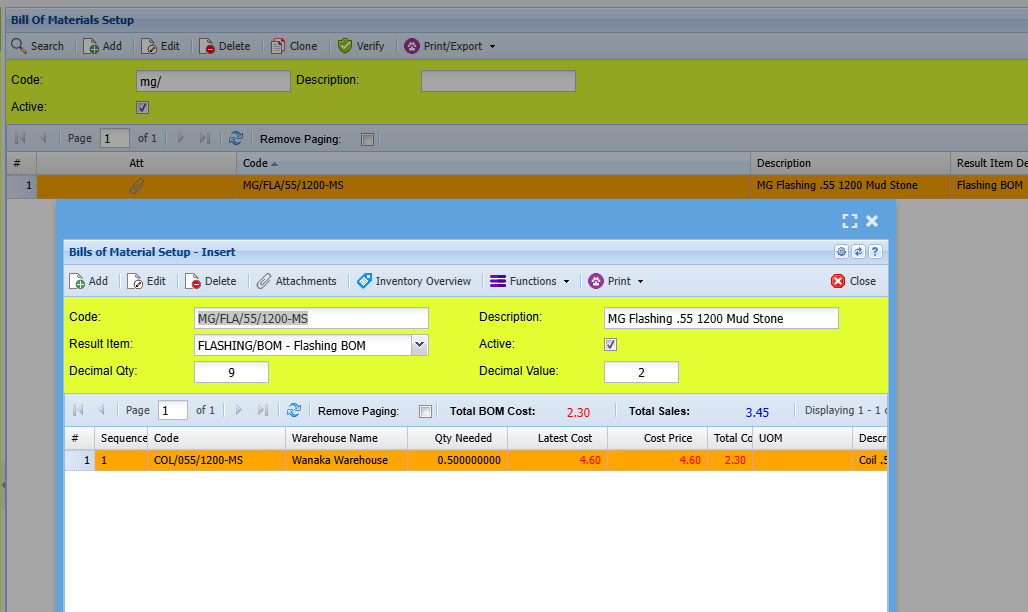
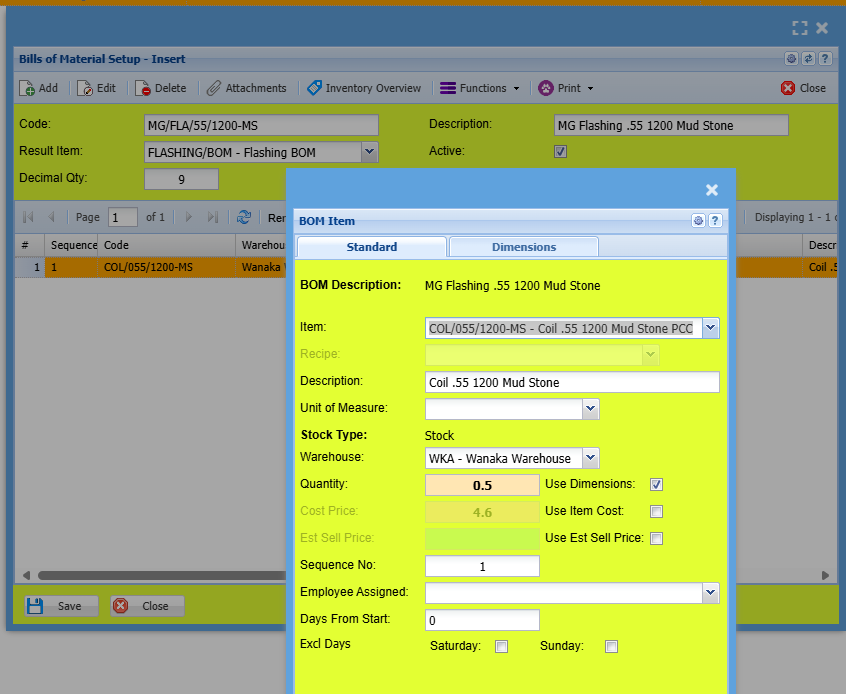
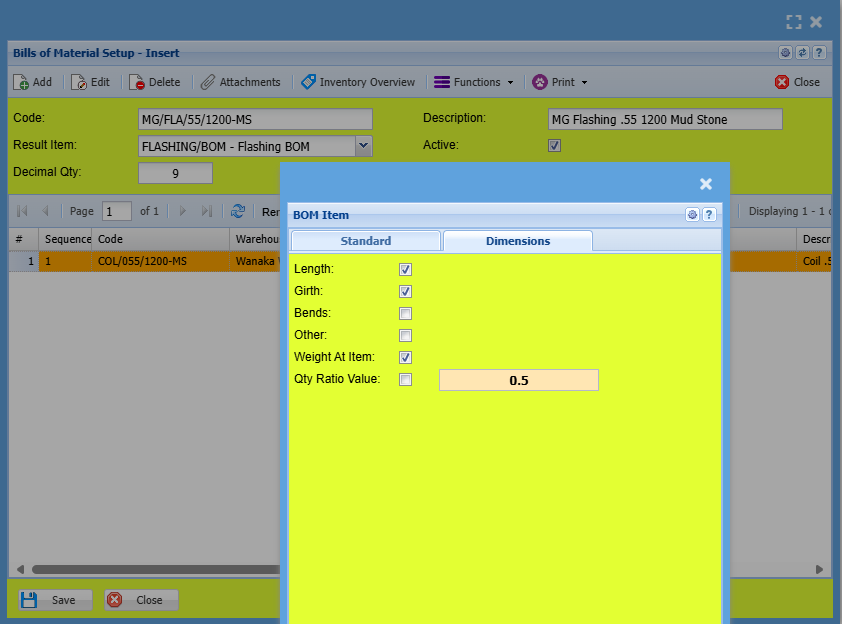
Check settings for BOM item for coil
No Comments