
Inventory Brand Targets Setup
The systems caters for applying budgets or targets against product brands.
To setup targets per brands go to:
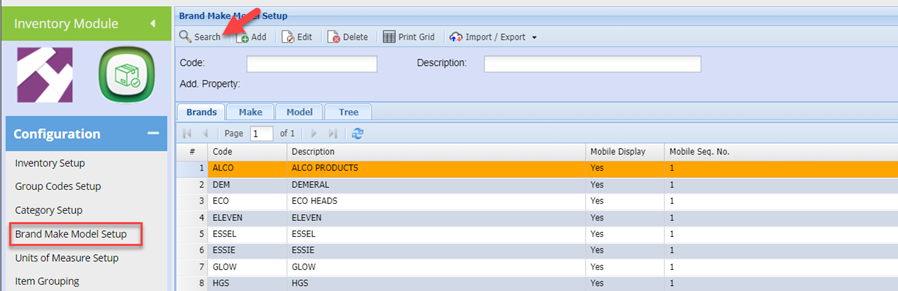
Inventory Module > Configuration > Brand Make Model setup
Click search to return existing Brands
Click once on the required Brand to select and then click the Edit button on the top of the page.
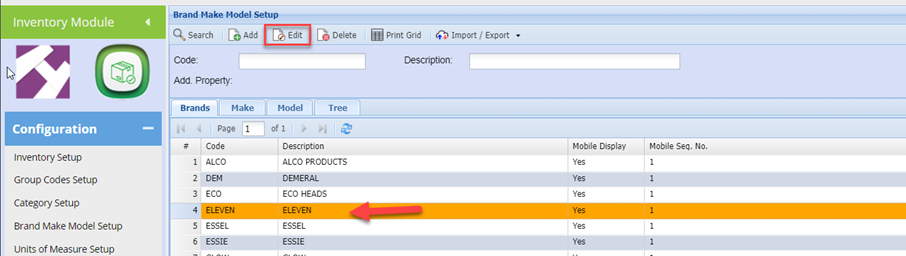
Click the Target Tab
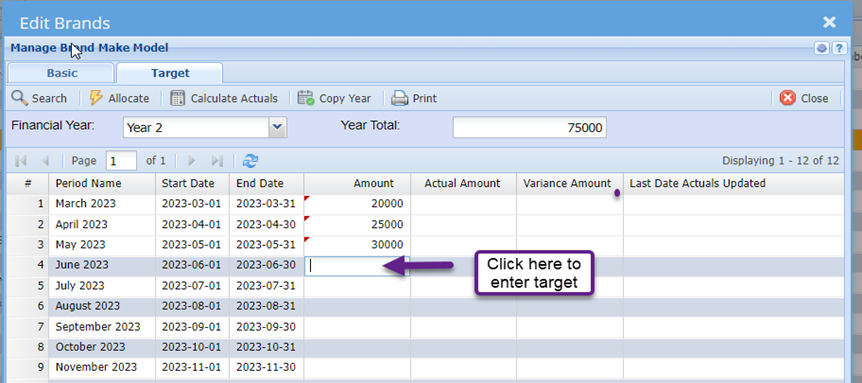
You can now click on each respective period and enter a target for the period.
If your Targets are mostly the same for each period, you can save time by entering a yearly target and allocate equally across each period.
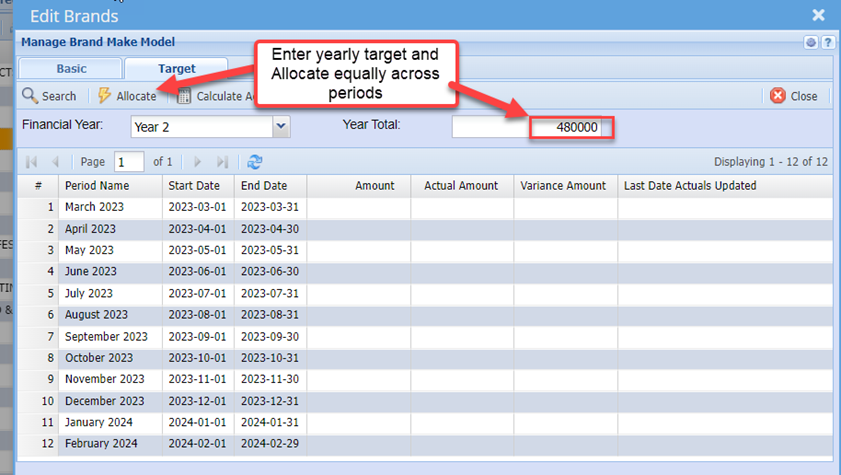
You will notice the annual target has been divided equally across all periods.
One can then click on selected periods and override the allocated target in the event that you wish to compensate for seasonal cycles as an example.
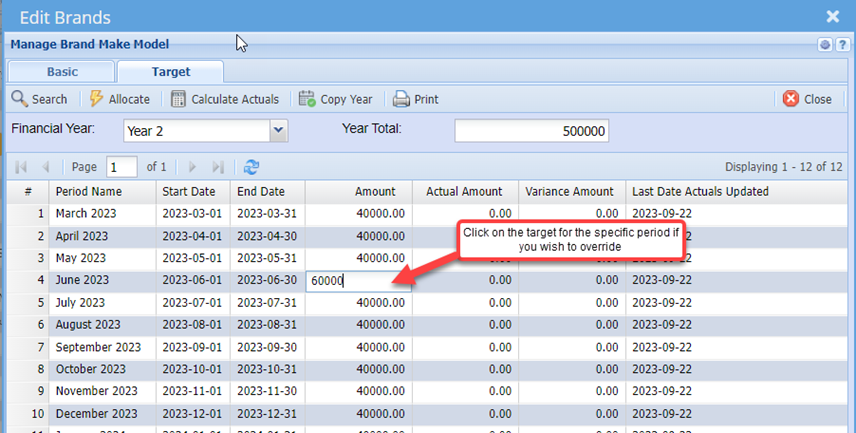
Editing the period target will update the annual target automatically.
No Comments