
Group List
Group lists are used with Custom and Service Type items.
When an item is activated with Group list, it will replace the selected item with a list of multiple items in the document.
It uses the same item code, but replaces the description, cost and sell.
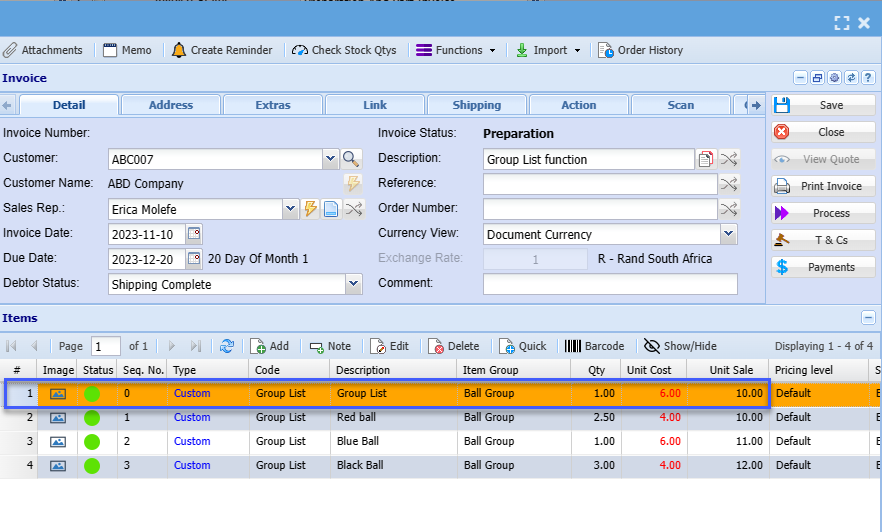
There is a setting that one can include the scanned item as part of the list.
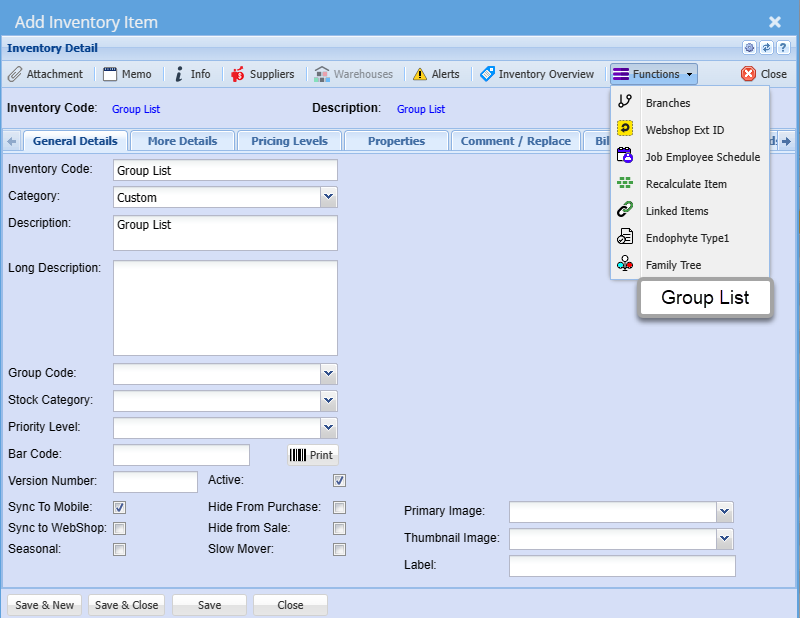
Group List setup
Setup the list of items to populate the document lines
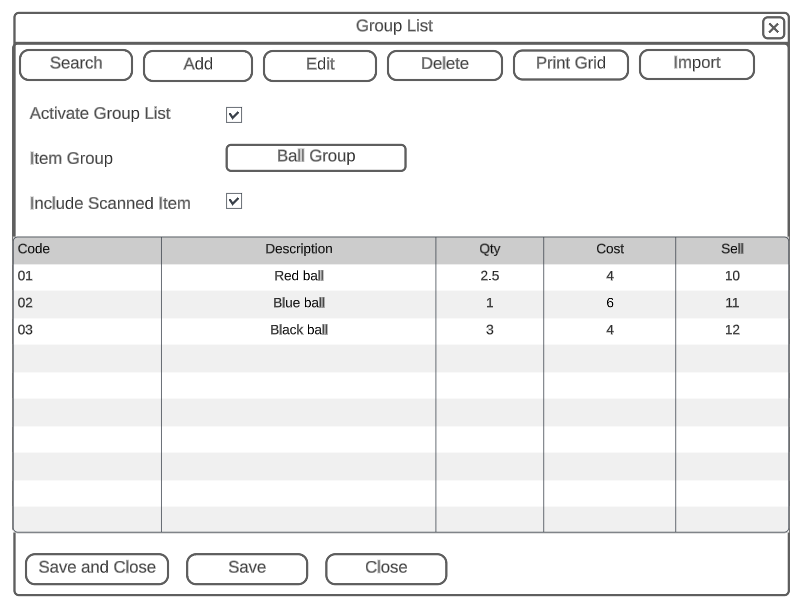
| Activate Group List | Activates this option to be used when adding lines to Invoice and credit note |
| Item Group | Populates each line of the group list with the item group |
| Include Scanned Item Group | When activated, the scanned item will be part of the list in the document |
| Code | Sequence in which items is inserted on the document |
| Description | The description used to override the description when adding to the document |
| Qty | Select the quantity to insert |
| Cost | Insert a cost |
| Sell | Put in a sell price |
Add Items
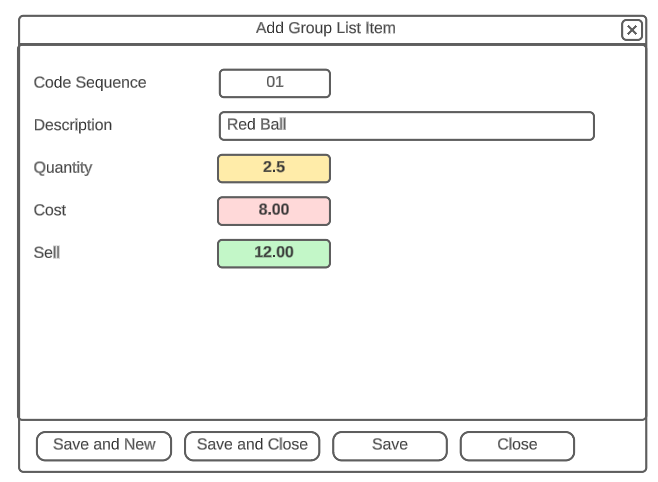
Document view
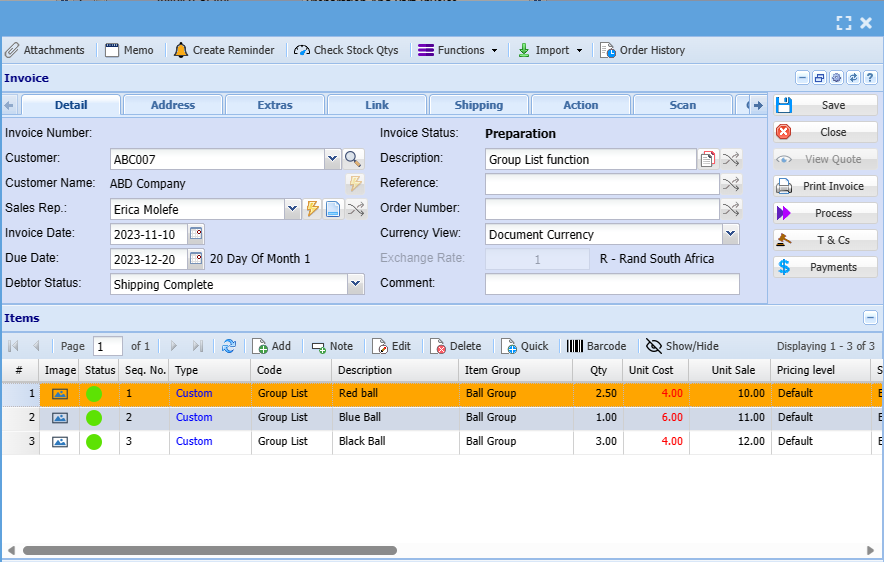
Invoice example of adding an item that has group list activated
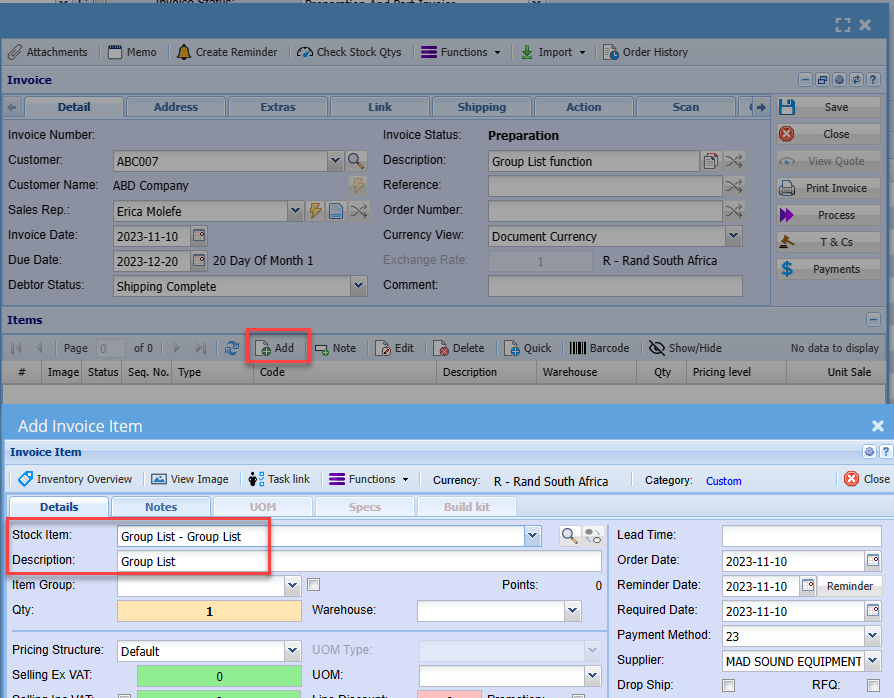
After the item is selected and saved to the invoice.
The invoice will fetch the group list and populate invoice with all three lines with the same code
If the option for Include Scanned item is activated, then this item will be part of the item list
No Comments