
Inventory Category Setup
Inventory Categories are another way to group your inventory listing.
if you use group codes to categorize or group your inventory items and you require an addition level of categorization, then inventory category setup will be an option.
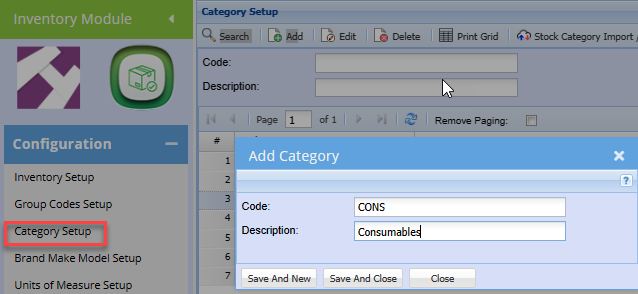
| Search | Returns all existing inventory Categories previously created. Leave the Code and Description fields blank to see all categories. |
| Code | Search by code. Enter the code or part of the code. |
| Description | Search by Description. Enter description or part of the description. |
| Add | Brings up the window to create a new category |
| Edit | Allows the User to amend an existing category. |
| Delete | Allows the User to delete a category provided they have not been used or linked to inventory items. |
| Print Grid | Allows the user to print the categories displayed in the grid based on the respective search. |
| Stock Category import/export | Options to either export existing categories or import new categories form an excel worksheet. |
To Create a new inventory category
No Comments