
Add New Warehouse
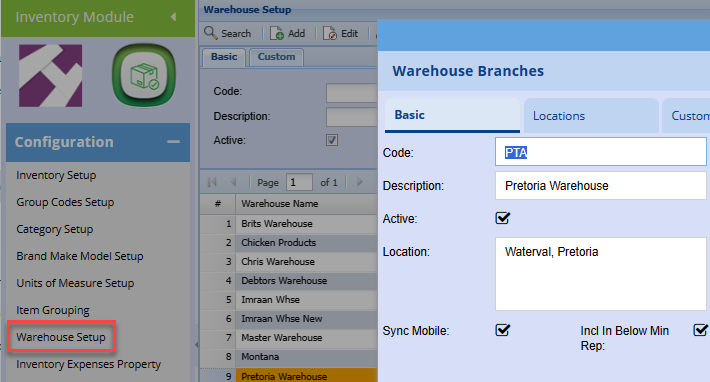
Inventory Module> Configuration> Warehouse Setup
Click Add to add a new warehouse
Enter a Code
Enter a Description
Click Save
Branches Link
Warehouses are typically linked to Branches. Thus, this setup is only required if you have multiple branches setup on the system.
To link a branch to a warehouse
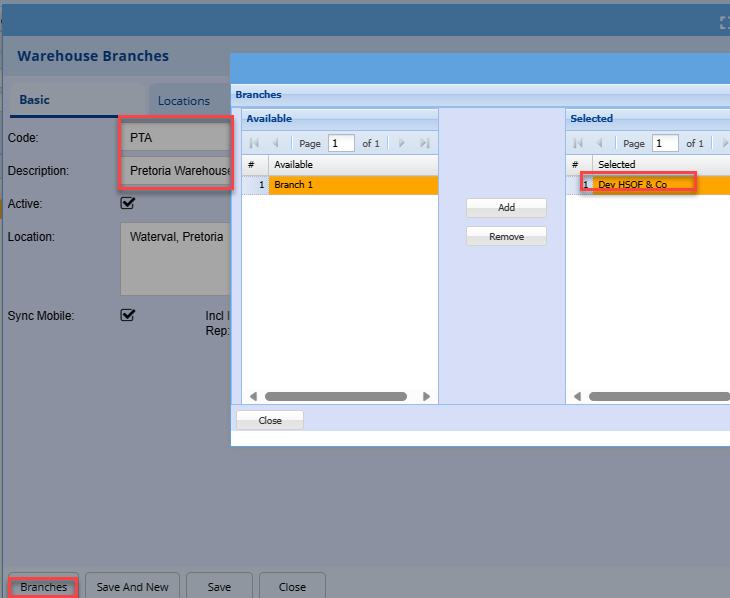
Click the Branch button.
Then select the respective Branch to be linked to this warehouse.
double click the required branch on the left to move to the selected grid on the right.
Warehouse item association:
Once the warehouse has been created, you will need to associate inventory items to the specific warehouse.
This feature allows one to have the flexibility to link specific items to specific warehouses.
for instance, if you have multiple branches, all branches may not necessarily stock the same items.
to associate items:
If all warehouses stock all items, then you can do a quick associate:
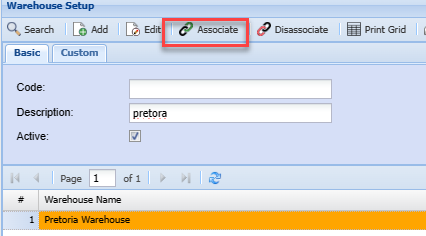
Click once on the selected or new warehouse and click the Associate button.
No Comments