
Sales Order Bypass WIP and Reserve stock
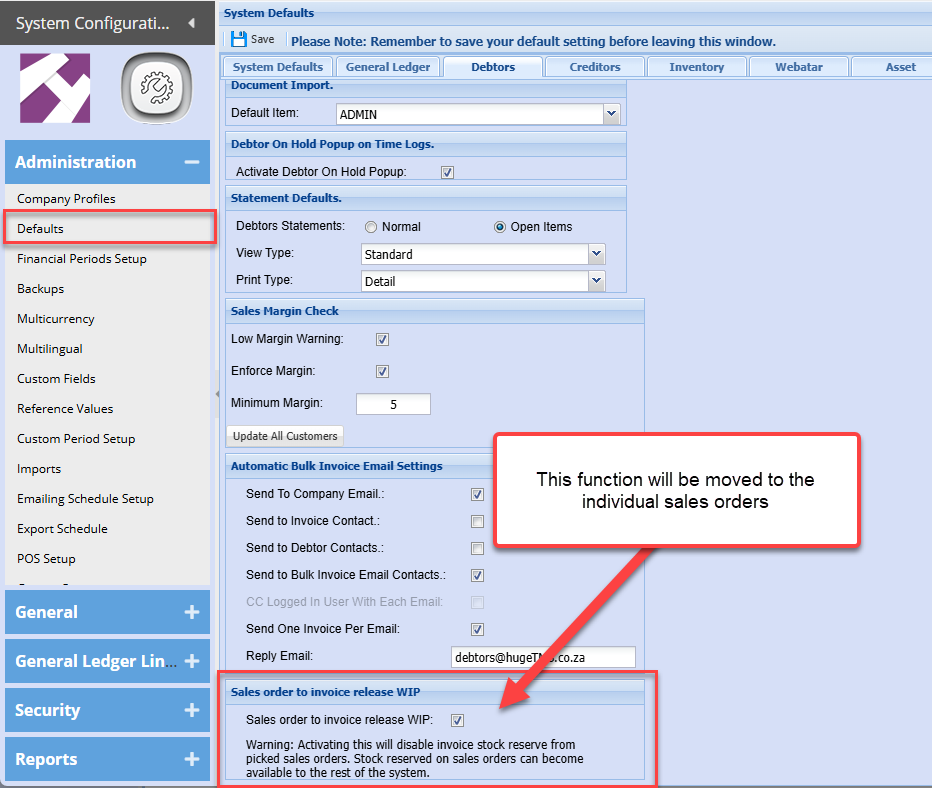
This function disables stock WIP movements and reserve stock.
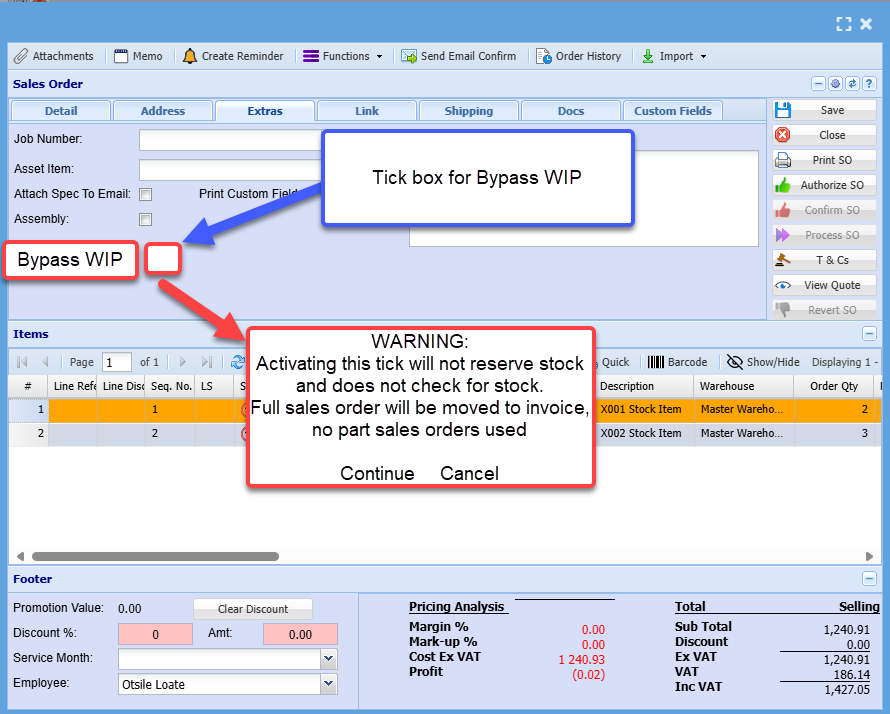
New tick box on Sales order
WARNING:
Activating this tick will not reserve stock and does not check for stock.
Full sales order will be moved to invoice, no part sales orders used
No part sales orders are allowed if Bypass WIP is active
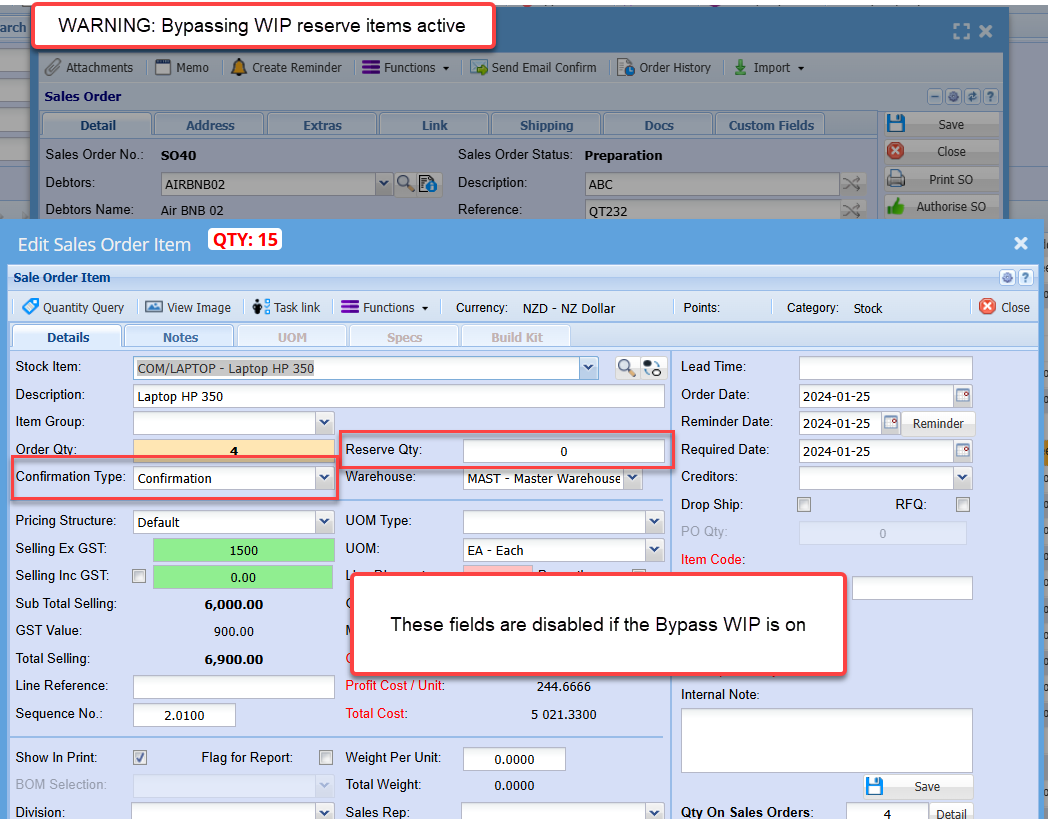
Sales order warning

Sales order lines disabled
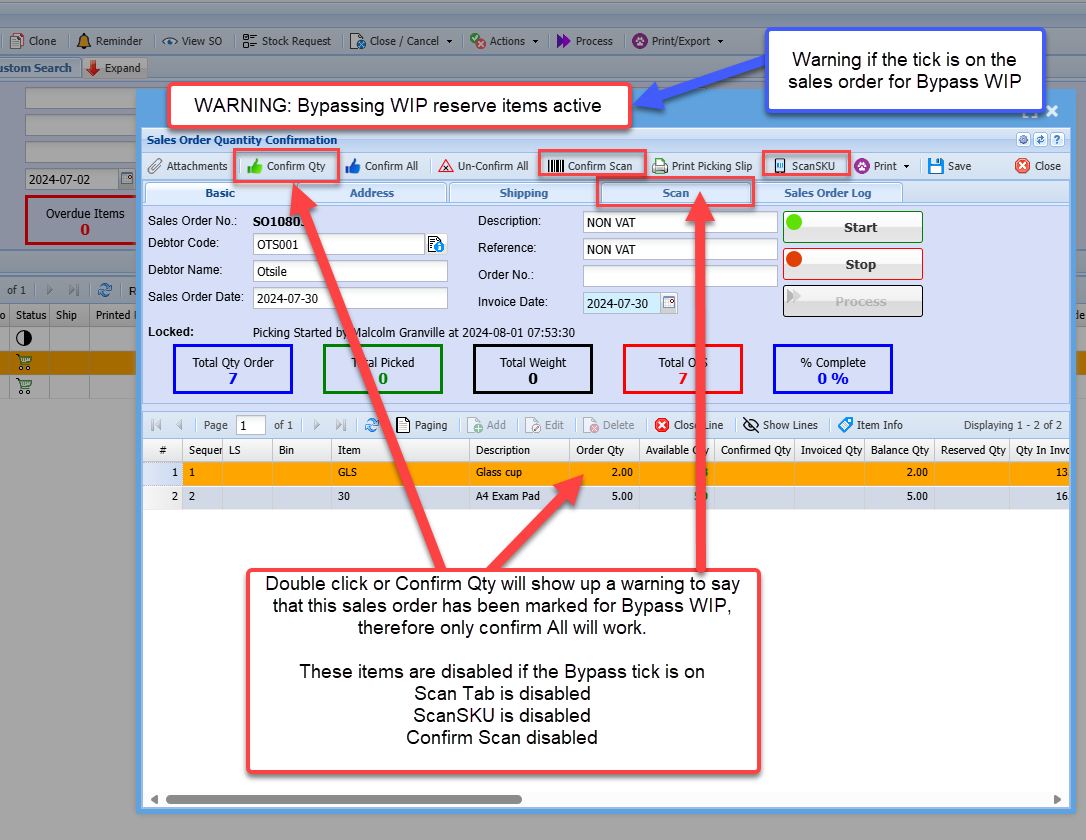
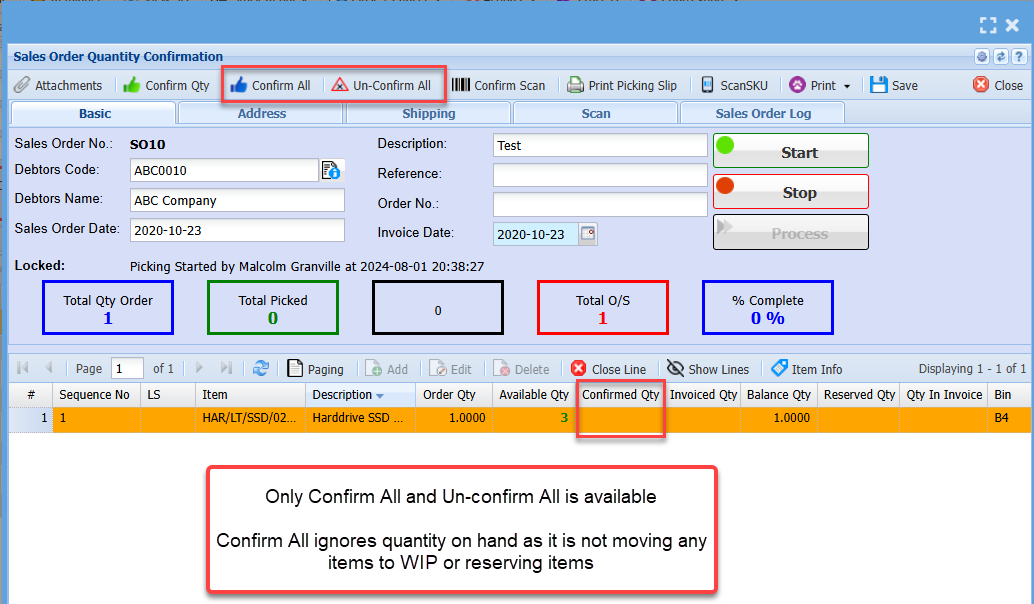
Sales Order Confirmation
Individual confirms are disable if the Bypass WIP is on
Double click or Confirm Qty will show up a warning to say that this sales order has been marked for Bypass WIP, therefore only confirm All will work.
These items are disabled if the Bypass tick is on
Scan Tab is disabled
ScanSKU is disabled
Confirm Scan disabled
Confirm All works and will confirm all the items, whether there is stock or not.
The reason for this is because no stock movements take place for WIP and no stock is reserved.
Only Confirm All and Un-confirm All is available
Confirm All ignores quantity on hand as it is not moving any items to WIP or reserving items
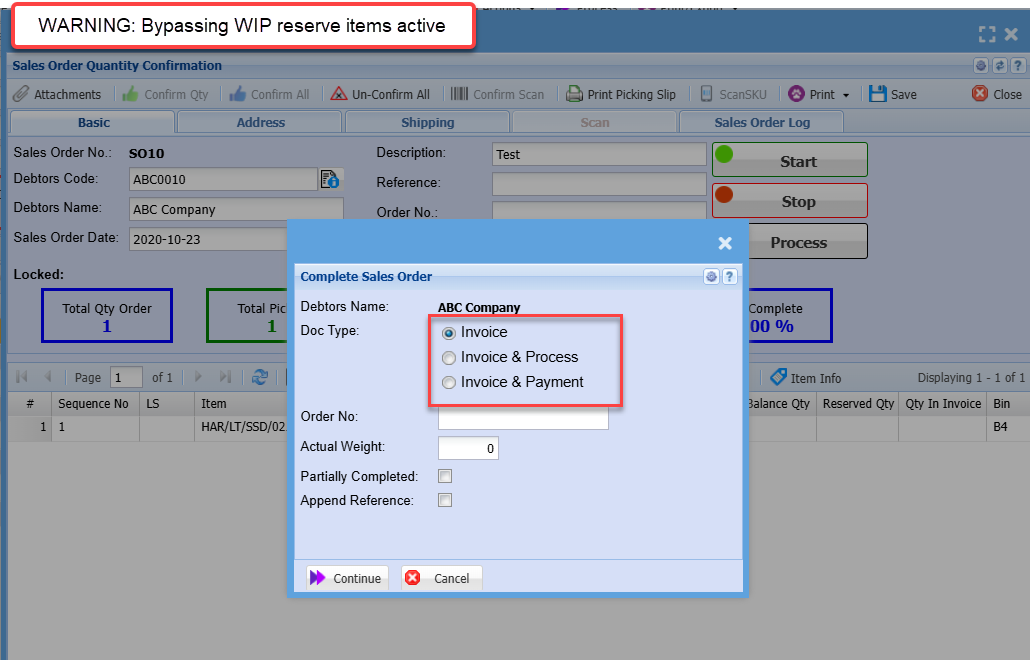
Processing a Bypass WIP sales order
| Invoice |
This moves the sales order to invoice but does not reserve anything in the invoice WIP or moves anything out of sales order WIP as it did not have anything reserved in sales order WIP
This does the same function as the Sales order to invoice release WIP |
| Invoice and Process | Processes the invoice but does not take anything out of sales order WIP or invoice WIP it will run like a normal invoice taking stock out of one hand |
| Invoice and Payment | Processes the invoice but does not take anything out of sales order WIP or invoice WIP it will run like a normal invoice taking stock out of one hand |
No Comments