WARNING: Activating this tick will not reserve stock and does not check for stock. Full sales order will be moved to invoice, no part sales orders used
No part sales orders are allowed if Bypass WIP is active
[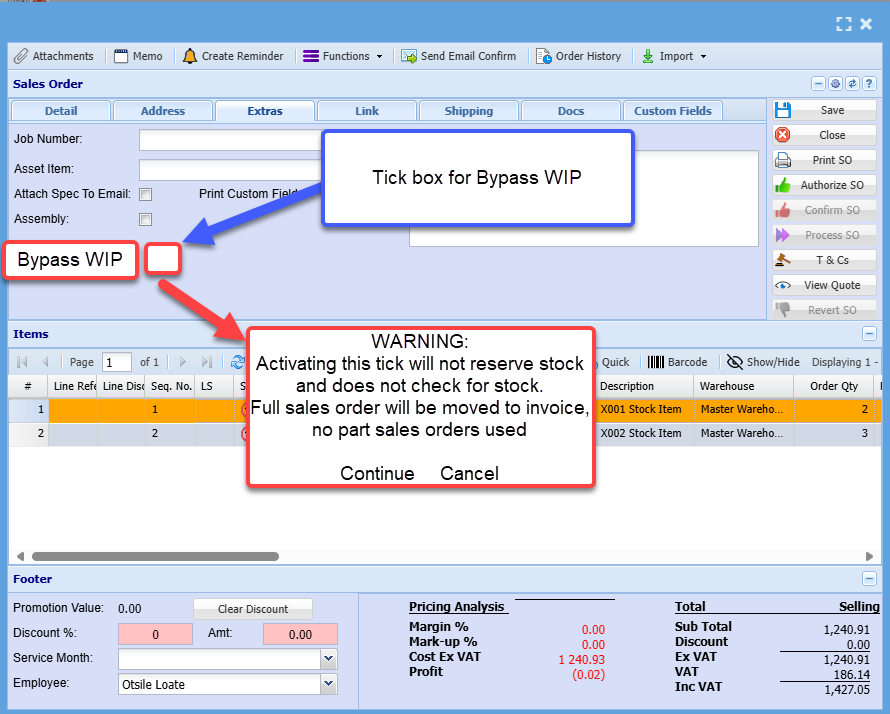](https://hugeerp10.co.za/hsofmanual/uploads/images/gallery/2024-08/qt5image.png) Sales order warning [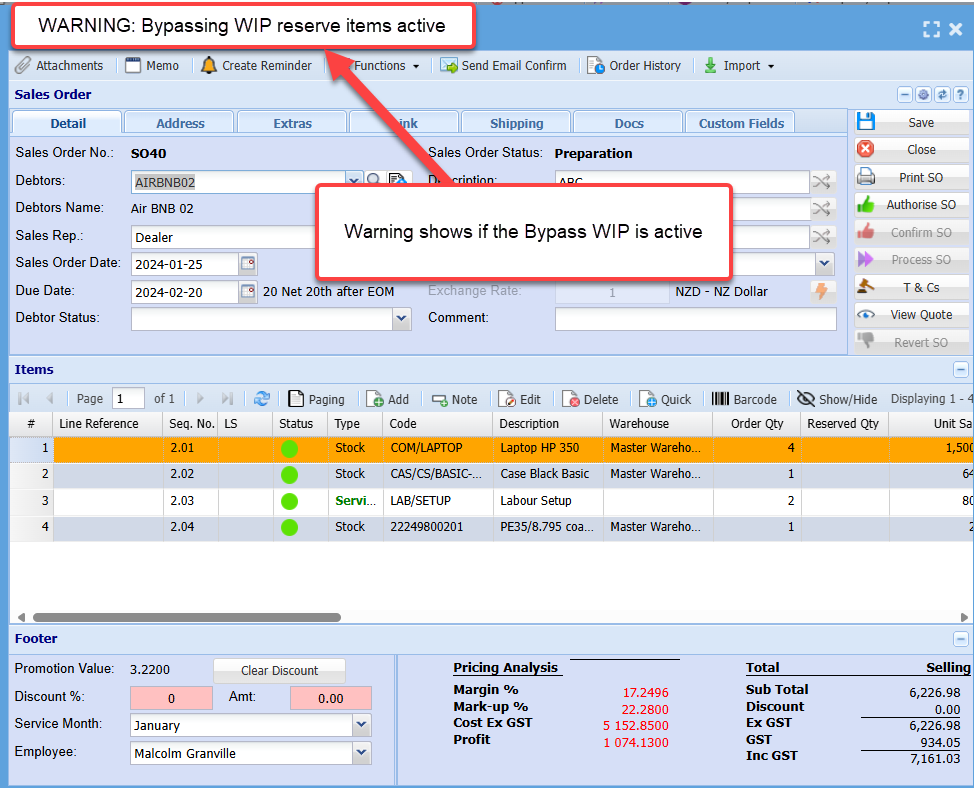](https://hugeerp10.co.za/hsofmanual/uploads/images/gallery/2024-08/BqAimage.png) Sales order lines disabled [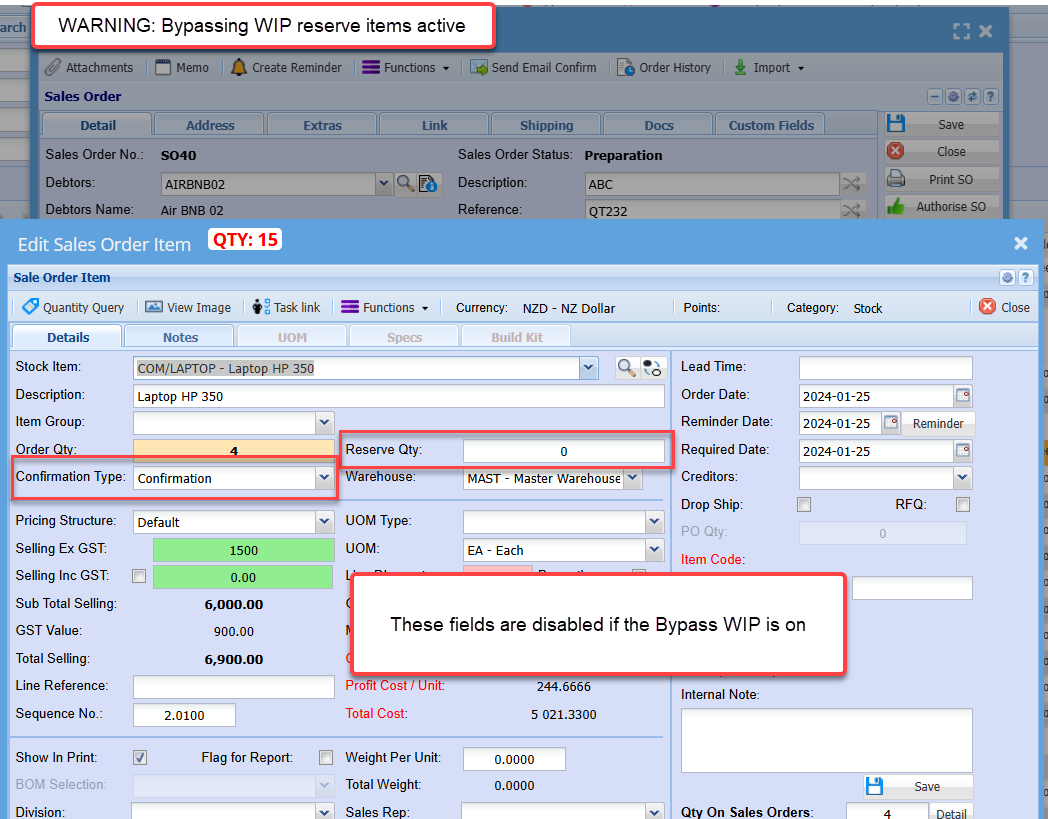](https://hugeerp10.co.za/hsofmanual/uploads/images/gallery/2024-08/RwOimage.png) --- #### Sales Order Confirmation Individual confirms are disable if the Bypass WIP is on Double click or Confirm Qty will show up a warning to say that this sales order has been marked for Bypass WIP, therefore only confirm All will work. These items are disabled if the Bypass tick is on Scan Tab is disabled ScanSKU is disabled Confirm Scan disabled Confirm All works and will confirm all the items, whether there is stock or not. The reason for this is because no stock movements take place for WIP and no stock is reserved. [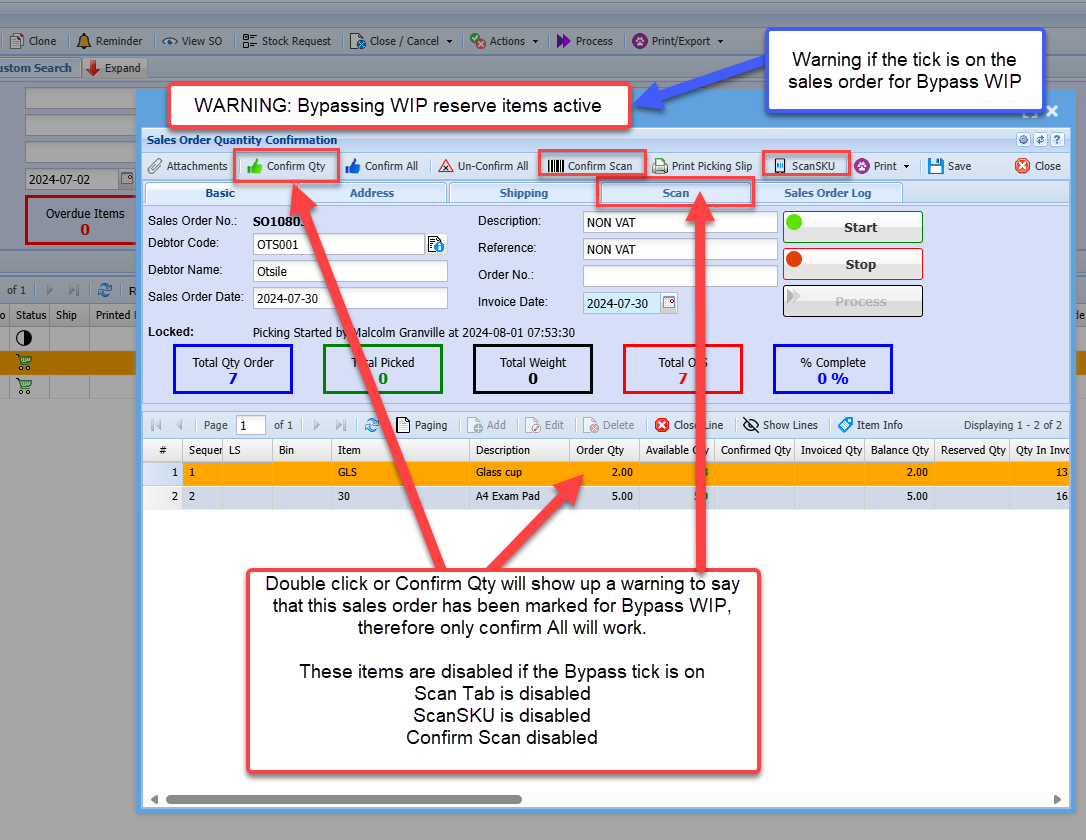](https://hugeerp10.co.za/hsofmanual/uploads/images/gallery/2024-08/nNvimage.png) Only Confirm All and Un-confirm All is available Confirm All ignores quantity on hand as it is not moving any items to WIP or reserving items [](https://hugeerp10.co.za/hsofmanual/uploads/images/gallery/2024-08/Lfzimage.png) Processing a Bypass WIP sales order| **Invoice** | This moves the sales order to invoice but does not reserve anything in the invoice WIP or moves anything out of sales order WIP as it did not have anything reserved in sales order WIP This does the same function as the Sales order to invoice release WIP |
| **Invoice and Process** | Processes the invoice but does not take anything out of sales order WIP or invoice WIP it will run like a normal invoice taking stock out of one hand |
| **Invoice and Payment** | Processes the invoice but does not take anything out of sales order WIP or invoice WIP it will run like a normal invoice taking stock out of one hand |