
Import Invoice to Credit Note
The simplest way of creating a credit note by simply “Import from invoice”
You can however use the long method of capturing
Open Debtors Module> Activity > Credit Note
Select Import from Invoice
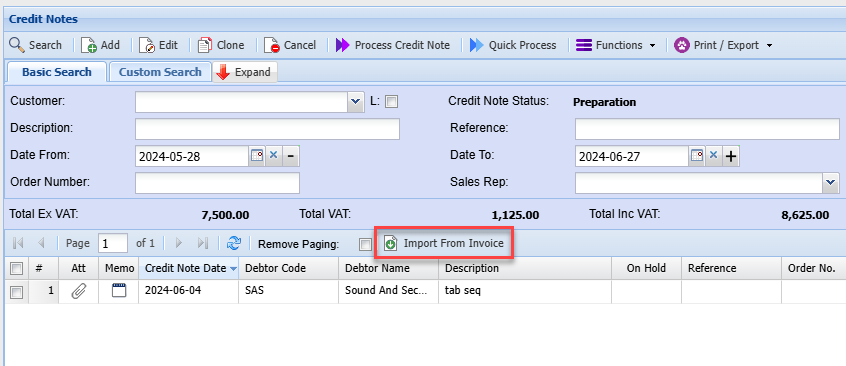
Search by document number or customer, remember the date range also counts.
The default option is to import from an invoice or import from a quote.
Importing from quote helps keep the Task build structure in place for Credit note
You can view the invoice to verify that it’s the correct one you want to reverse by clicking on the view invoice button.
Click on the Import button to create a credit note
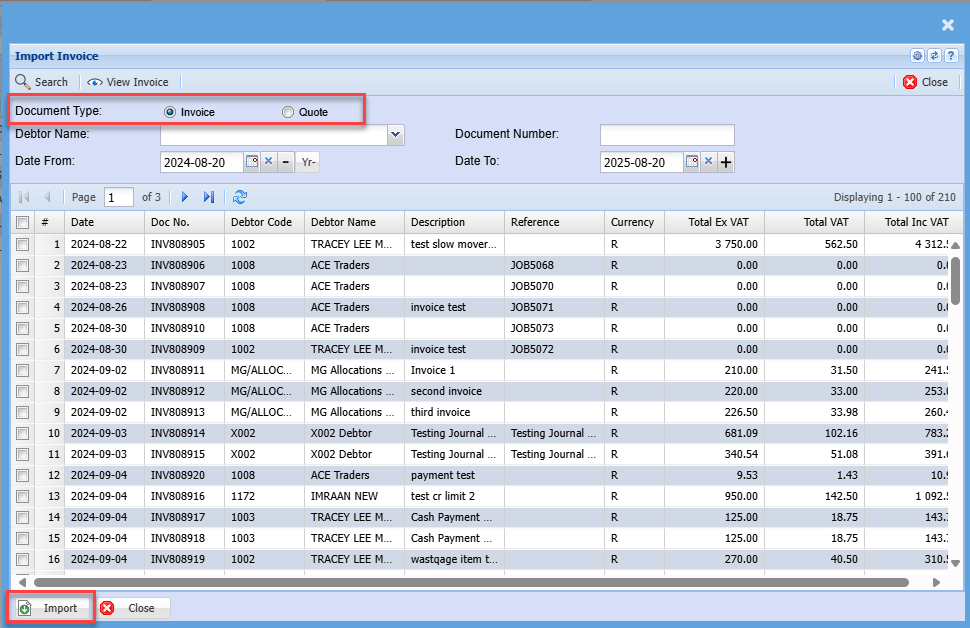
And Click Continue
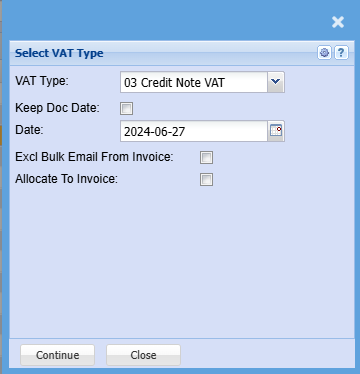
| VAT / GST Type | Select the correct Tax Type for Credit Note |
| Keep Doc Date | Enforce credit note to make date same as invoice date |
| Date | Put in a date for credit note |
| Excl Bulk Email from Invoice | Put this tick on to mark invoice to not be sent out when using Bulk email invoice function |
| Allocate to Invoice | Automatically allocate the credit note to invoice after processing the credit note |
If one changes the customer of the imported invoice to credit note, the Allocate to invoice will be cleared. No automatic allocation will occur
The credit note will now be under preparation status in the credit notes waiting to be processed
.png)
Click On process Credit note to process this document
.png)
No Comments