
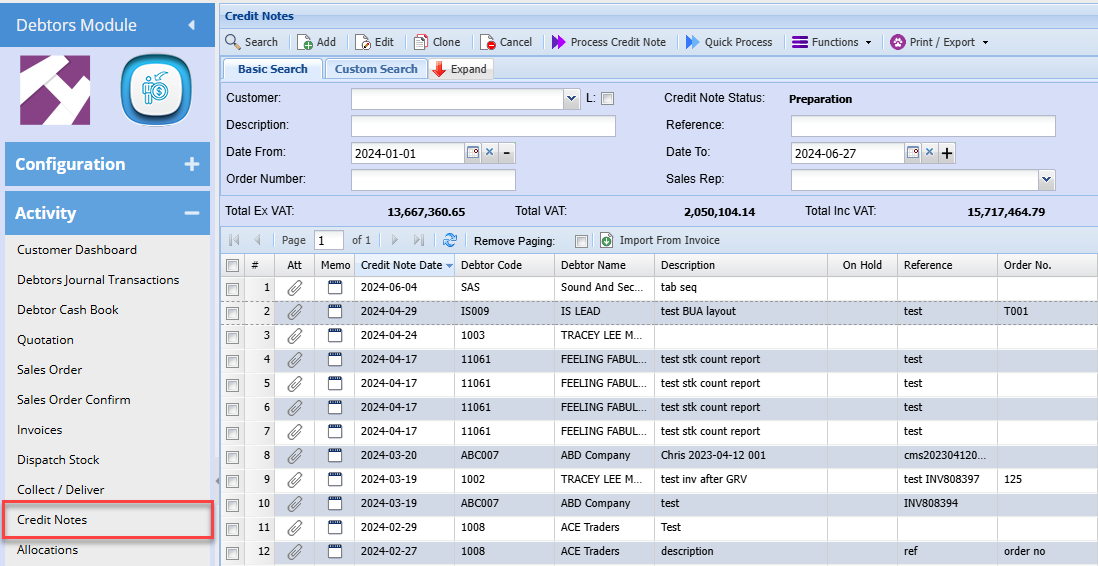
Credit Notes Search
The correct process to reverse a posted invoice affecting stock is by raising and processing a credit note
this process will offset the original invoice.
the below demonstrates the manual capturing of this process
Video Training Manual 2016 - Click Here
Functions Drop Down
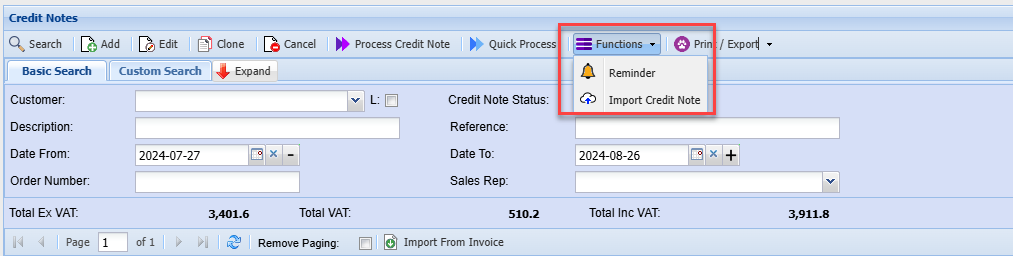
| Reminder | Allows you to create a reminder for a particular credit note |
| Import credit Note | Allows you to import credit notes into the system |
Import credit note
.png)
Click on the Select File button. This will open a window allowing you to navigate to the location of the file to be imported.
Click on the Upload button to upload the file onto the Huge ERP system, where the actual import will take place.
Once the upload has been successfully, completed click on the Import button to initiate the actual import process.
A Credit Note Import Report will open, indicating any errors that may have occurred during the import or displaying a success message if there were no errors.
If there were any errors during the import, the entire process will be rolled back, meaning no Credit Notes will be imported.
The file to be imported must be in CSV format.
No Comments