
System Defaults tab
System Config > Defaults > System Defaults
System Defaults tab have multiple sub functions
Leave Allocation: Time log Defaults
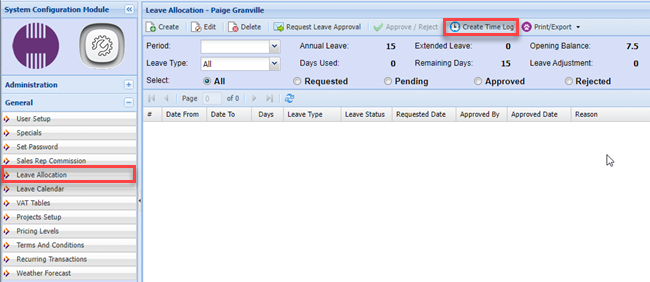
When a person turns leave into a time sheet, the system will use this as the default.
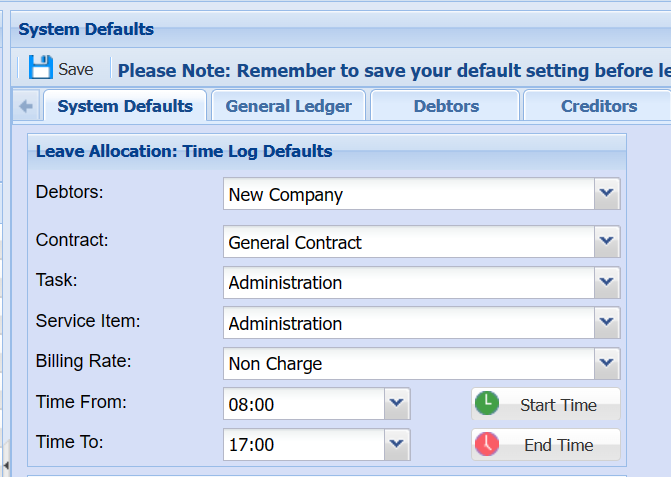
It works with Leave Allocations, when you go to create time log it uses the time log defaults.
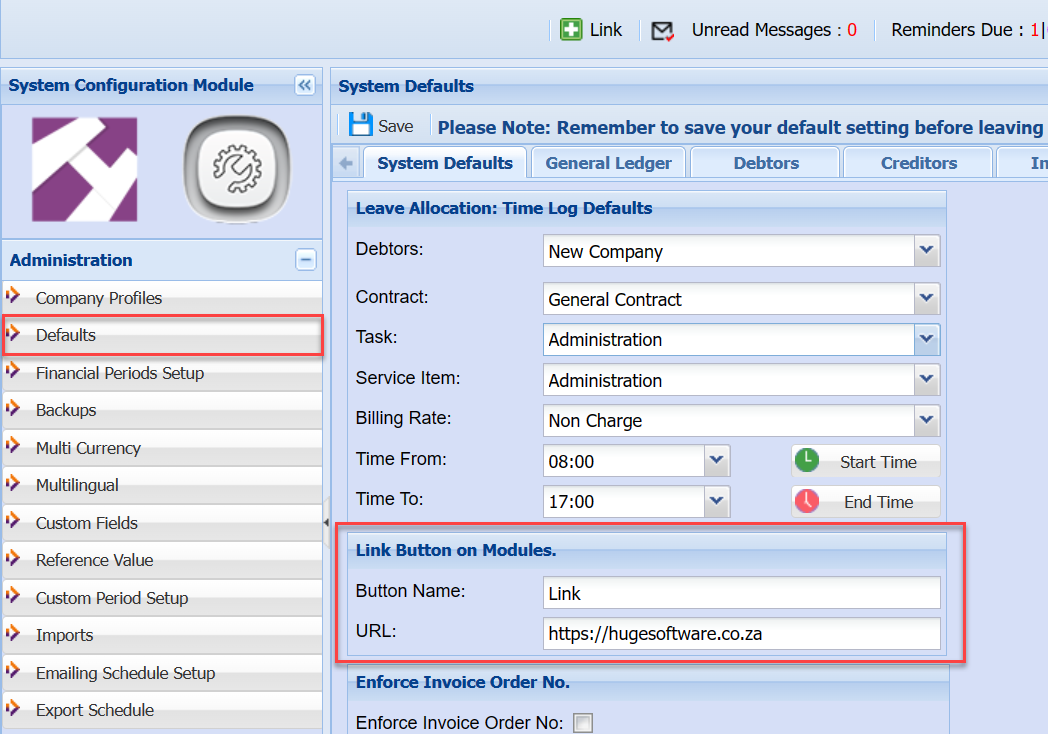
Link Button on Modules
This allows you to change the button name and URL
Create own manual for company

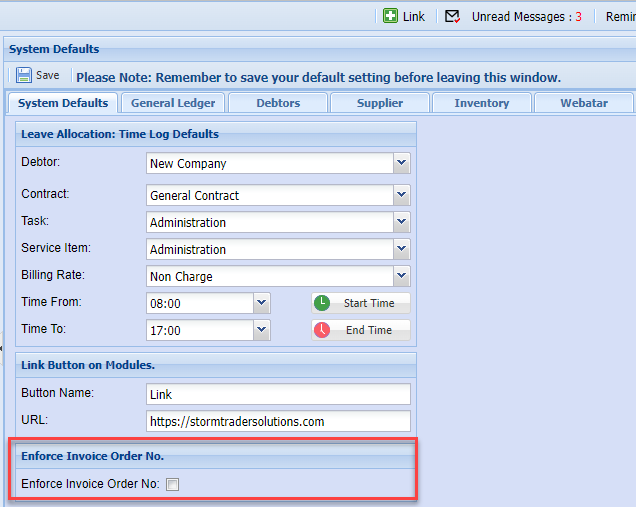
Enforce Invoice Order No
When creating a customer invoice, if the setting is on then it will ask you for an order number on invoice documents.
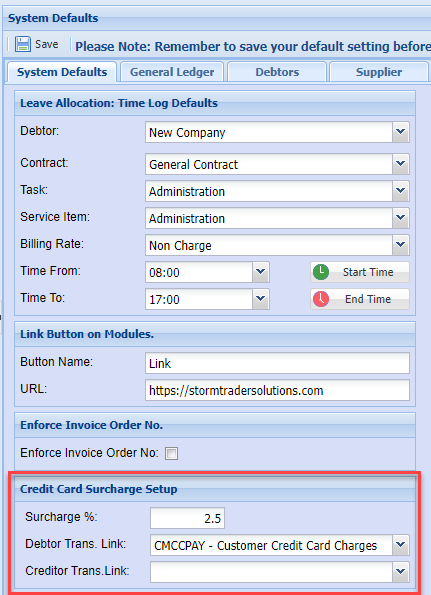
Credit Card Surcharge Setup
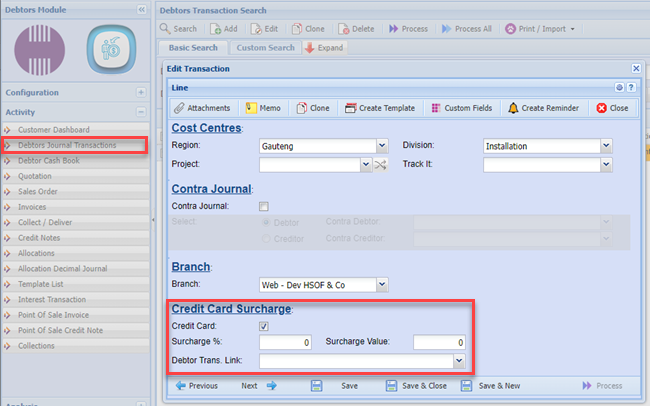
Credit card surcharge is used in the debtors / customer transaction journal.
When a customer makes a payment with a credit card, the system will work out the surcharge on top of the payment.
This will create and additional debtors transaction journal.
After you have saved the journal transaction, proceed to the next screen to view the credit card surcharge.
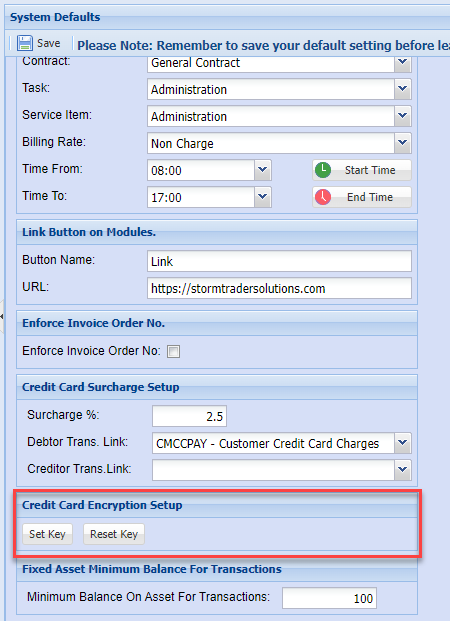
Credit Card Encryption Setup
This is used to set in encryption key to encrypt credit card numbers.
If you lose the key, ask support consultant to reset the key, all previous credit card details will be wiped out.
This is a security feature to ensure their client credit card details are not compromised.
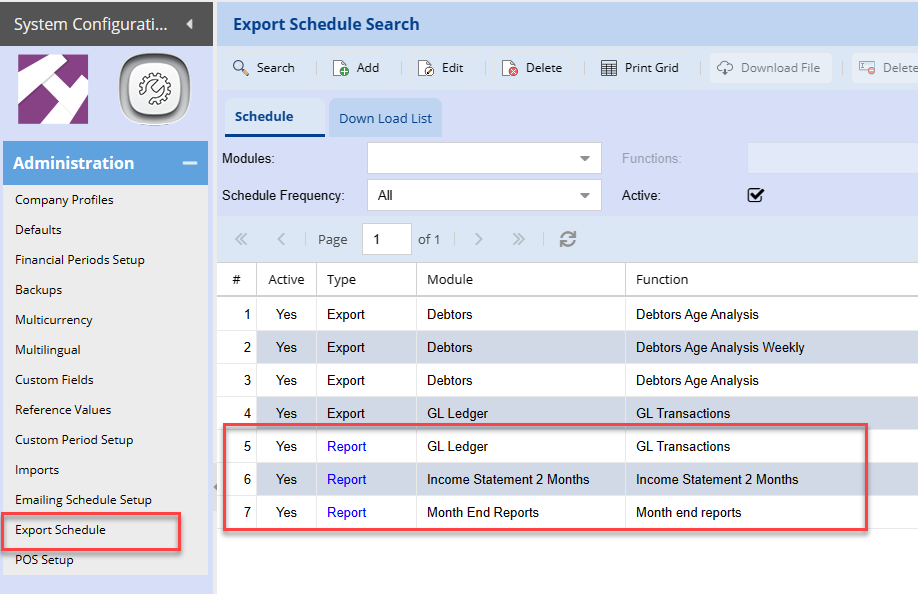
Export Schedule Date Delay Setup
Set the days to be delayed until the scheduled reports for the new month.
Example: Setting the days at 10, means that up to the 10th of a month (using November)
The reports will still report on October month end, after this date it will start to report for November end month
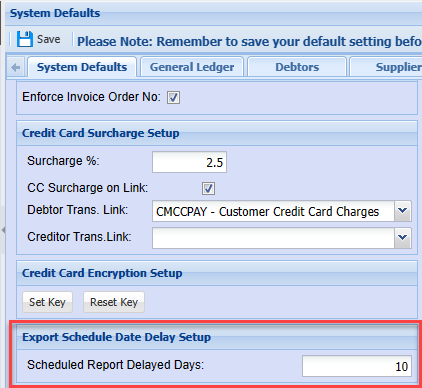
Used for Export schedule automatic reports
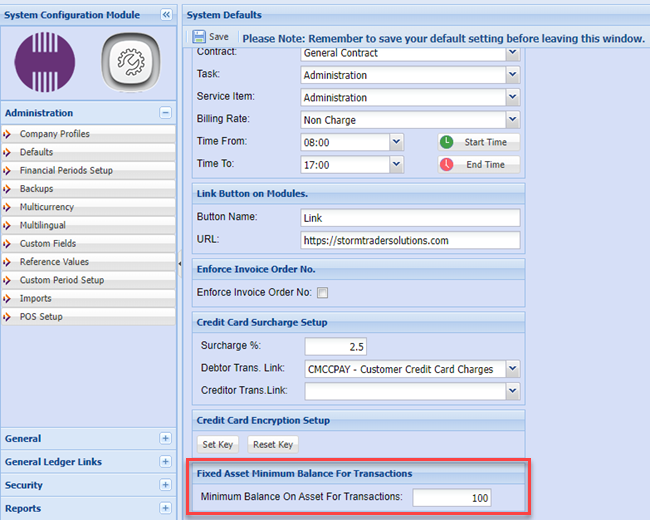
Fixed Asset Minimum Balance for Transactions
This is a value that you can set is the minimum value for fixed assets.
Once a fixed asset reaches this minimum value, it will NOT create a Depreciation journal.
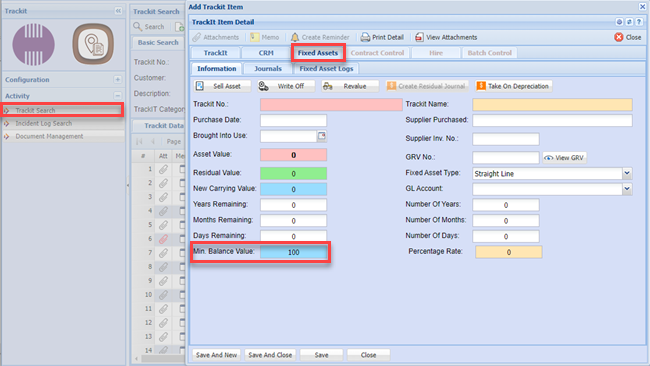
The value used here is used as the default value when setting up a new fixed asset item.
The value is populated in the TrackIT Module for fixed asset.
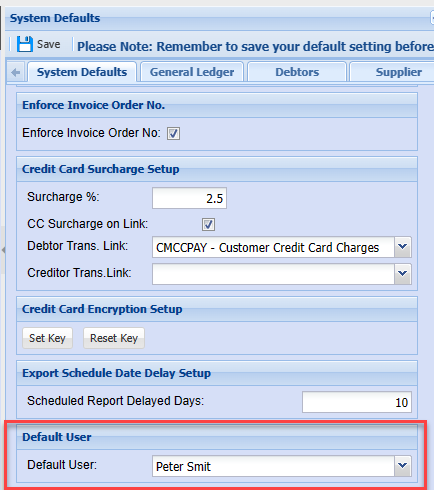
Default User
Used to set the user when it is blank
No Comments