
Job Costing Defaults Tab
System Config > Defaults > Job Costing
Enforce Settings
.png)
.png)
Enforce Job number On
Enforce Job number on Stock Requests
.png)
Custom Inventory WIP Enforce
System Config > Defaults > Job Costing
This changes all custom items on Purchase Orders to force it to WIP
.png)
It will overrule this
.png)
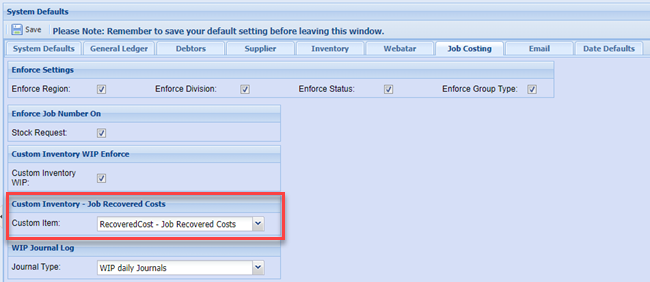
Custom Inventory - Job Recovered Costs
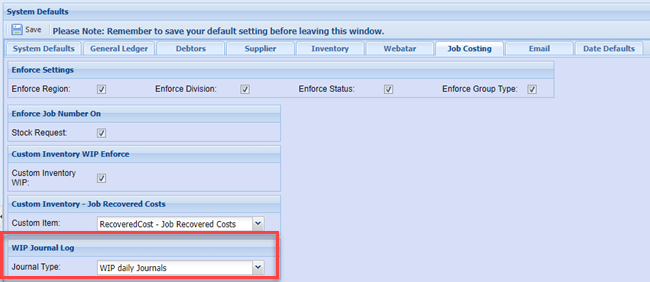
WIP Journal Log
System Config > Defaults > Job Costing
Job Scheduling Tasks
System Config > Defaults > Job Costing
The Job Schedule tasks have a few setups that can be set
| Task Type | Set the Task Type in the Job Schedule search filter as default |
| Task Split Edit |
Set the rule for splitting a task activity a. Value split and % zero - Split the value of the main task with 50% and 50% on split task. Leave % complete on main task as is and make split task start with zero percentage. b. Value zero and % zero - Keep the main task value and percentage the same. Make the split task value and percentage zero. |
| Disable sub and split task value | Disable the values fields of the sub and split tasks so that the user cannot edit |
| Disable sub and Split Task percentage | Disable the percentage fields of the sub and split tasks so that the user cannot edit. |
.png)
Task splits and disabling fields
.png)
Setting the Task Type search default
.png)
No Comments