
Reference Values
Video training manual 2016 - Click Here
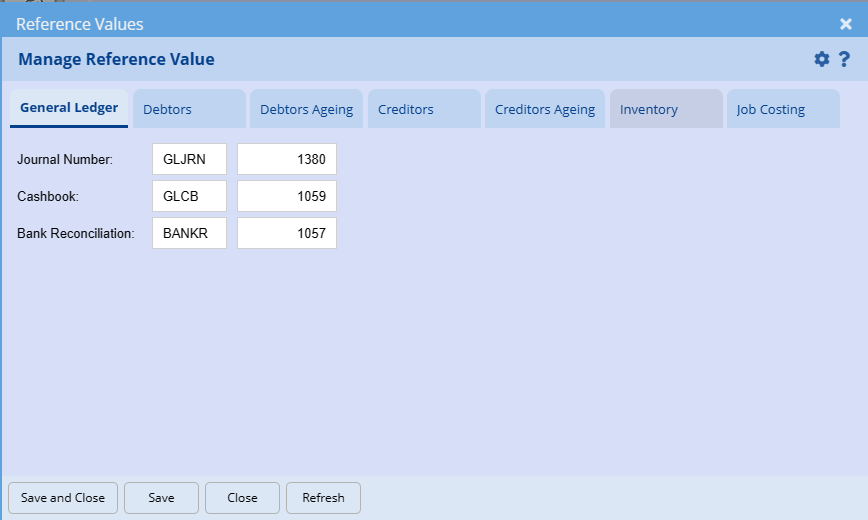
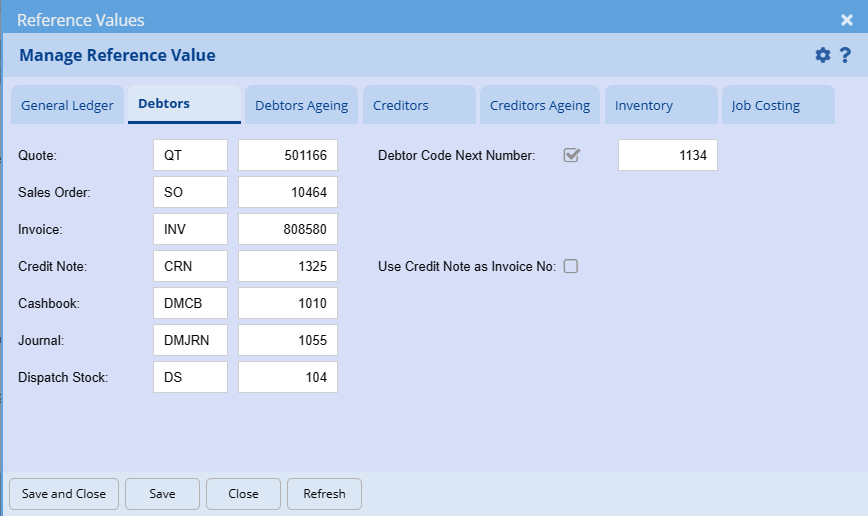
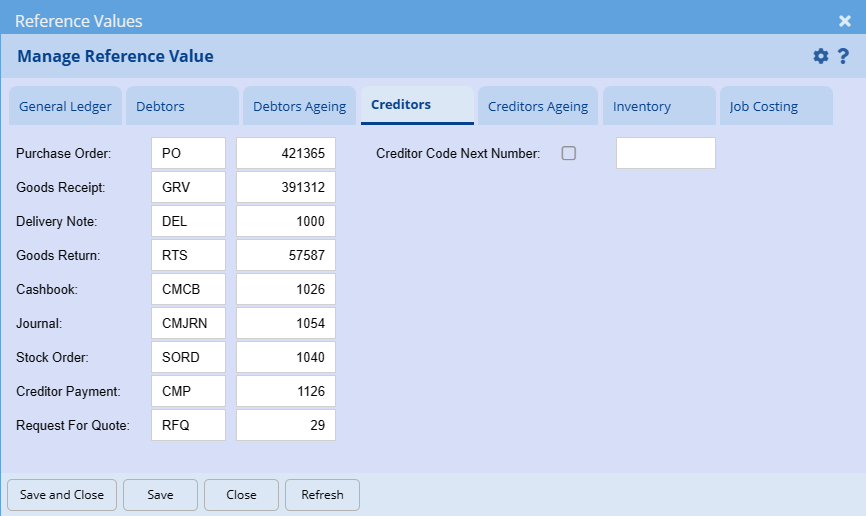
Reference Values screen is where all the document numbers are begun in order to run in sequential order. The prefix of the documents can be changed for General ledger, debtors, creditors, Inventory and job costing.
This area is very important for first time startup of books. The next invoice number from the old accounting system should be used in order for the system to run in sequence with the old system.
Useful when you are back dating some transactions with specific number sequences.
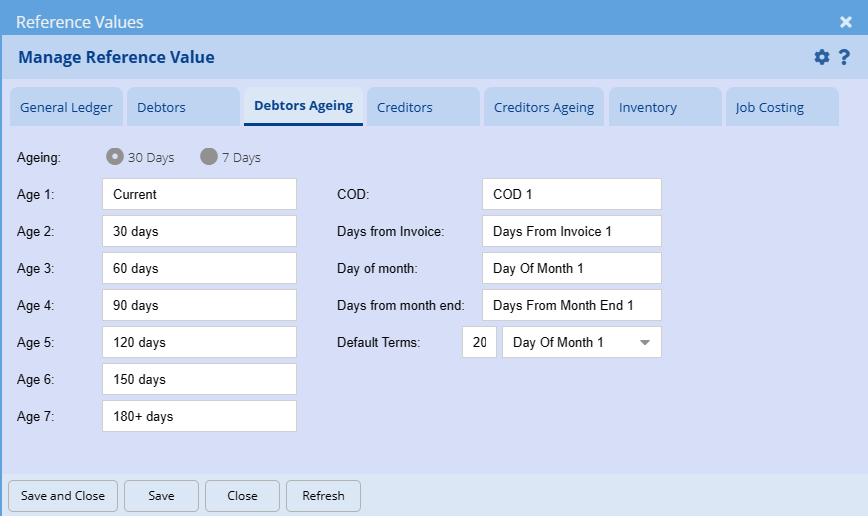
The Reference values for all the source documents in the system are set here
General Ledger tab
Debtors tab
Debtors ageing Tab
Creditors Tab
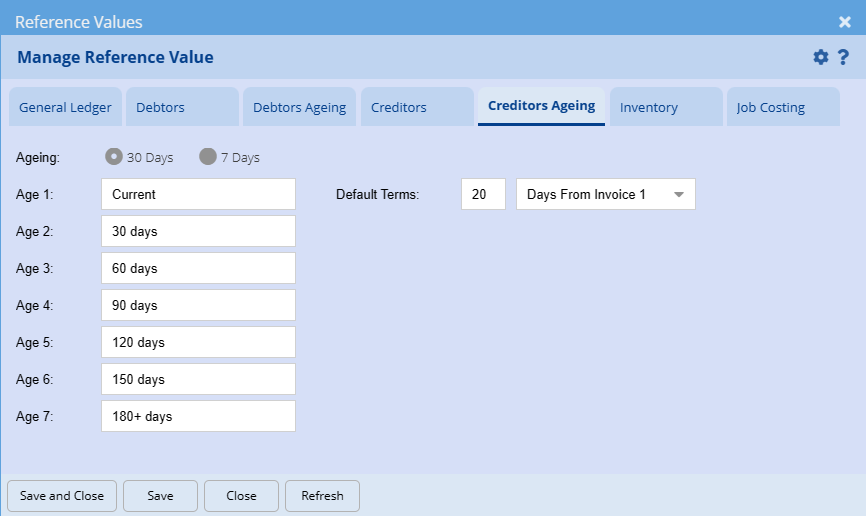
Creditors ageing Tab
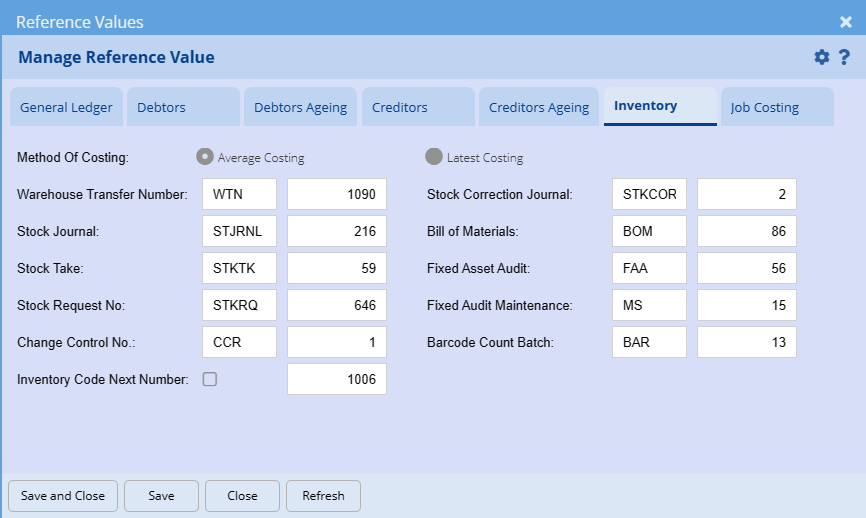
Inventory Tab
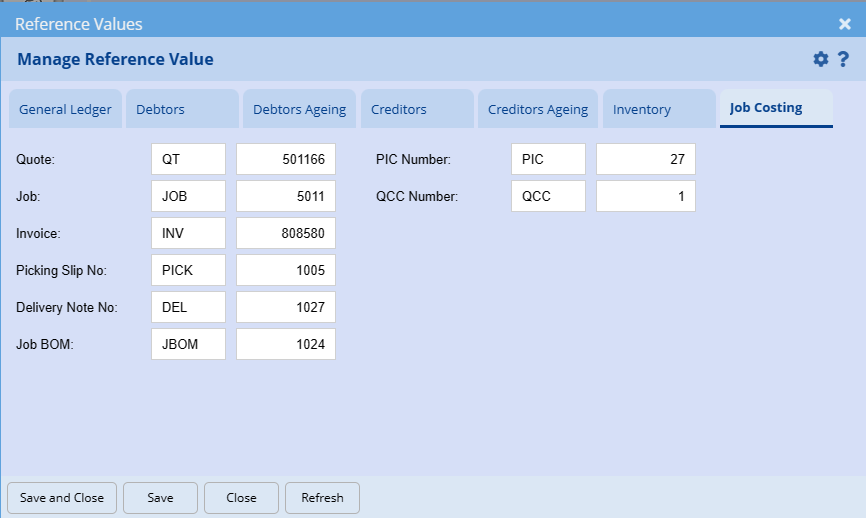
Job costing Tab
No Comments