
Creditors Defaults Tab
System Config > Defaults > Supplier
Document Import
Set the defaults when importing PDF documents from Rossum and Typless, if the items are not found in the system.
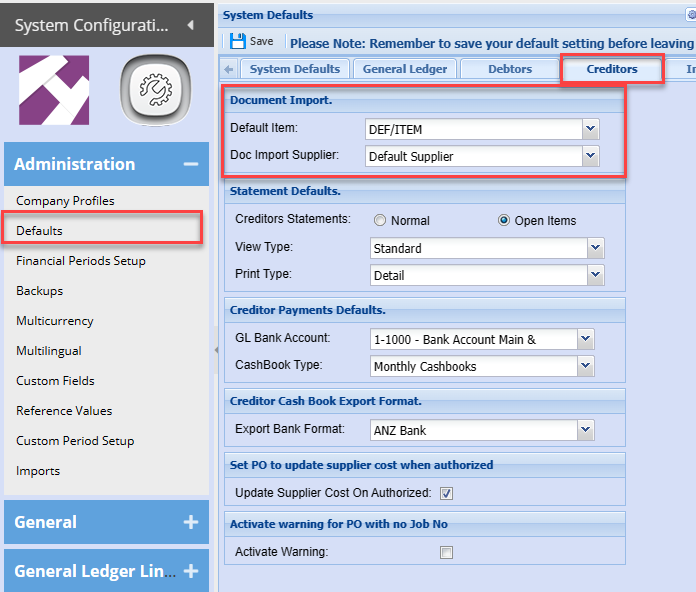
Used in Purchase Order and GRV imports
.png)
.png)
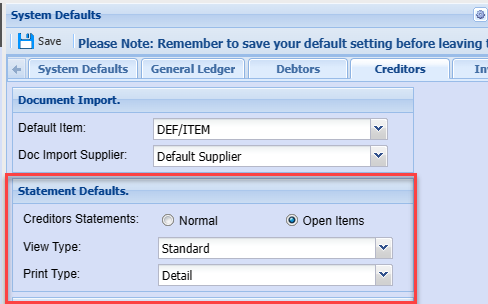
Statement Defaults
Auto set defaults on the creditors statements
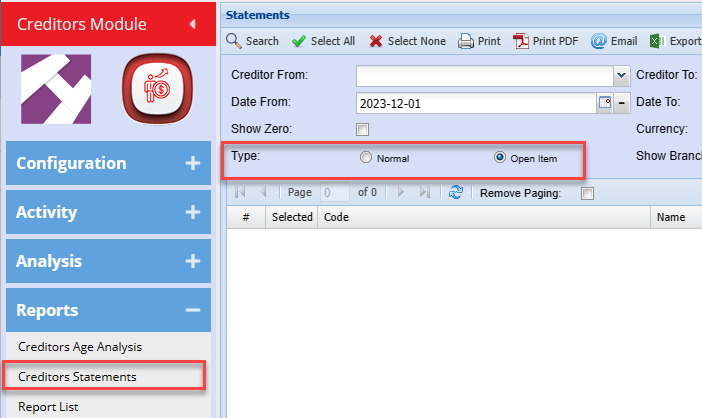
Statements
Set the type for statements
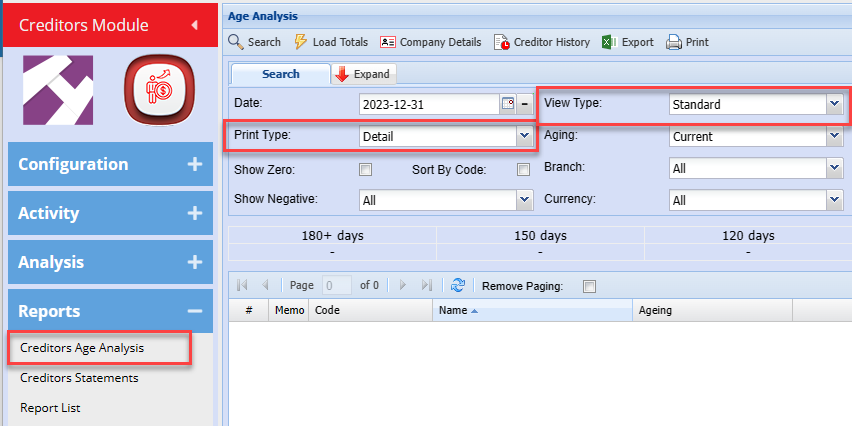
Creditors Age Analysis
Set the Print Type and View Type for Age analysis
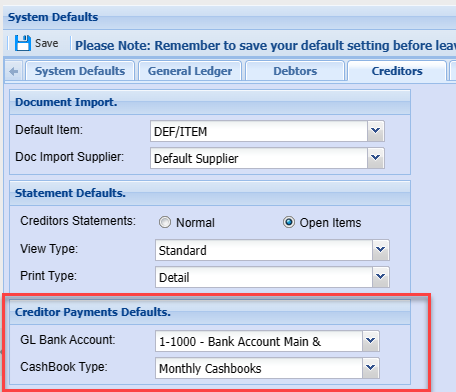
Creditor Payments Defaults
Set the payment defaults for Bank account and Cashbook type when promoting to a cashbook from Creditor Payment
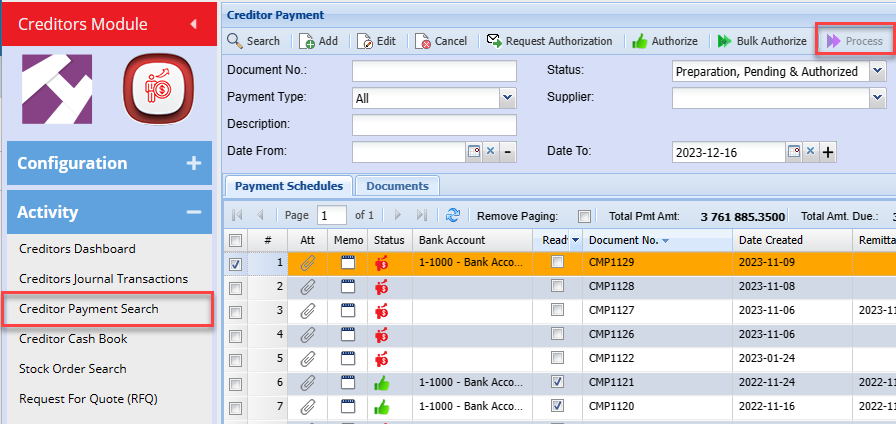
When processing a Creditor payment supplier to a cashbook it will then create the Creditor Payments Defaults.
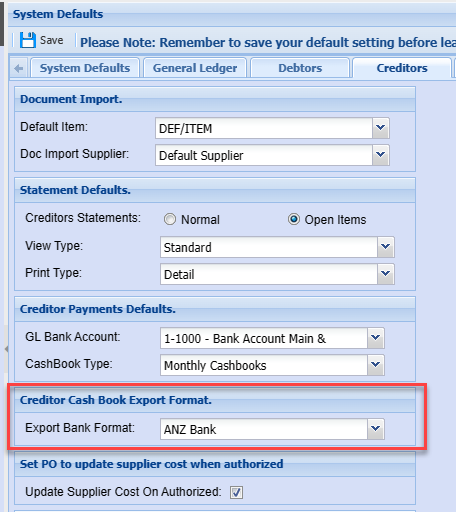
Creditor cashbook export format
Set the bank format when exporting the creditors payments to the bank
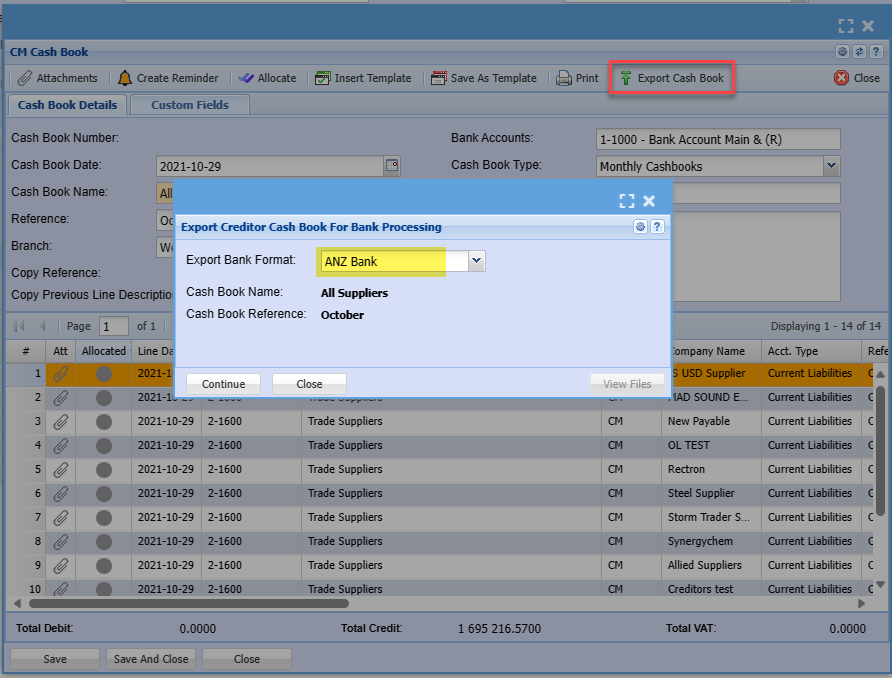
Sets the default for bank export
Set PO to update supplier cost when authorised
Use this to update the cost of the supplier before processing a delivery note or GRV
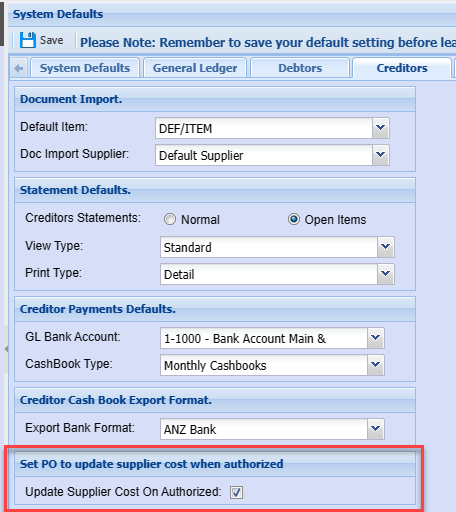
When creating a Purchase Order and authorise, the system will update the supplier cost price against the inventory item set.
.png)
Inventory item updated in the Supplier item cost price.
.png)
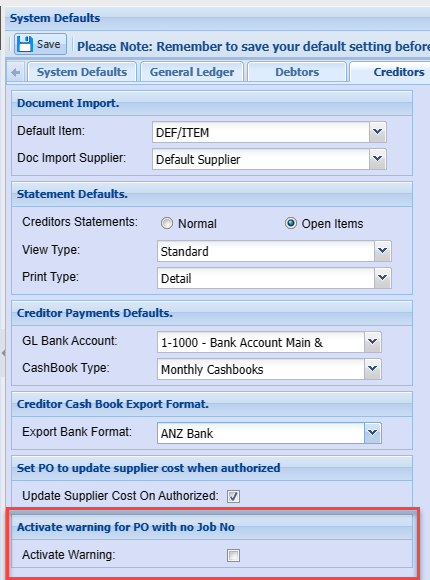
Activate warning for PO with no Job No
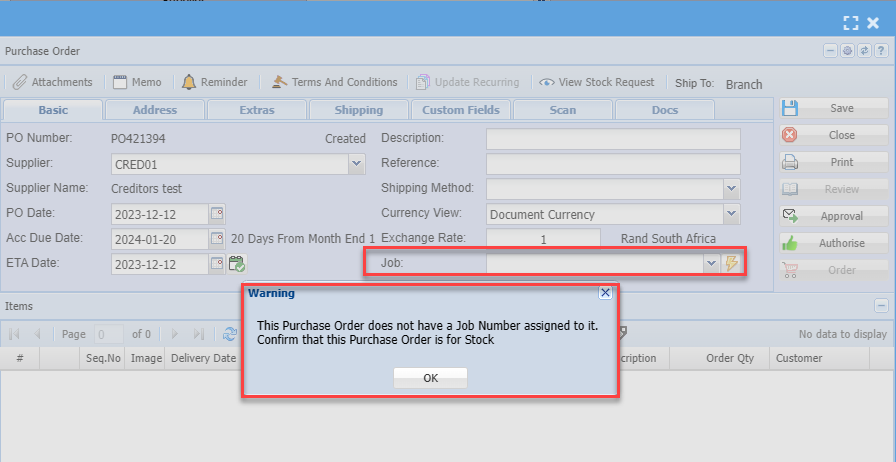
Activate a warning in Purchase Order save when Purchase Order does not have a Job number allocated.
Used to prevent purchase order lines from not having a job number allocated.
Warning appears on each save to check if job number is added to purchase order
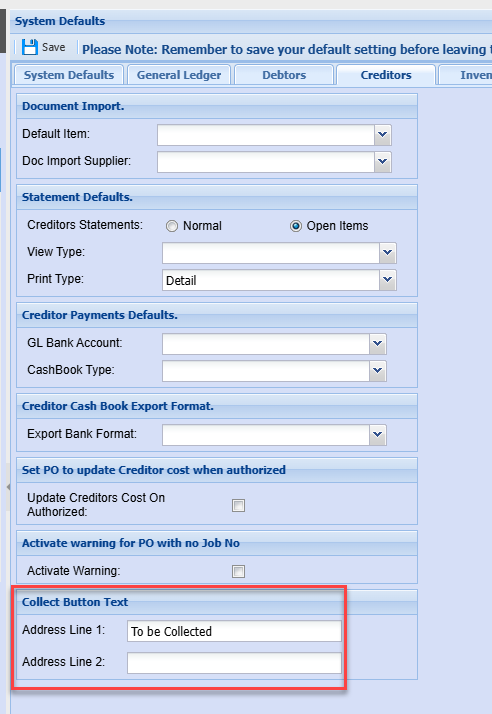
Collect Button Text
No Comments