
GRV with Importation Split
Creditors/Suppliers > Activity> GRV
Typically, one would only use the importation split function when purchasing from a foreign supplier in the respective foreign currency.
Let’s use the below sample data:
| Foreign Supplier | IS Foreign Supplier |
| Item Purchased | Brother LC23 Value Pack at cost price of $30 |
| Quantity Purchased | 2 |
| Shipping Details | |
| Cartage Company | DHL Couriers |
| Non-Vatable cartage/Shipping charges | R 200 |
| Custom VAT: (100% of which is VAT) | R 3000 |
| Standard Vatable cartage/shipping charges | R 1800 |
| Capture the GRV as you would normally do | |
| Select the Foreign supplier | |
| Enter the Date | |
| Enter the Description | |
| Enter the Reference | |
| Enter the exchange Rate applicable | in this case 14 |
This is the exchange rate at which the item was secured. Also know as Spot rate in most cases.
Ener the Supplier Invoice Number. This is the Invoice number from the supplier of the item.
Your screen will now look as follow:
.png)
Proceed to enter the item(s) purchased
Select the item
Enter the quantity
Enter the Purchase price (in the foreign currency, in this case $30)
Change the VAT type to: Non-VAT
Click Save and Close
Repeat these item entries for each different item you purchased.
Your screen should then look as follows:
.png)
.png)
Once all the items have been captured, you can proceed to capture the Shipping invoice:
On the above screen, click the Importation Split Button
Then click the Add Button
On this screen you are going to enter the details on the Shipping or Cartage company Invoice
Select the shipping Company in the Creditor field
Enter the invoice number (invoice number of the shipping company)
Enter a Reference
Enter the Order number
Enter the Description: The description could be the line-item description on the shipping invoice, if you are capturing each line individually.
OR you could capture all the Non-Vatable Line Items as a single line and the al the Vatable Lines items as another line
And finally, the Custom VAT line item as the 3rd Line
.png)
.png)
.png)
Once the transaction is processed
Vat report will reflect these entries as shown below
Report List> VAT> VAT Report Original
GRV VAT Portion
.png)
NON-VAT Portion
.png)
Import Tax Portion
.png)
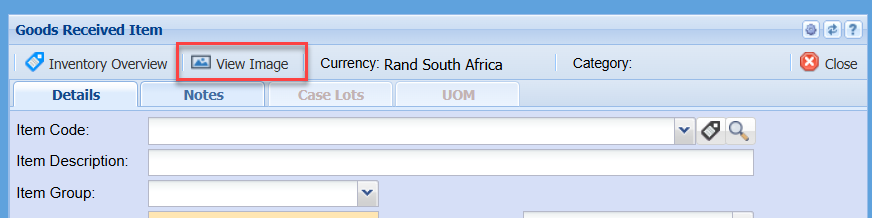
View Image Button
No Comments