
Edit Delivery Note

| Attachments | |
| Create Reminder | |
| View Purchase Order | |
| Inventory Overview | |
| Set lines to supplier cost | |
| Split Del Note |
Standard Tab
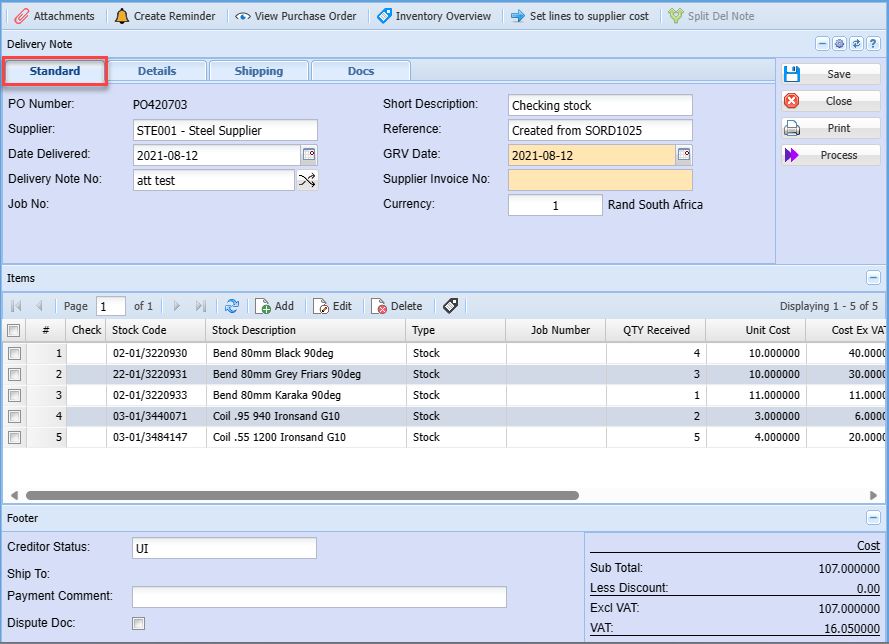
| Supplier | shows the selected supplier |
| Date Delivered | to select the date the item was delivered |
| Delivery Note No. | |
| Job No. | |
| Short Description | delivery note description |
| Reference | delivery note reference |
| GRV Date | |
| Supplier Invoice No. | to enter supplier invoice unique document number |
| Currency |
Details Tab
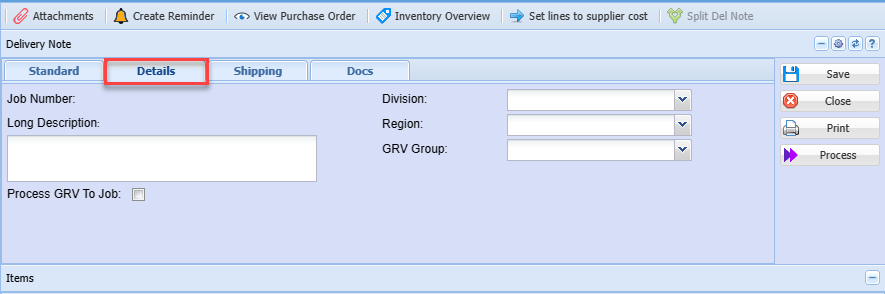
| Job Number | |
| Long Description | detailed description of the delivery note |
| Process GRV To Job | |
| Division | to select the division from the drop down arrow |
| Region | to select he region from the drop down arrow |
| GRV Group | to select the GRV group from the drop down arrow |
Shipping Tab
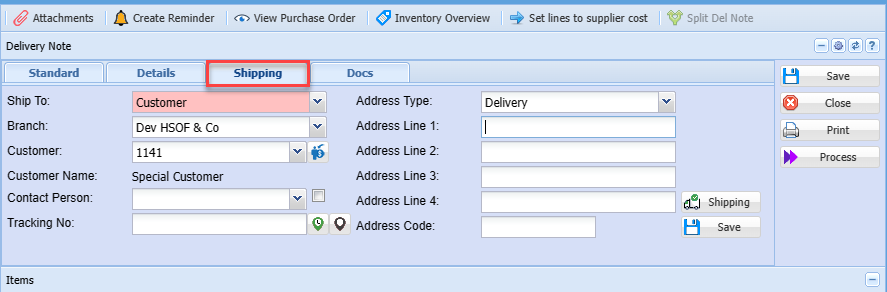
| Ship To | select the customer you shipping to |
| Branch | select the branch you wish to use |
| Customer | select the customer |
| Customer Name | this will automatically show customer name when customer is selected |
| Contact Person | Select the contact person |
| Tracking No. | |
| Address Type |
Docs Tab
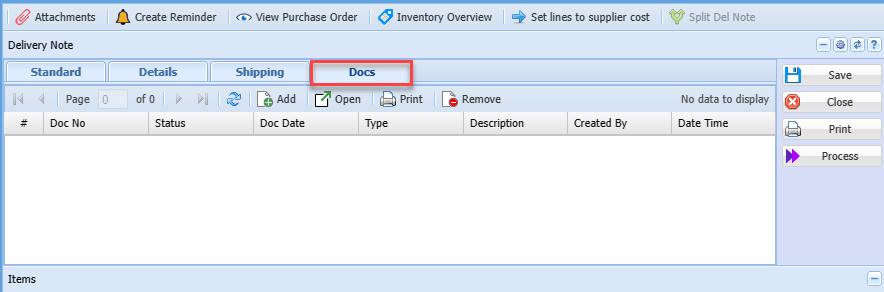
| Add | |
| Open | |
| Remove |
No Comments