
Purchase Order Search
Creditors Module> Activity> Purchase Order

| Search | Allows you to search for an existing Purchase Order, Inventory Item, Creditor or Debtor based on system fields and which module you are in. |
| Add | Allows you to create a new Purchase Order, Inventory item, Creditor or Debtor depending on the Module you are in. |
| Edit | Allows you to edit the purchase order |
| Clone | Allows you to Clone an existing Inventory Item, Creditor or Debtor depending on the module you are in |
| Reminder | You can set a reminder to follow up on a PO or to send the PO off for Authorisation etc. |
| Approval | Click the Approval button to send the PO for approval |
| Authorise | Click the Authorise button to authorise a PO |
| Order | Once the PO is Authorised the order can be placed by clicking the Order button |
| Import | If you have a really long order that you have in the excel format, you can upload this order to create the PO rather than entering them one by one. |
| Cancel | Click Cancel to Cancel a PO |
| Copy To Template | If you have templates set up for your PO you can copy one PO over to another template. |
| Print/Export | You can export your PO to excel, or you can choose to print a copy. |
Basic Search

| PO Number | Use your PO number if you know it to search for a specific Purchase Order |
| Description | If you know the description of your Purchase Order you can use that to search |
| Date Type | Select the date you want to search by (Document Date, ETA date or Due Date) |
| Date From / Date To | You can search for Purchase Orders in a specific date range |
| Supplier | You can search for Purchase Orders for a specific supplier |
| Reference | If you know the reference for the Purchase Order you can search using that |
| Status | You can search for a PO in a specific status, select your status choice form the drop-down menu (All, Created, Approved, Authorised or Recurring Transactions) |
Custom Search

| Category | Search for a PO in a specific category if you have categories set up. |
| Actual Delivery Date | Search for a PO that has already been delivered and processed by using the actual delivery date. |
Print/Export

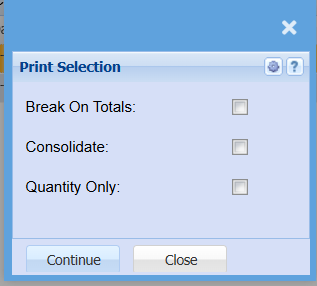
If you want to print a list of your Purchase Orders, you can select to have breaks on all totals, you can choose to consolidate all totals and you select to have Quantity only shown on your report.
No Comments