
Overdue account onhold
Setup the system to automatically put a customer account on hold.
Setup a schedule to check customer accounts to put any customer on hold that has any amount overdue.
The customer will be flagged on hold and a note put in as "Account Overdue".
If the account has been settled, the system will check if the account is On-hold with the Reason "Account Overdue".
When the criteria is met and there is no overdue amount, the account will be deselected with On hold and the On Hold Reason cleared.

Activate Schedule
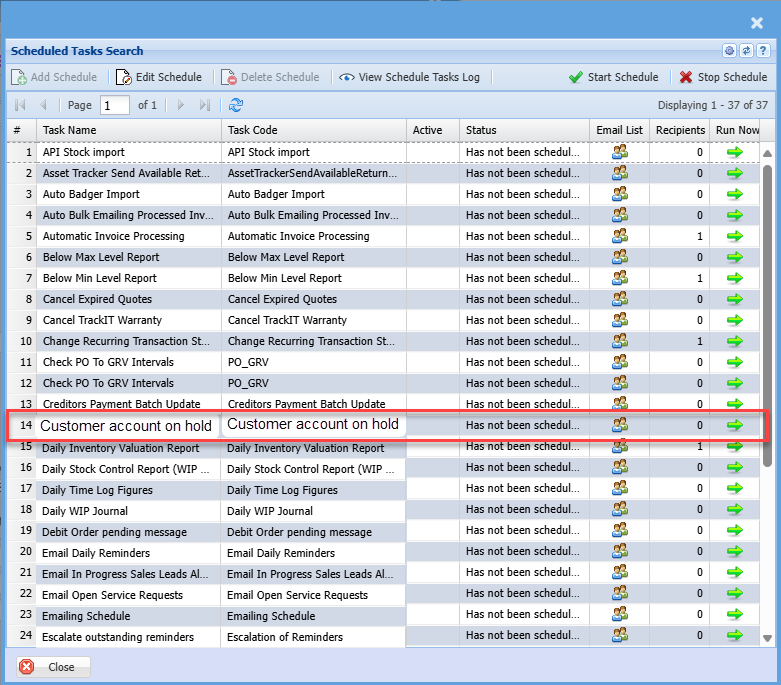
Activate the Customer account on hold with overdue amount.
Go to System Configuration, Company Profiles, schedule setup
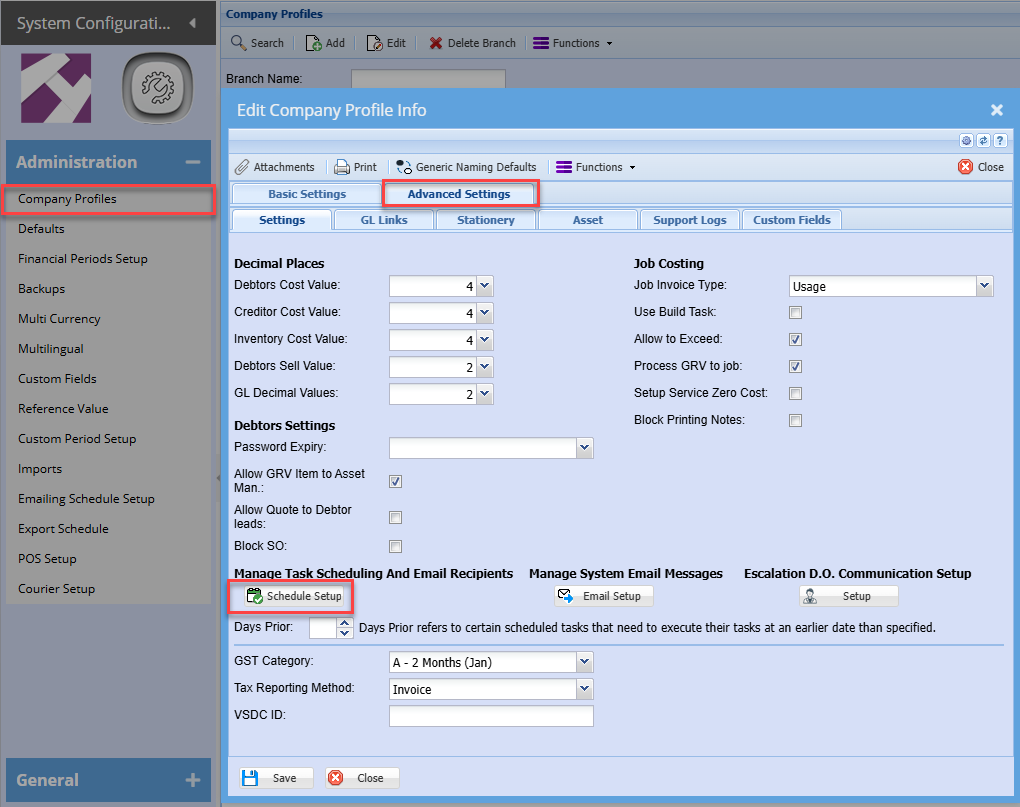
Activate the schedule for Customer account on hold
When setting up email list, then the system will email those on the email list an email to inform which accounts have been put on hold or accounts that have be reactivated.
Automatic email report
Email report sent to users setup in email will receive a report as below

No Comments