
Linked Brands
Linked Brands allows you to link product brands to a specific debtor or customer.
if your inventory items are inked to brands and the item is invoiced, the Brand is automatically linked to the debtor along with the invoice date. This indicates the date the brand was first purchased.
You can also link brands to a debtor manually.
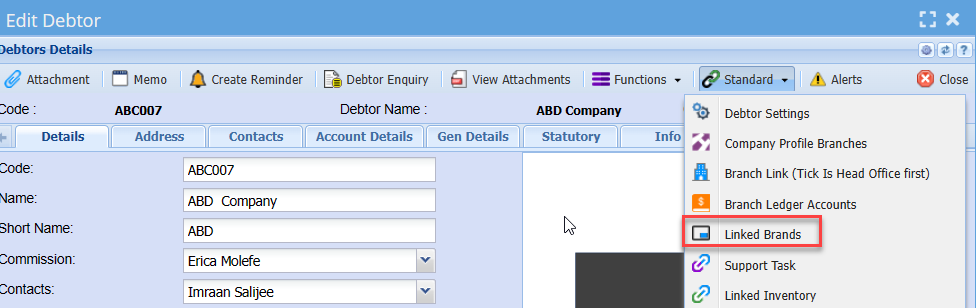
To link a brand to a debtor manually, search for the required debtor and click on the standards drop down.
Select Linked Brands
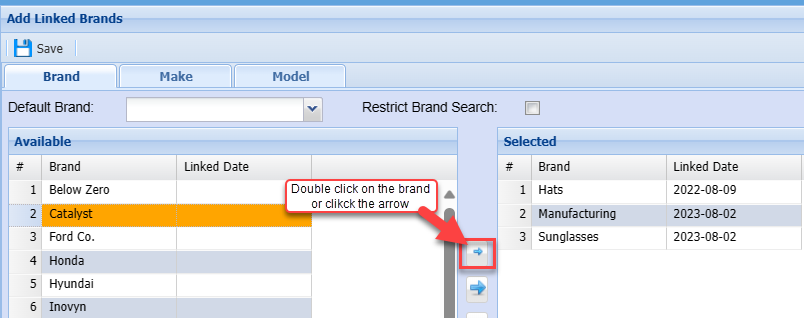
Click once on the required brand on the left and then click the Arrow to move the Brand to the Selected box on the right.
Alternatively, double click on the required Brand.
You will note the brand moves to the Selected grid on the right and the date the link was done is populated.
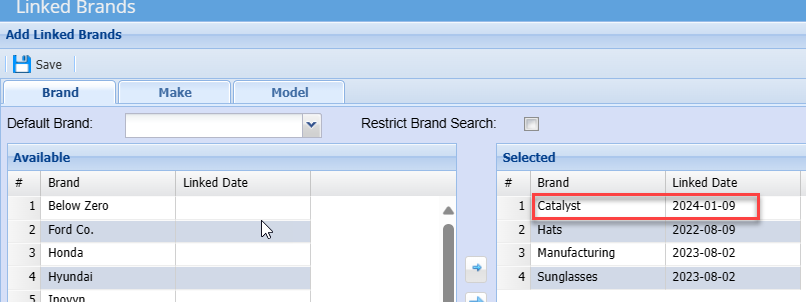
If the Brand linked is thereafter delinked from the debtor, then the date will be removed as well.
No Comments