
On Hold
On hold refers to the status of a debtor or customer account.
On hold allows you to temporarily restrict certain actions against a debtor or customer, such as processing debtor or customer documents due to the following reasons
- Credit limit exceeded
- Payment issues
- Document requirements and other reasons related to internal policies
How to put a customer on hold:
Debtors/ Customer Module> Configuration> Debtor/Customer setup> Account Details Tab
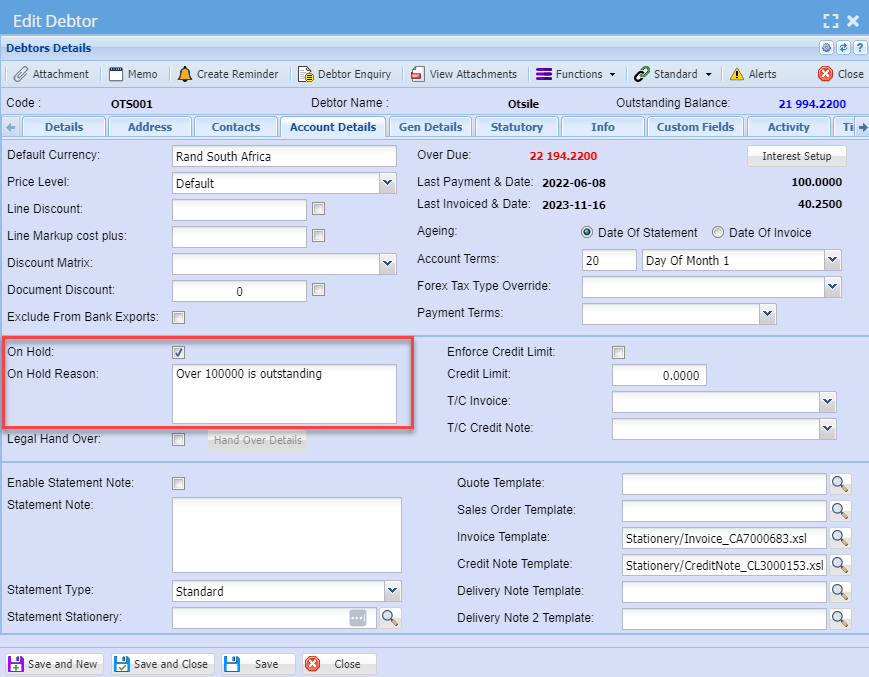
Once done with putting a debtor or customer on hold then click save and close and you will see the icon below on debtor or customer status, the icon means that the customer is on hold

The documents that are affected by Onhold are:
- Quotations
- Sales Order
- Sales Order Confirm
- Invoices
- Credit Notes
- Stock Dispatch
Documents On hold
When a debtor or customer is on hold you can still create all transaction documents, affected by on hold but you will not be able to process them.
You can promote a quotation to invoice or sales order but will not be able to process it.
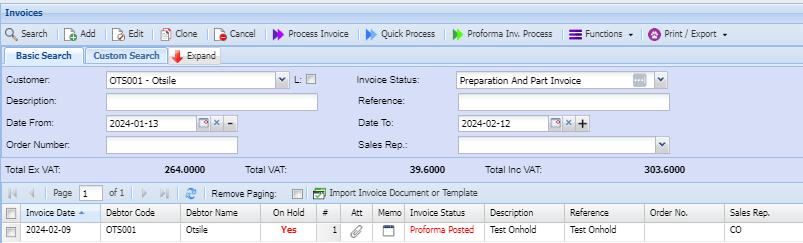
If a debtor or customer is on hold it will show on the grid and when you are creating any transaction document
See examples below:
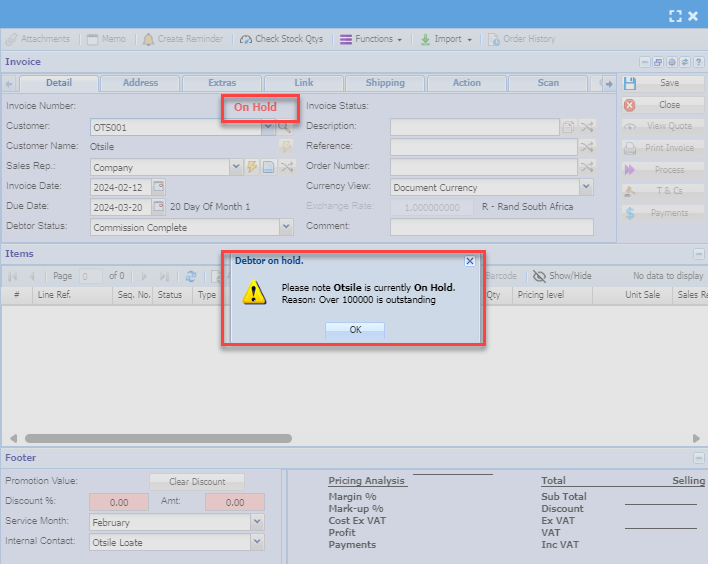
When creating a new invoice or any document for a debtor or customer you will see the prompt below:
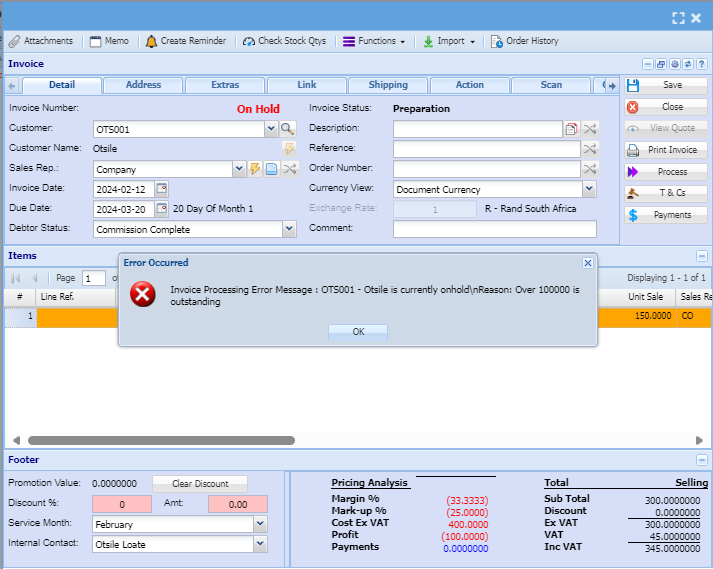
When you have finished capturing a document and click "Process," a prompt message will appear.
No Comments