
Payment Terms
Debtors will typically have account terms such as COD, 30 days, 60 days etc. for accounts to be settled.
There are however instances where you may wish to allow an exception to these terms and apply special payment terms for specific purchases or you may have certain pre-defined custom terms. in such cases you can use the payment terms option.
To add or edit payment terms go to:
Debtors module> Configuration> Add. Debtor Properties> Payment Terms
Click the tab Payment Terms

Click Add (To create a new Category)
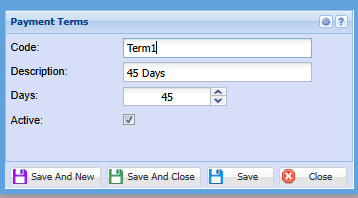
Enter a Code and Description
Click Save and close or,
Save and New to add another Payment term
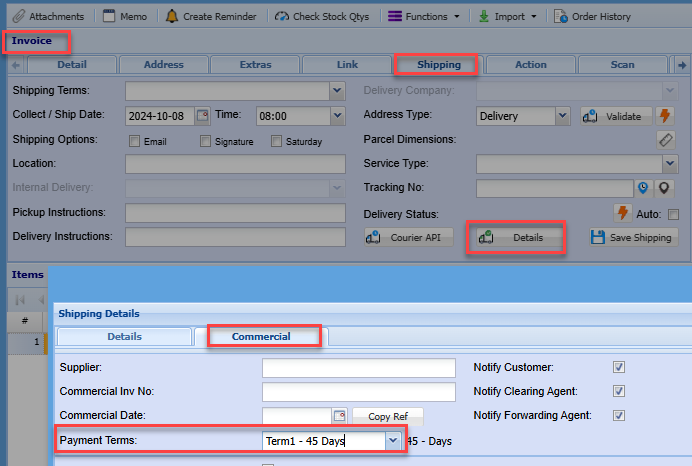
These payment terms options can be found on the sales documents, shipping tab
No Comments