
Creditors Statements
Creditors> Reports>Statements
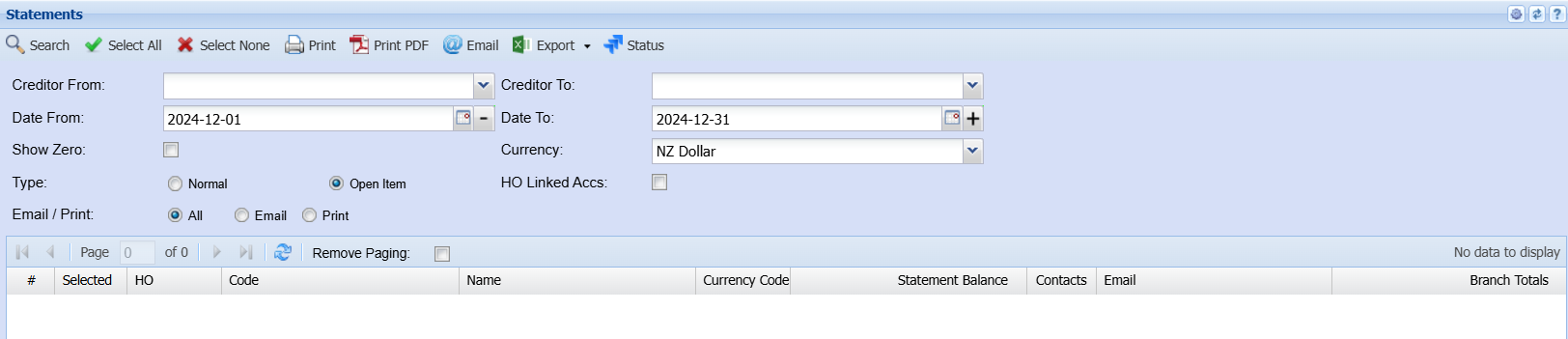
Creditor From and Creditor To enter a specific creditor to run the statement or alternatively leave blank to see all Creditors.
| Select all | By selecting the select all button the report will flag all debtors in the list |
| Select None | By selecting the select none button the report will deselect all debtors in the list |
| Prints to screen the statement details | |
| Pre-Print | send the statement to your email address |
| Print Pdf | prints and emails a pdf version to self |
| this will email the statement to the person selected to receive statement shown on the email column | |
| SMS | this will sms the statement to the person selected to receive sms statement (cell number provided) |
| Export | XML or CSV - export the statement in either a CSV or XML format |
| Status | opens up the printing status window so you can see the whether the statement was sent successfully. |
| Show Zero | tick this if you want to see statement with zero balance in the grid |
Normal
Open statement
Billing Group
No Comments