
Branch Age Analysis
Viewing and printing Branch Age Analysis
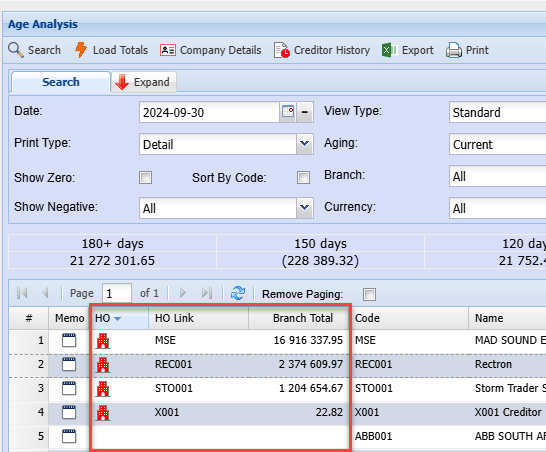
There are three new columns in Age Analysis
| HO | Icon to indicate that this supplier is marked as a Head Office |
| HO Link |
Shows the Head Office account number on Head office and branch accounts. This will be used to group all accounts to Head office accounts |
| Branch Total | This gives the total due for all branches and Head Office |
Group by Head office
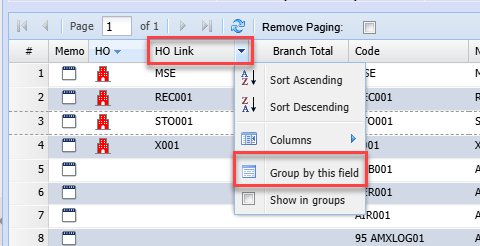
Click on small drop-down arrow on HO Link, then Group by this field
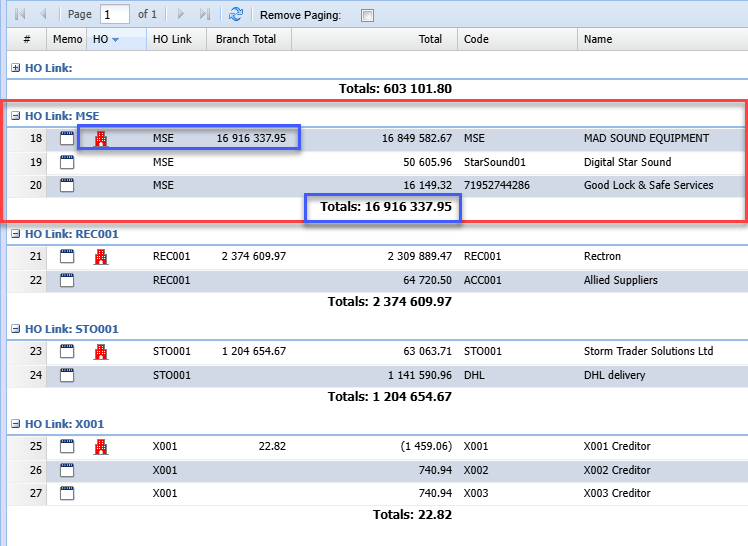
This will group all the accounts together and give totals for each Head Office and Branches
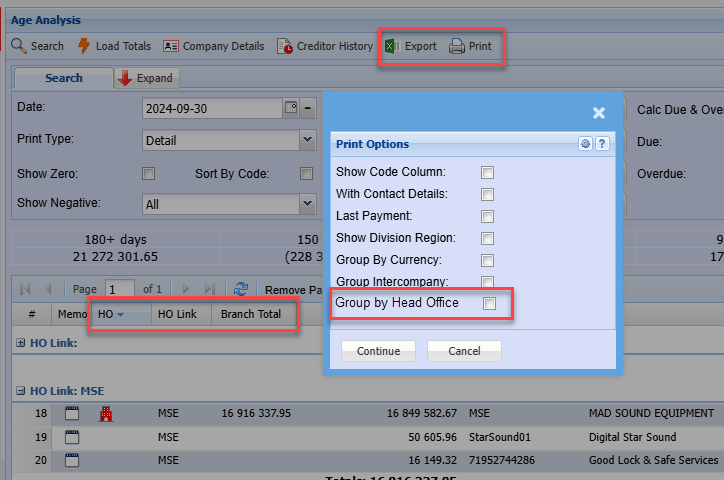
Print and Export
| Export |
Export will contain the HO flag, HO Links and Branch Totals. This means that one is able to group in Excel Head Office accounts. |
| Print and Group by Head Office with sub totals |
No Comments