
Cashbook Receipt - Foreign Debtor
If you trade in multicurrency and have foreign debtors, these debtors will likely pay in the respective foreign currency.
Using multicurrency will typically imply that you may have debtors that are invoiced in the USD as an example
As such the debtor, when making payment will pay their account in USD. This receipt can be entered into a Foreign currency bank account or a ZAR bank account.
Receipts into a ZAR bank account:
Create a cashbook as normal for the local (ZAR) bank account the money was paid into
When entering the receipt, select the respective debtor
you will note the currency indicated will display USD
Enter the USD amount paid
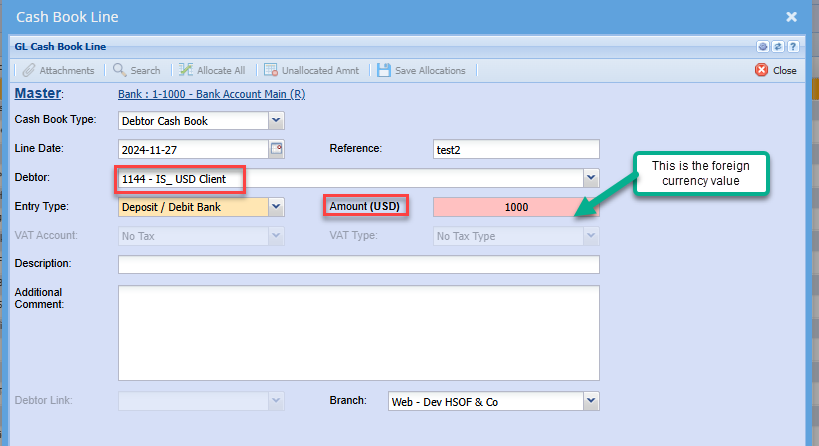
Click Next
Enter the applicable exchange rate
note: The Rand equivalent value is populated
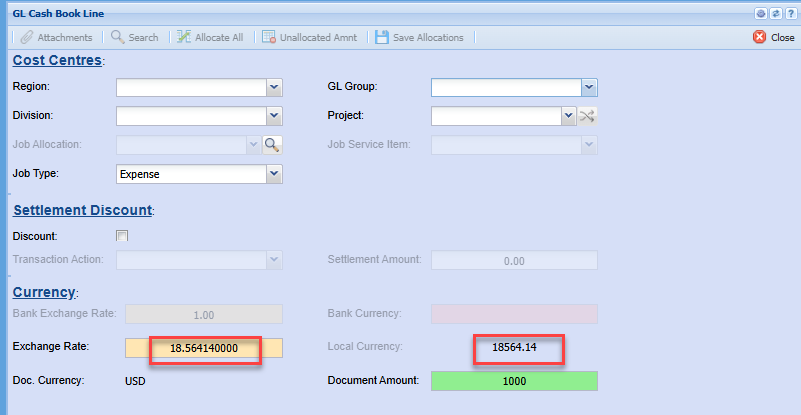
Proceed with the cashbook as normal
Save and Close
Process the cashbook
Allocation of the receipt
Allocation of receipts from foreign debtors must be done in both the foreign currency as well as Rand
go to: Activity>Allocation
search the debtor as normal
Change the currency
Click search
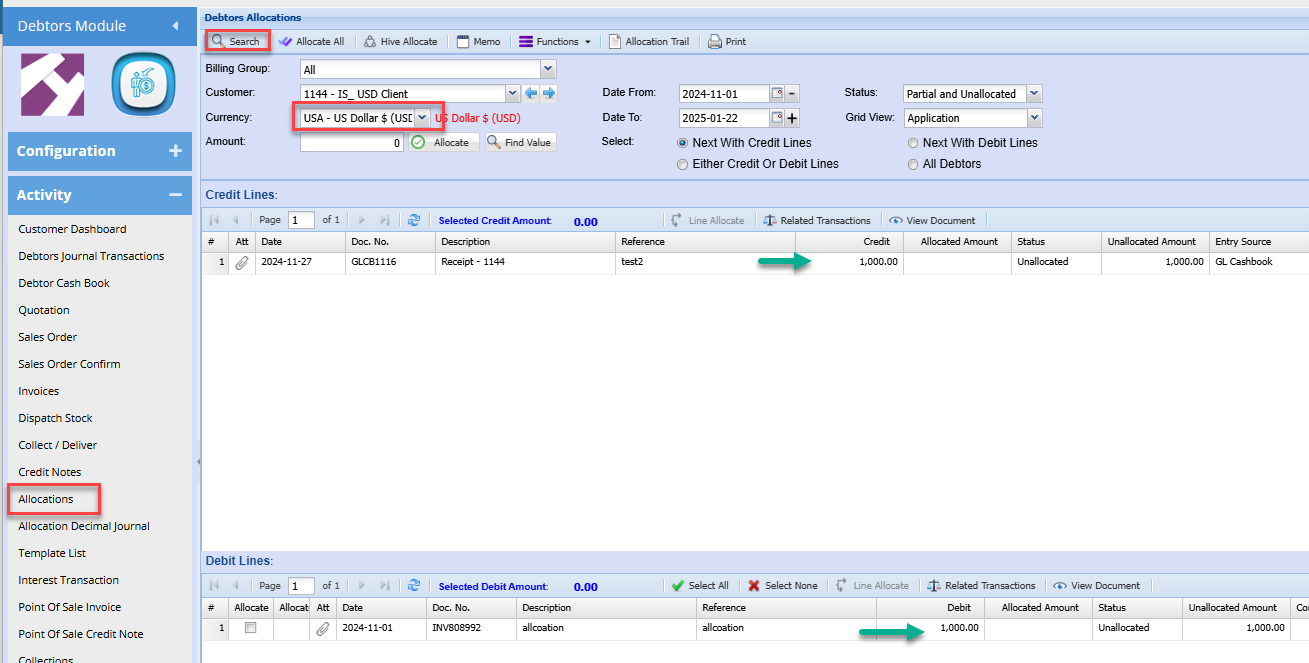
note the values will be displayed in the foreign currency
The Invoice and receipt values will typically match. and you can allocate as normal
Change the currency to Rand and search
Note: the values may differ because the invoice would have been done at a different exchange rate to the receipt
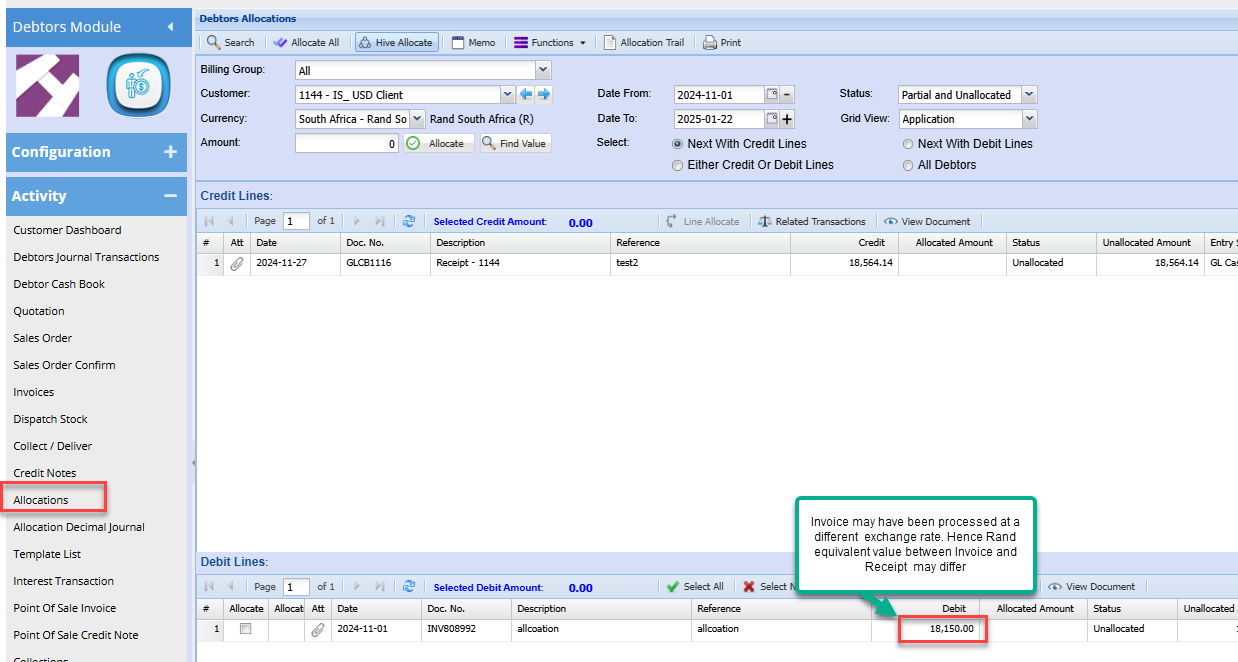
You can allocate these entries and you will note an exchange gain / loss difference remaining on the allocations
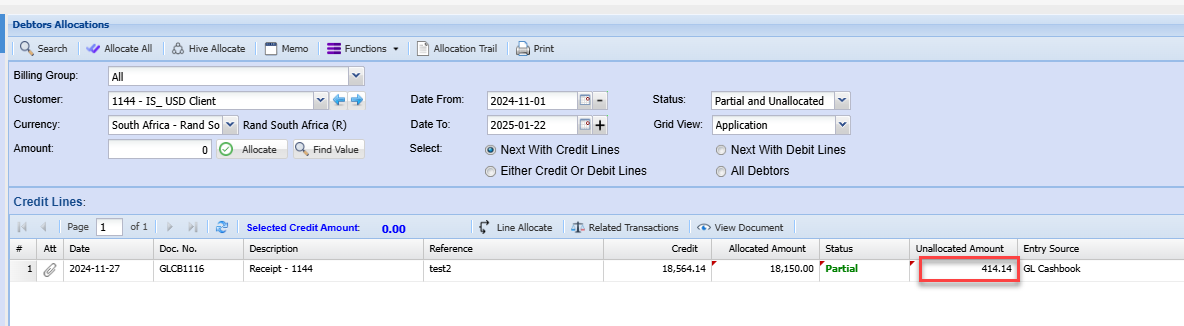
This amount will need to be cleared with a Rand debtors journal on the debtor account
refer to Debtors gain / loss journal manual to create the journal
No Comments