
Bankit Intelligence Import and Export
When deciding what type of import to use for banking intelligence, it is based on the following:
- Maintaining current rules and fixing
- Creating new rules and importing
Maintain Bankit intelligence rules by exporting and fixing and importing back.
Maintaining current rules and fixing
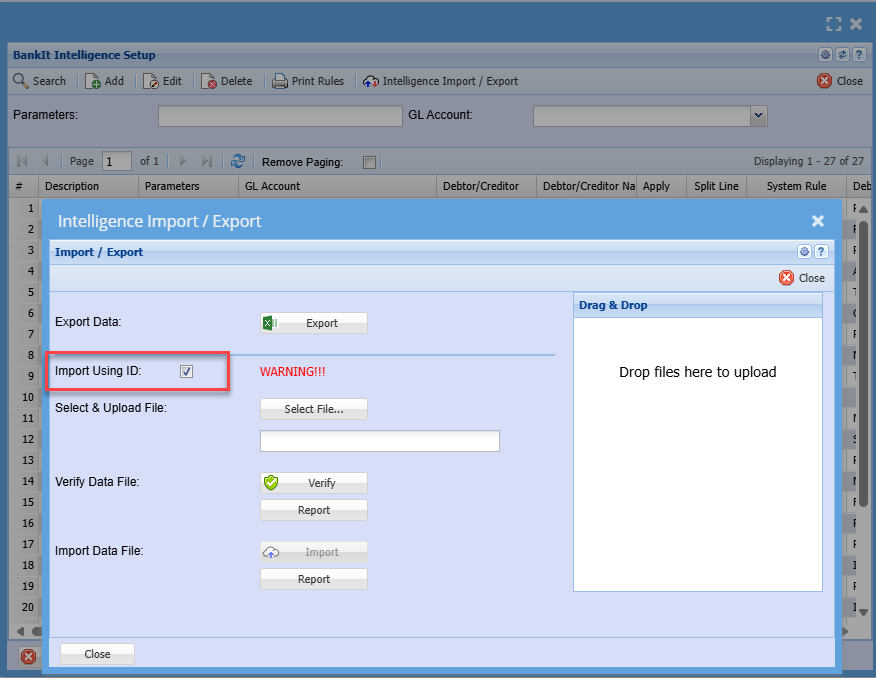
Use the tick for export and import using ID
This is used so that you can change information on existing intelligence, so when importing the system knows what rule to update.
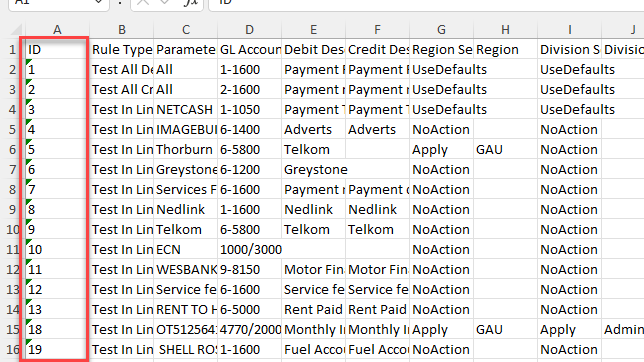
Excel export with ID field
Maintain structure of the Excel sheet and keep the id field in the first column.
Change the information required and save your excel sheet.
When importing and using the id structure, tick the import using ID box
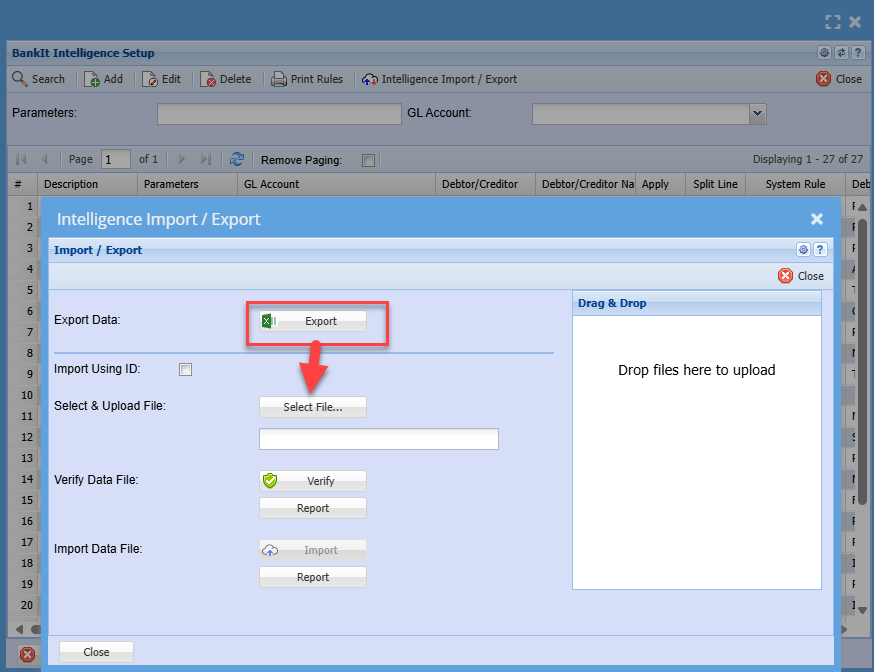
Creating new rules and importing
When creating new rules, one does not use the ID tick box.
There should be no other rules in here except the ones you want to create as new rules.
When exporting you are only getting the headers so that you know the structure for the import.
Here is a list of the Rule Types
These need to be exact wording to link to the rule type
Attached is an example of the exported intelligence
| Test In Line for words or phrase |
| Test First X characters and what to search for |
| Compare Words in line - Test accuracy and weight % |
| Test In Line for words or phrase |
No Comments