
Inventory Costs
This shows the pricing level indicated against the stock item, what cost is being utilized as well as the markup or amount on the item.
Inventory module> Reports> Reports List
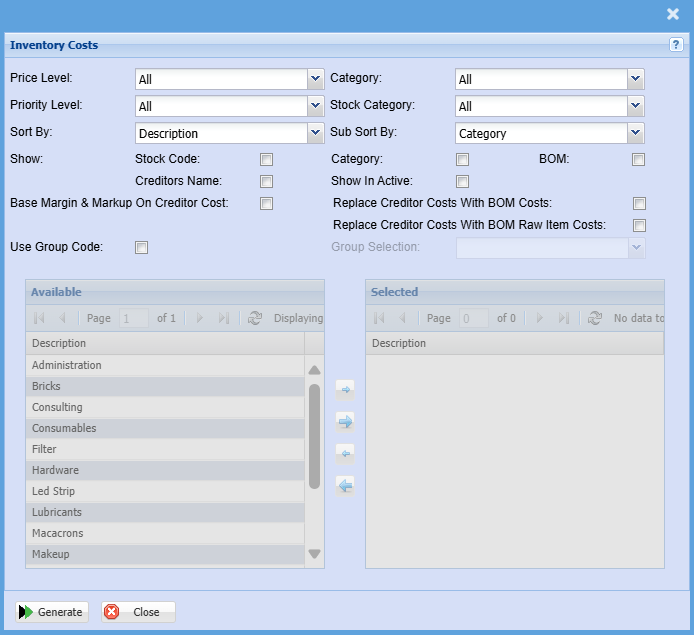
| Price Level | Select a priority level on the drop-down menu |
| Priority Level | Count based on the Priority level of marked items |
| Sort By | Choose from the drop-down menu how you would like your report sorted, your options are by Description, Code, Category, Price Level or Stick Category. |
| Sub Sort By | Sub Sort the report by selecting one option from the drop-down menu allows the user to pull a report with a secondary criteria that will be sorted by either, Description, Code, Category, Price Level or Stick Category. |
| Show | Put a tick on to show any of the criteria with tick boxes |
| Category | To generate the report, the user has to select the category from the drop-down menu |
| Stock Category | Select a stock category on the drop-down menu |
| Use Group Code |
Double click on the code from the list to move the group codes you wish to filter your report by to the selected window. |
| Generate Button |
Click the "Generate" button to open the report You will have options to copy, email, or print the report To view the report in an Excel document, copy the report and paste it into an Excel file |
No Comments