
Custom Fields Report
When setting up custom fields against inventory items, run a report showing the list and cost of each item for the selected custom field.
Inventory module> Reports> Reports List
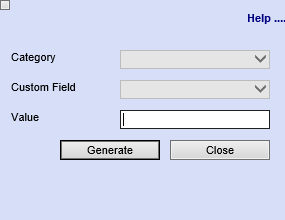
| Category | To generate the report the report, the user has to select the category from the drop down menu |
| Custom Field | Select a custom field from the drop down selection |
| Value | Enter a value |
| Generate Button |
Click the "Generate" button to open the report You will have options to copy, email, or print the report To view the report in an Excel document, copy the report and paste it into an Excel file |
No Comments