
Margin Percentage Exception Report
List of Inventory Items showing the Supplier's cost and the GRV cost. The report can be filtered by exceptions where the Supplier's cost differs from the GRV cost and sorted either by Supplier or by Date.
Inventory module> Reports> Reports List
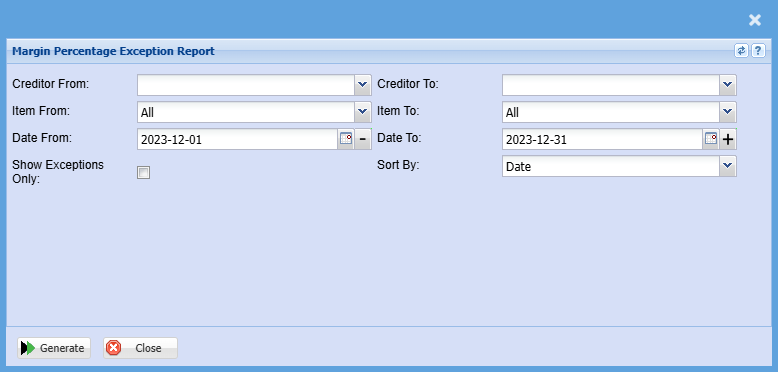
| Supplier From / Supplier To |
If you leave Creditor/Supplier From and To fields blank, all supplier/creditor margin percentage exception report will be displayed on the report. If you choose a specific creditor/ supplier, the report will sort information by creditor/supplier code and not creditor/ supplier name |
| Item From / Item To |
If you leave the stock item fields blank, all stock items will be displayed on the report. If you choose specific stock items, the report will sort information by stock item code from and to the selected codes rather than description. |
| Date From / Date To |
Choose the date range for which you want to view the report from. Select a date range of when you want to see the report to. |
| Show Exceptions Only |
Put a tick on if you want to show exceptions only |
| Sort By |
Sort the report by selecting one option from the drop-down menu |
| Generate Button |
Click the "Generate" button to open the report You will have options to copy, email, or print the report To view the report in an Excel document, copy the report and paste it into an Excel file |
No Comments