
Add Alerts
Alerts allow an automatic pop-up to occur when selecting a specific customer, supplier, stock item and other sections within the system.
When creating the alert it will be in an active state
If you want to remove the alert, make the alert inactive or Cancel the alert
Alerts can be created across the system for various document types
CRM Module> Activity> Alert Search
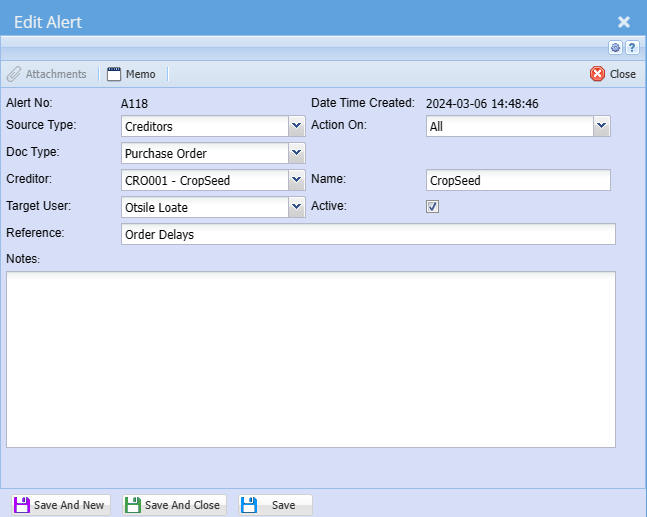
| Source Type | Select the source type you are creating an alert for on the drop down selection |
| Doc Type | Select the document type you are creating an alert for on a drop down selection |
| Creditor/ Debtor |
Select the creditor or customer you are creating an alert for on a drop down selection This will change based on the source type selection |
| Target User | Select the user who must see this alert on the drop down selection. You can also send it to all users |
| Reference | Add alert search reference |
| Action on | Select when the alert must pop-up on the drop down selection |
| Name | The name of the creditor, Debtor or inventory item |
| Active | The tick means that the alert is active and no tick means that the alert is inactive |
No Comments