
Sales Leads - Reminder Create
This section of the Edit Lead screen controls key date fields and reminder functionality for managing follow-ups and expected closure.
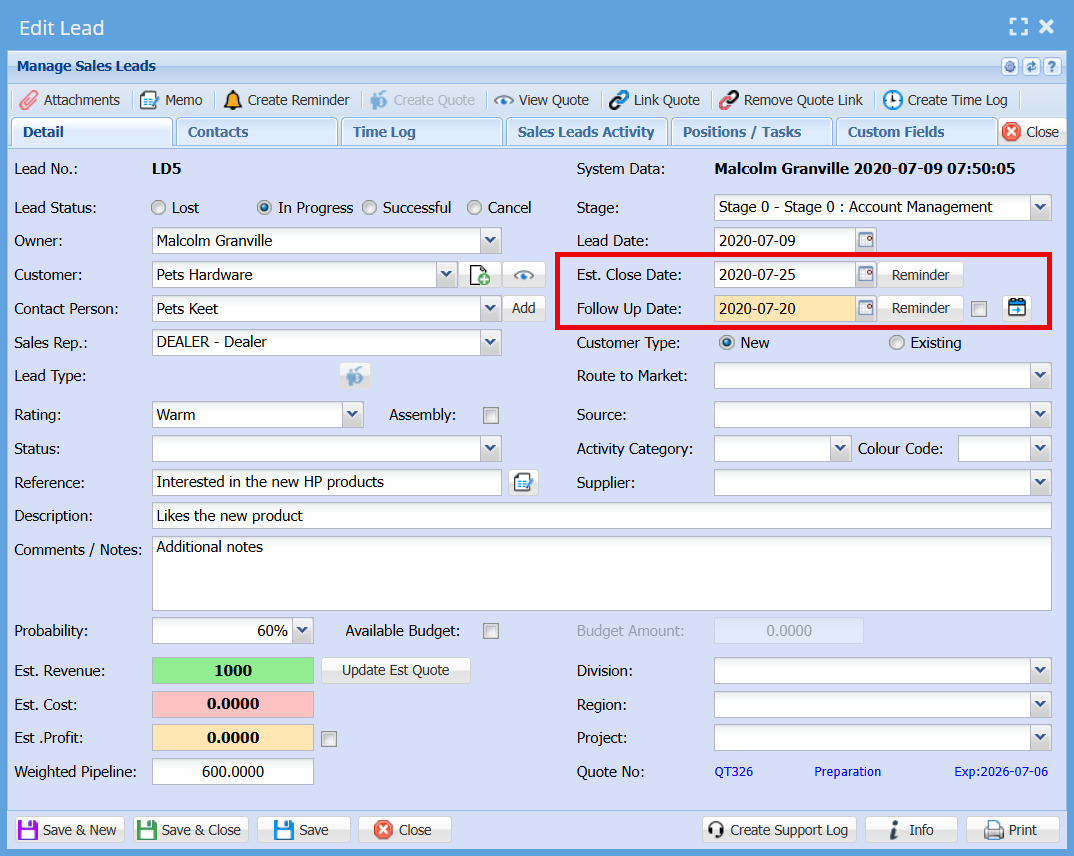
Field Layout & Display
- The date fields are reduced in size to improve screen layout and usability.
- The Follow Up Date is positioned below the Estimated Close Date (swapped from the original layout).
- The Follow Up Date field is highlighted with a cream background, making it easily identifiable as a priority action item.
Reminder Buttons
Follow Up Reminder Tick Box
A tick box is located next to the Follow Up Date field, controlling automatic reminder creation.
Behaviour:
-
When adding a new Sales Lead
- The tick box is selected (on) by default.
-
When editing an existing Sales Lead
- The tick box is unselected (off) by default.
-
When saving the lead (Save or Save & Close)
- If the tick box is selected, a reminder is automatically created based on the Follow Up Date.
-
If the Follow Up Date is changed
- The user must re-select (tick) the box to confirm a new reminder should be created.
-
When saving again with the tick box selected
- A new reminder is created using the updated Follow Up Date.
.png)
No Comments