
Creditors (Supplier) Module (CM)
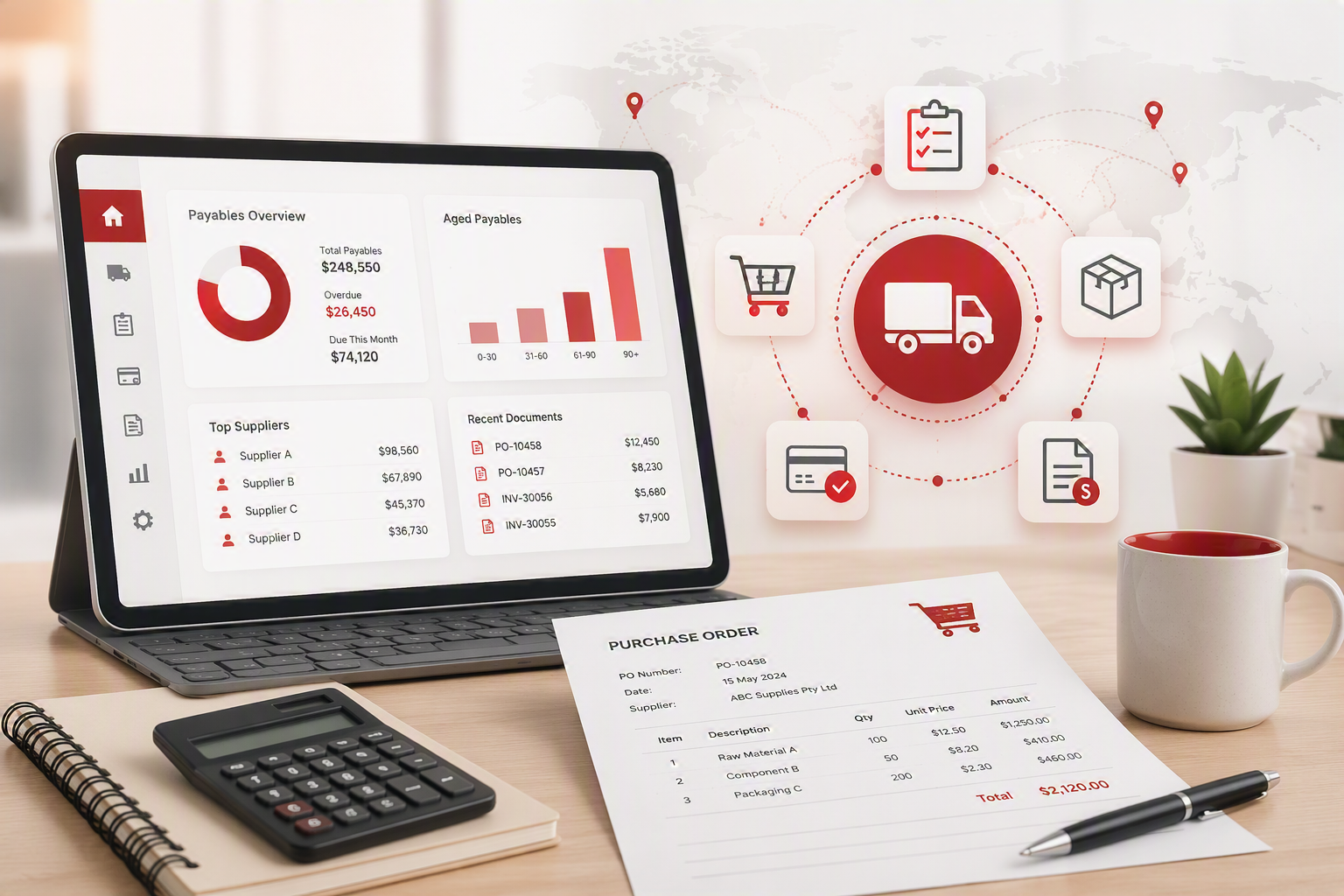
The Creditors (Supplier) Module provides end-to-end control of the purchasing lifecycle, from supplier management and stock ordering through to invoice processing, payments, returns, and reporting. Fully integrated with the Inventory and Financial modules, it delivers real-time visibility of purchasing activity while improving accuracy, accountability, and cost control.
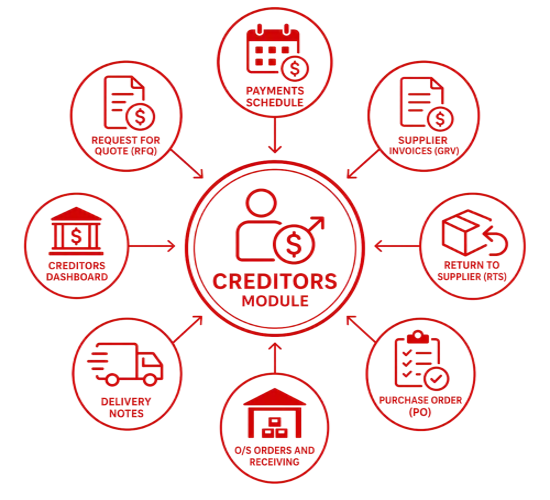
The module streamlines procurement through Purchase Orders (POs), Goods Received Vouchers (GRVs), Supplier Invoices, and payment processing, ensuring that all supplier transactions are accurately recorded and easily tracked. Intelligent stock ordering assists in generating purchase orders based on inventory demand and stock requirements, while built-in approval and authorisation controls support purchasing discipline and effective expenditure management.
Comprehensive supplier records, batch payment processing, delivery tracking, stock returns management, supplier analysis, and advanced reporting provide valuable insight into supplier performance and purchasing trends. By automating key processes and improving visibility across the supply chain, the module helps organisations optimise purchasing decisions, reduce administration, strengthen supplier relationships, and maintain tighter control over costs.
Key Benefits
- Centralised management of suppliers and purchasing activities
- Complete purchasing workflow from purchase order creation through to supplier payment
- Intelligent stock ordering based on inventory levels and demand
- Improved purchasing control through approval and authorisation processes
- Greater visibility of supplier transactions and account activity
- Efficient batch payment processing and automated remittance generation
- Accurate tracking of deliveries, invoices, and outstanding commitments
- Full traceability between purchase orders, GRVs, and supplier invoices
- Streamlined stock return processing with reduced manual administration
- Detailed supplier analysis and purchasing performance reporting
- Enhanced cost control and expenditure management
- Real-time insights for improved planning and decision-making
- Stronger supplier relationships through better communication and transaction history visibility
Creditors / Supplier Module (CM) Features
|
CM Features |
Description |
Benefit |
|
Supplier Module |
Keep track of all purchases done within the business and use the internal purchasing processes |
Good control on purchases Running authorisations for Purchase Orders ensures control of unnecessary purchases |
|
Creditors / Supplier maintenance |
On setting up a Creditor, multiple contacts are kept
The system allows creditors to be aged by date of statement or date of invoice PER creditor. |
Information is more easily accessible.
Ease of use.
Company has access to information. |
|
Stock Ordering |
Create an order batch and work out what stock to order. Use past statistics of stock movements to give you quantity movement to make calculated ordering decisions Create a purchase order from stock order forecast |
Reduce stock on hand by ordering correct stock for Just in time stock.
Reduce time working with Excel sheets to work out your orders. |
|
Supplier payment batches |
Create supplier payment batches to indicate what supplier invoices to pay. Create remittance documents to send to suppliers on which invoices are paid Promote to a cashbook with auto allocations Create a payment file for the bank |
Control payments of supplier invoices No need to put into Excel View all supplier invoices attached in one system Allow managers to check and authorise payments to supplier invoices |
|
Purchase Orders |
Once purchase orders are authorised, stock can be received. Then purchase order status is changed to Goods Received Voucher (GRV) Purchase Invoice. |
Allows full process and flow of documentation with ease.
Time saving, no need to recapture transactions. |
|
Delivery Notes |
Receive stock via a delivery note from your supplier. Update the pricing of the item to actual. Flag a discrepancy from your purchase order to supply invoice |
Tracks your delivery notes to outstanding invoices from your supplier.
Run a delivery note aged analysis of delivered goods |
|
Goods Received Voucher (GRV) Purchase Invoice |
When processing a Goods Received Voucher, the system will not allow for the capture of duplicate supplier invoices.
The system forces a supplier invoice number to be captured against the GRV.
Supplier invoice can be attached to the source document |
Prevents duplicate stock being entered into the system and incorrect stock levels being displayed.
When searching for original supplier invoices, documentation is easily accessible. |
|
Stock Returns |
By importing a Goods Received Voucher, when stock items need to be credited the GRV can be converted into a Stock Return note without having to recapture the content.
|
This feature saves time and avoids mistakes because all the original GRV data is now available in the Stock Return note. |
|
Creditors Analysis |
Allows authorised users to view all transactions related to the supplier on one screen. |
Ease of use – authorised users are also able to view purchase orders, delivery notes, goods received vouchers, allocations, cashbooks and journals. |
|
Reports |
Various reports in the system allow for a global view of purchases |
Detailed reports facilitate business management. |
No Comments