
Creating Reminders
Reminders
Reminders are essential to ensure no critical tasks or important dates are overlooked. Whether it's managing deadlines, tracking project milestones or staying on top of compliance requirements, reminders simplify the process and help you maintain better control over your business operations.
You can find reminders on your landing page or click on any module on the landing page and the reminders will appear on the top bar.
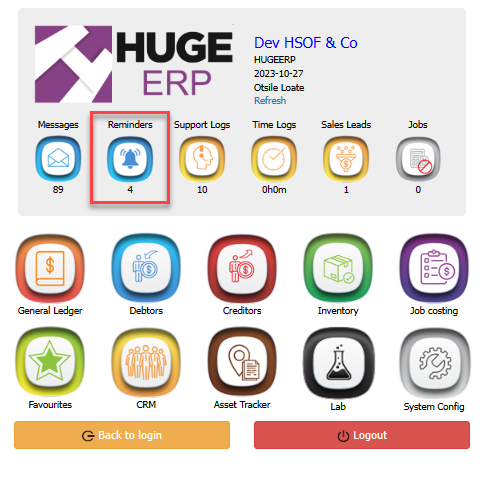

Adding a Reminder
Reminders > Add > Add Reminder
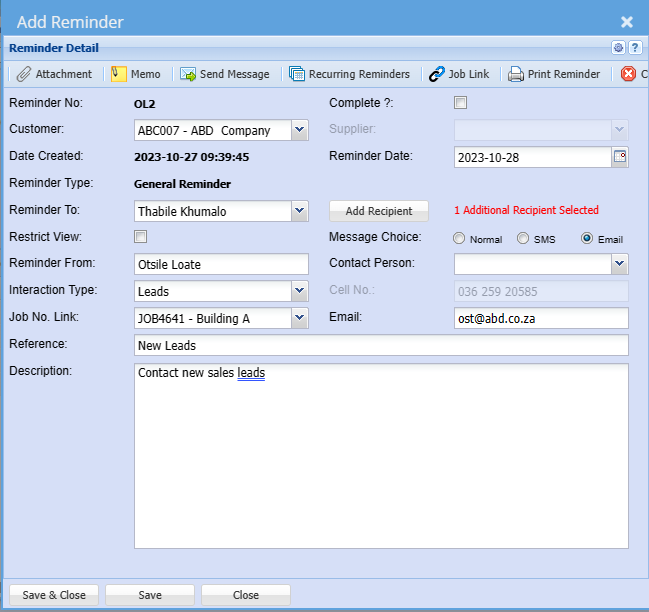
| Reminder Number | The reminder number is generic |
| Customer | Select a debtor/ customer |
| Date Created | Date created is the date you created the reminder on |
| Reminder Type | Is generic |
| Reminder To |
The person to whom the reminder is directed to |
| Restrict View | Restrict the people who will have access to view the reminder by ticking the boxReminder to |
| Reminder From | The person sending the reminder |
| Interaction Type | Select the correct interaction type for your reminder on the dropdown |
| Job Number: Link | Link a job number if you use job costing |
| Reference | Short descripting of the reminder |
| Description | Full description of the reminder |
| Complete | Only put a tick on complete once the reminder is no longer valid |
| Supplier | |
| Reminder Date | This is the date the reminder will be sent out |
| Add Recipient | Add the recipient of the reminder |
| Message Choice |
Choose how you want the reminder to be sent to a recipient If you are sending a reminder to yourself or someone in your organisation leave message choice as normal If you are sending to an external cellphone number or email address then select the correct choice |
| Contact Person | Select a contact person on the dropdown if this is an external reminder |
| Cell Number | Add cellphone number you want the reminder to be sent to |
| Add the email address you want the reminder to be sent to |
| Recurring Reminders | You can click recuring reminders to setup recurring reminders |
| Job Link | Click a Job Link to a Job Number you selected |
| Print Reminder | Click print reminder to print a reminder or to email a copy |
Recurring Reminders
Recurring Reminders serve as notifications that inform you about upcoming, regular activities that need to be performed within the Huge ERP system.
Recurring reminders serve as a digital assistant, helping you keep track of critical, ongoing tasks such as inventory replenishment, expiring quotes, sales leads follow-ups financial reporting and maintenance schedules.
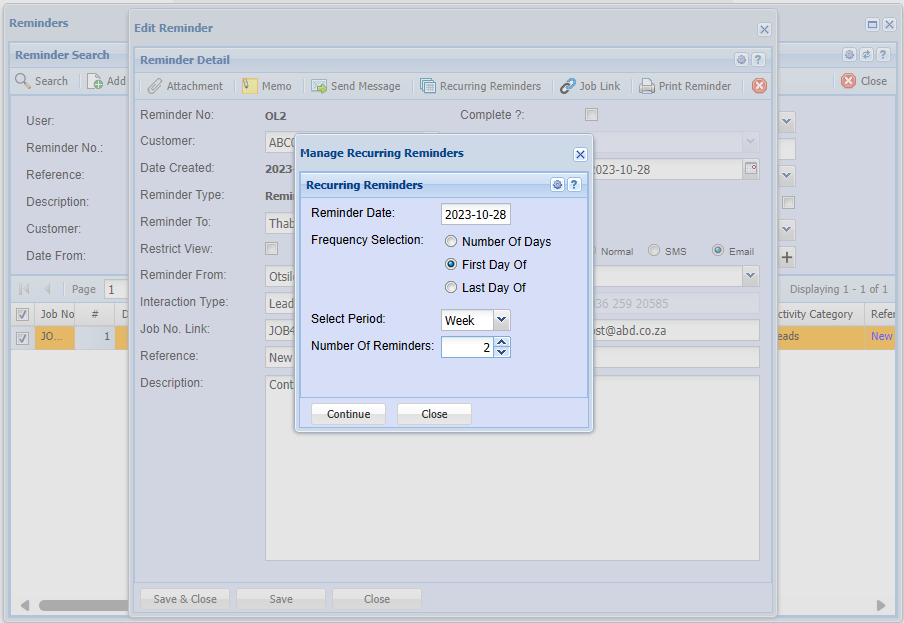
| Reminder Date | Reminder Date will populate from the reminder detail screen |
| Frequency Selection | Select the frequency of the reminder |
| Select Period | Select the duration of the recurring reminders |
| Number of Reminders | Select the number of days that you wish to have the reminder repeated and the number of occurrences that the reminder must be repeated |
No Comments