
Repackage Basic Import
In place of adding items individually on the repackage function, one can import the item.
To import items:
You will need to create the import file
The file template is a s below and is a standard excel format file
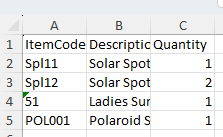
Once the file has been created. Save the file in a dedicated folder
Go to Repackage
Create a new repackage setup
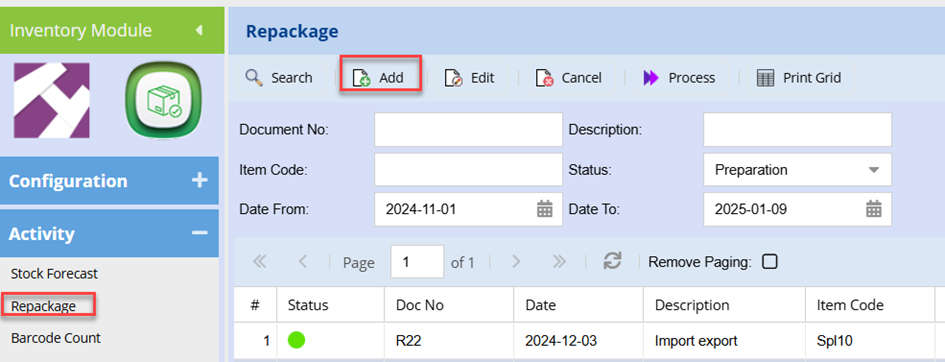
Select the relevant code and Enter the description as you would normally
Click Save at the bottom of the page
Click the Repackage Import / Export Button
Search for the file and select
This will upload and you should see “successful” indicted (once the file has bene uploaded )
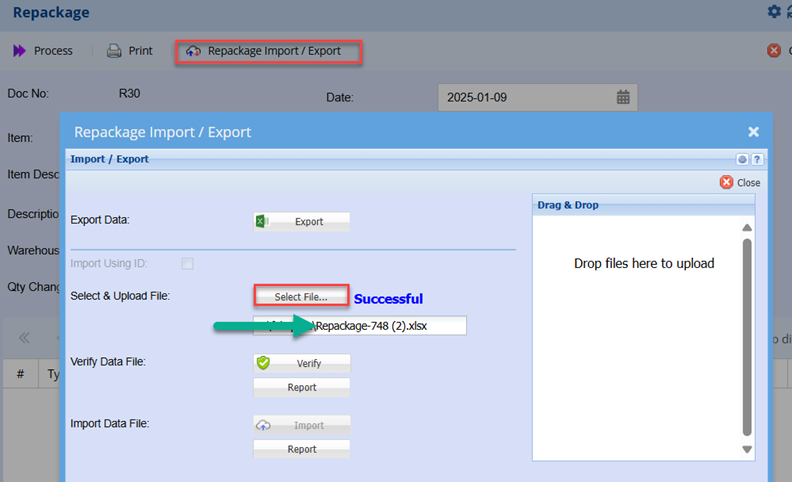
Click Verify
Successful should be returned
If unsuccessful or failed, click the Report button to establish the cause of the file failing to verify.
Once successfully verified, click the import button
Again, successful should be displayed
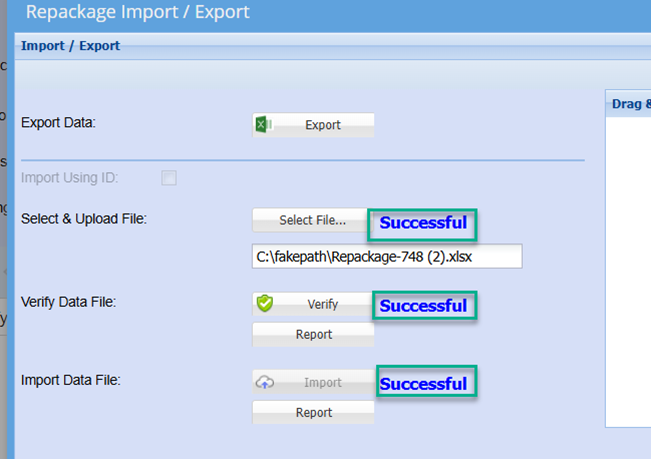
Click close.
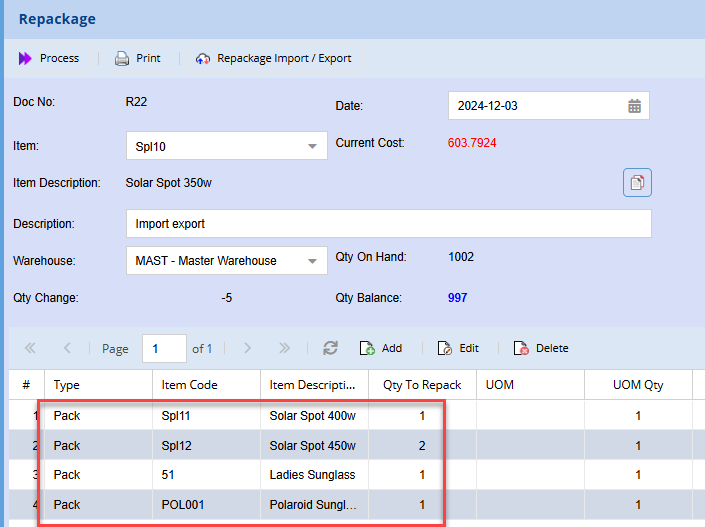
This will return to the Repackage grid where you should notice all item have been import and are displayed on the grid
No Comments