
Printing Batch Numbers from a Stock Level Adjustment
Printing a label for an item that is tracked using batch numbers is different from printing a label for a standard inventory item.
In order to print a label where the barcode will have the batch number you will need to print this label from the Stock Journal History.
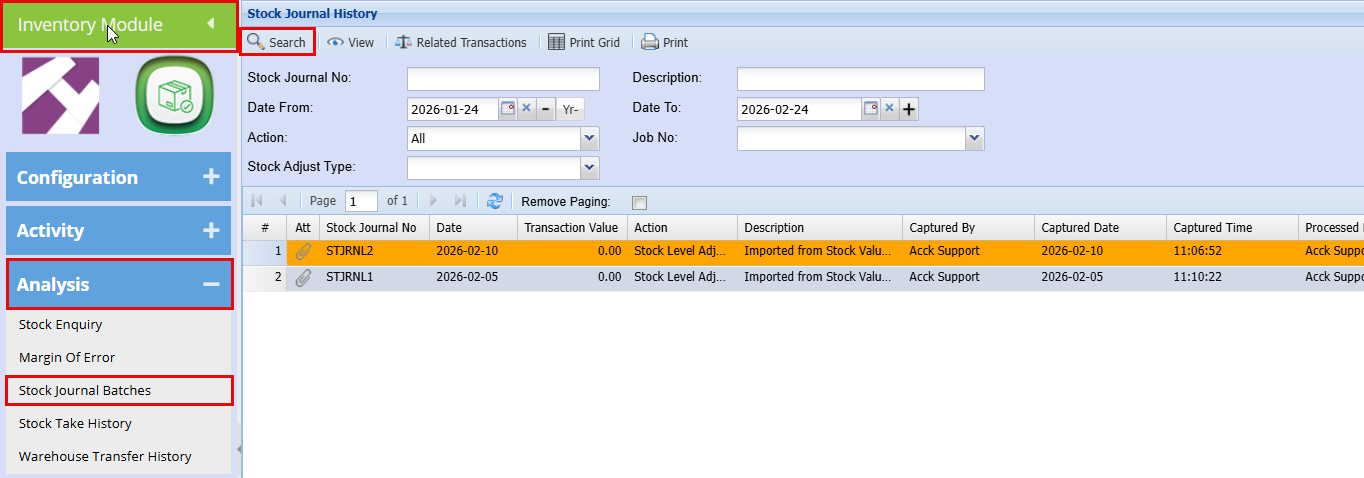
Inventory Module > Analysis > Stock Journal Batches
As shown below these were 2 separate bulk stock level adjustments that brought in stock with batch numbers.
-
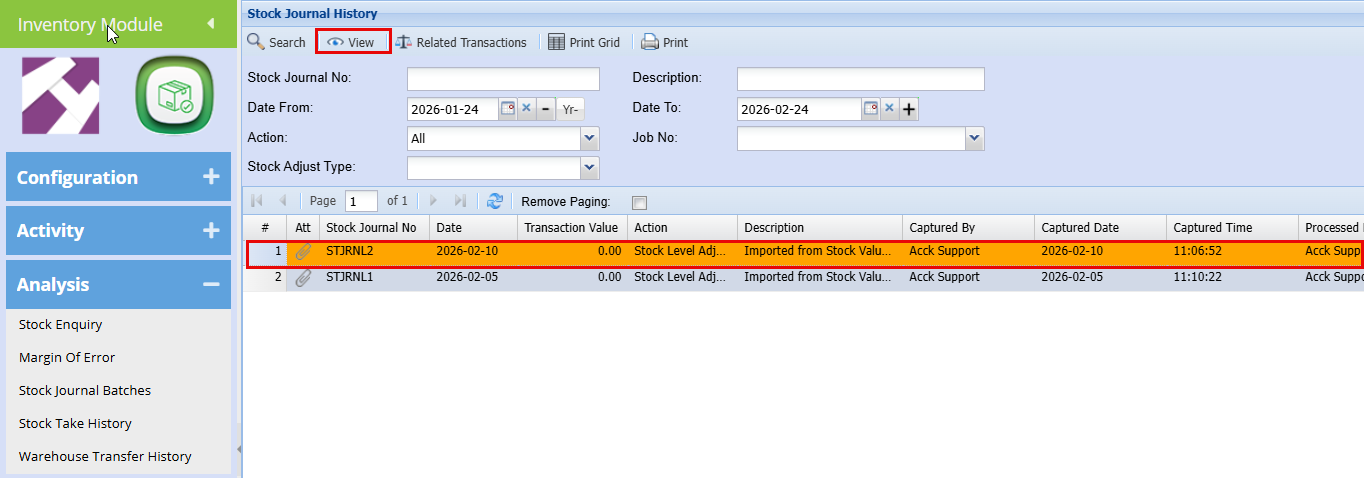
Click to highlight the line you want to print labels for.
-
Then click View.
-
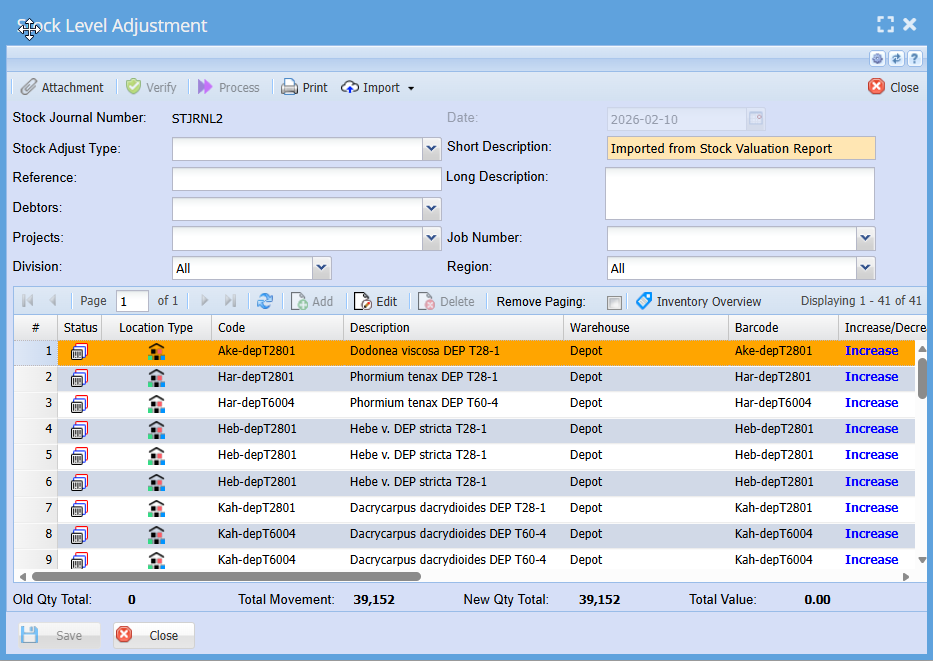
Double‑click the inventory item you want to print a label for.
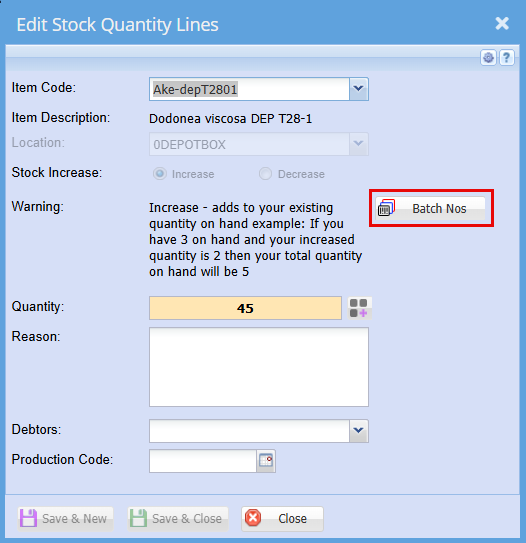
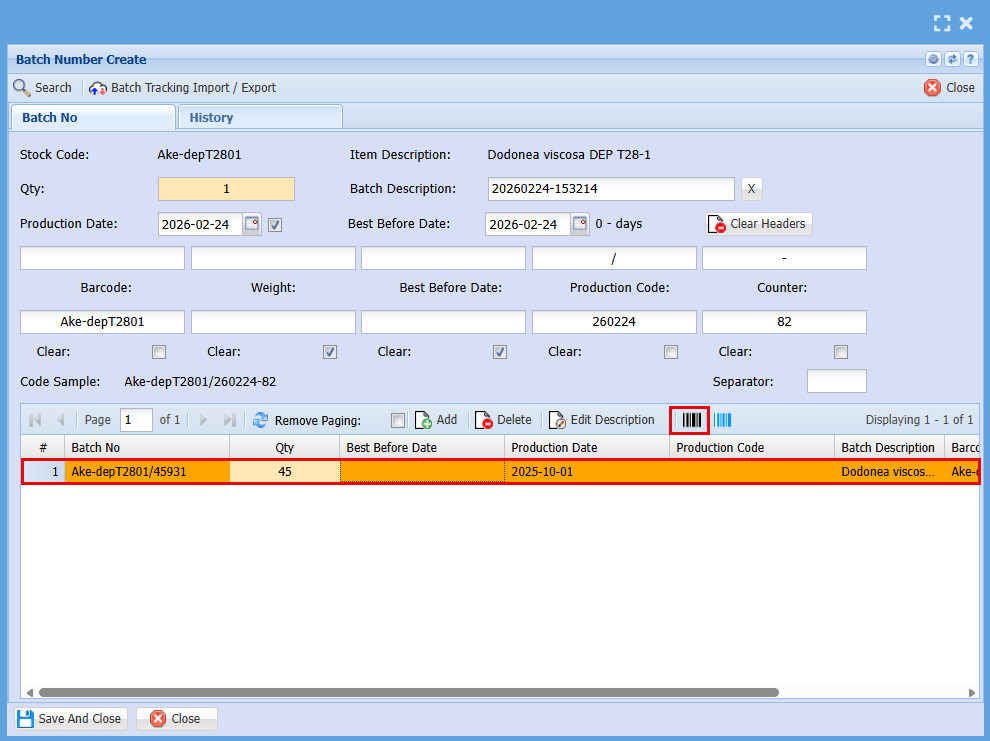
- Click on the Batch Nos Button
-
Click to highlight the line you want to print labels for.
-
Then click the Black Barcode as shown below.
-
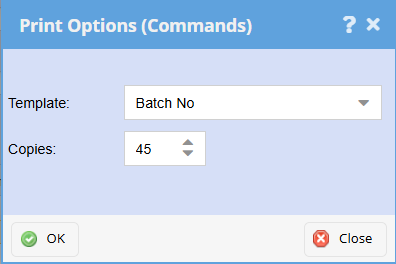
Enter the number of label copies you want to print
- Click Ok
No Comments