
Batch Serial numbers
Batch serial numbers allows one to create multiple serial numbers on the fly for stock items.
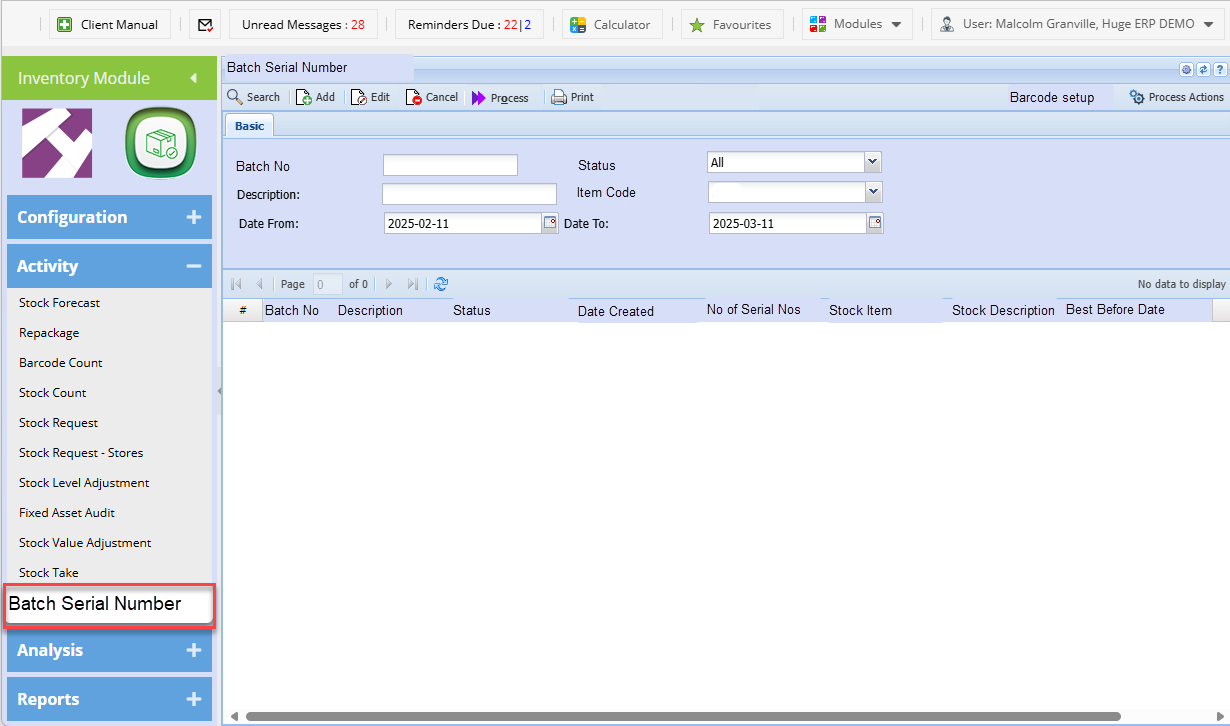
| Search | Search for Batch Serial number batches |
| Add | Add a new batch with created serial numbers |
| Edit | Edit batch |
| Cancel | Cancel a batch |
| Process |
Process a batch to stock level adjustment Process action will determine whether it just creates the stock level or Creates and processes |
| Print a batch to show the serial numbers created for a items | |
| Barcode setup | Setup the default parameters for the barcode criteria |
| Process setup | Sets whether process will create stock level adjustment or creates and processes |
| Status | Preparation, Completed and Cancelled |
| Created | Batch serial number keeps the date and time and user who created the batch |
| Processed | Batch serial number keeps the date and time and user who processed the batch |
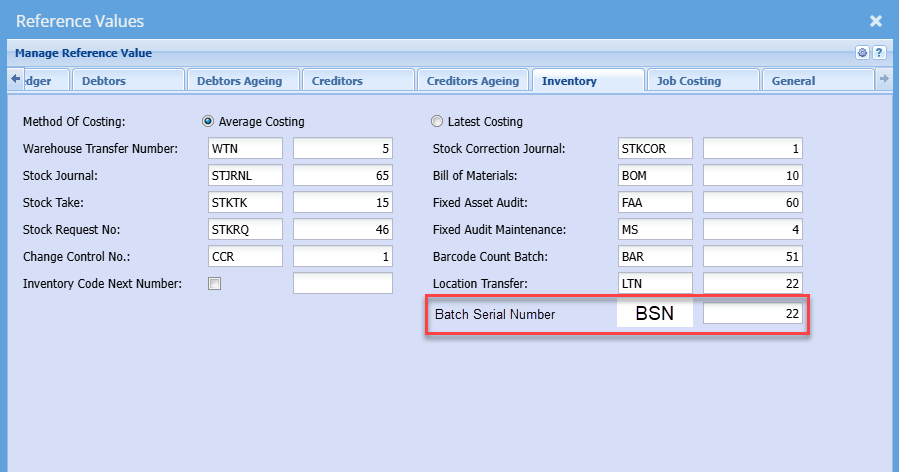
Reference value setup for Batch Serial number
Hotfix will be created to setup the Default values for Batch serial number
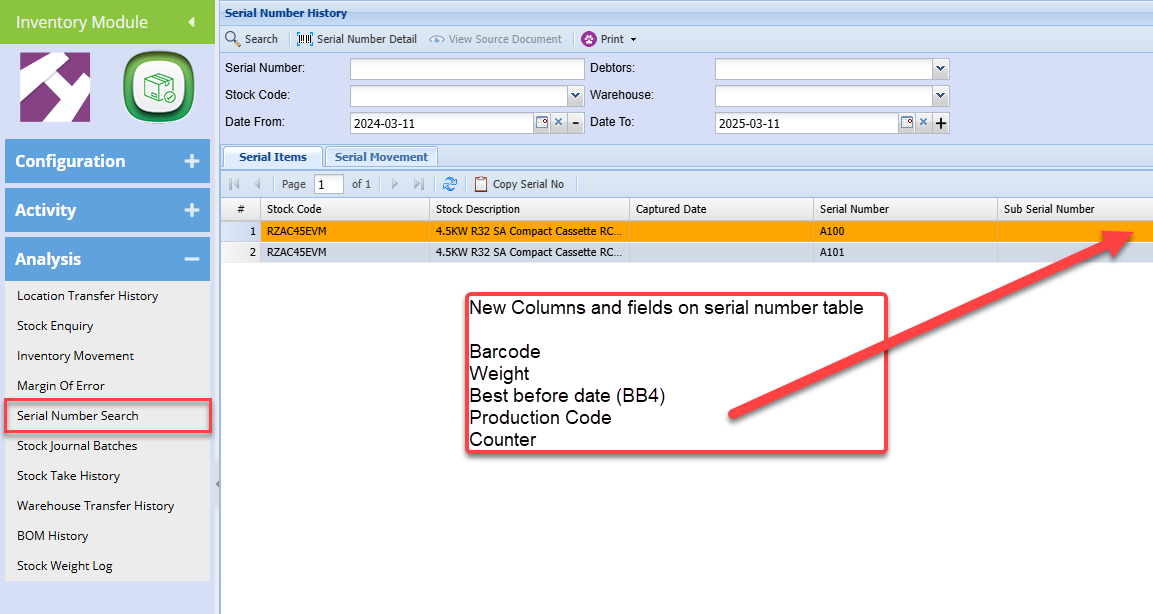
Serial number search
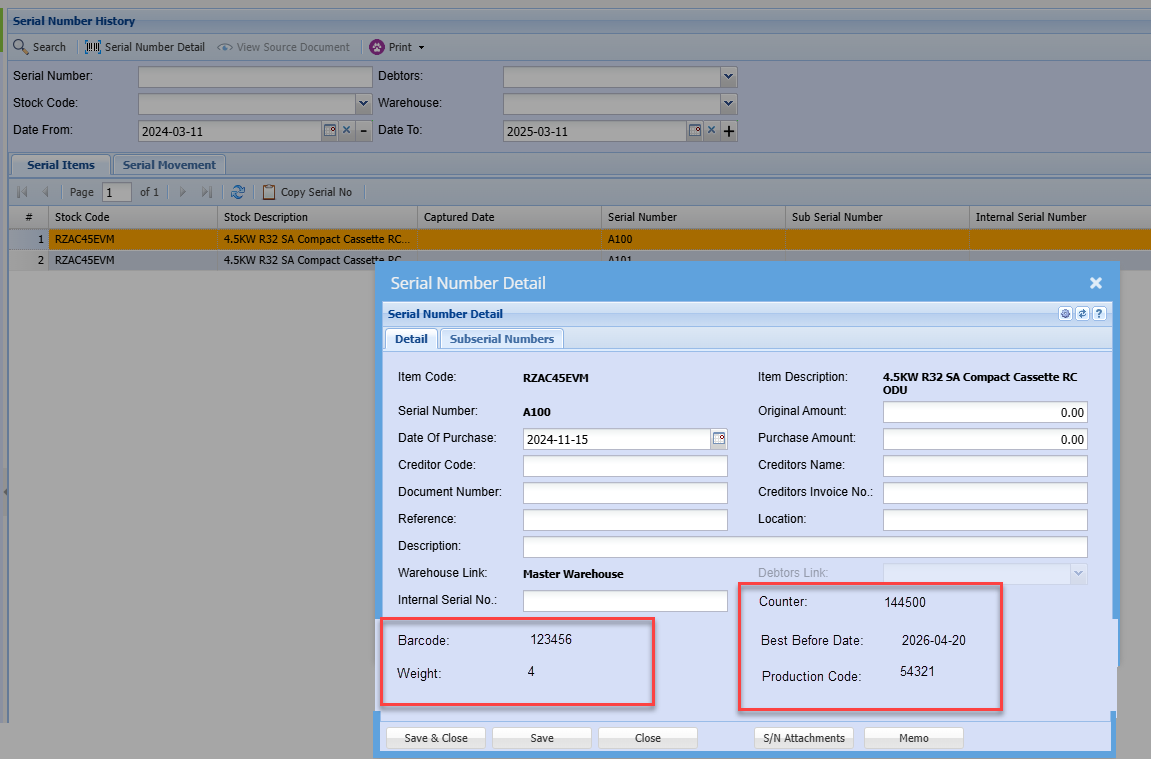
Serial numbers contain new columns and information from created barcodes (serial numbers)
Information is shown on the serial number detail
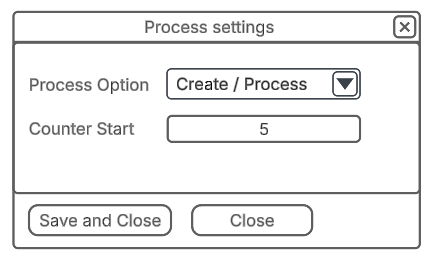
Process setup
Process Option is set to Create by default
Counter Start gives the first number that will start the counter number
Once the first Serial number is created, then the counter start will be disabled
Barcode setup
Barcode setup, sets the parameter and sequence the barcode is setup
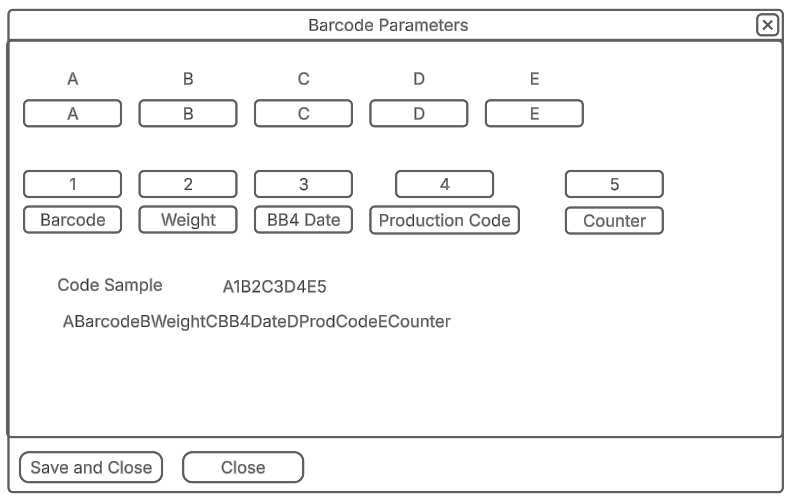
| A to E fields | Sets parameters to set for Barcode serial number |
| 1 to 5 | Sets the sequence of values to enter |
| Barcode | Picks up from Item barcode |
| Weight | Picks up from Item weight |
| BB4 Date | Best Before Date picks up from item number of days of Shelf life from production date |
| Production Code | Open text field |
| Counter | Field that automatically increments |
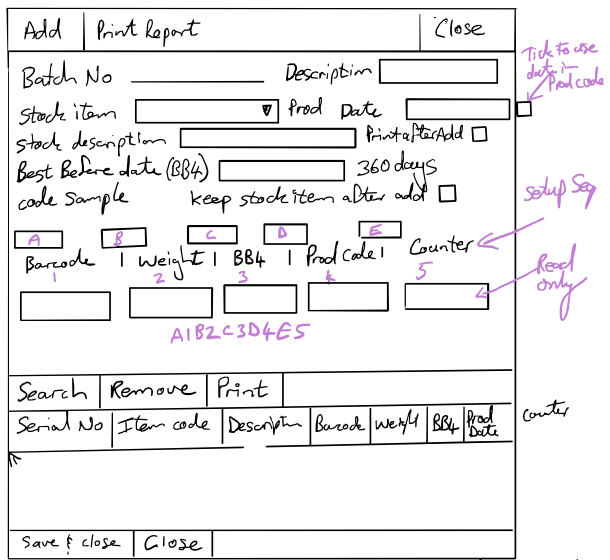
Adding Serial numbers from Batch
No Comments