
Test Add
Adding a new test on the Sample form
There are four tabs each holding information on each test
| Tabs | Details |
| General Tab | This holds the basic information of the test |
| Guide Tab | Shows Parameters, Treatments for test |
| Test Tab | The test result |
| Checklist | Viewing multiple checklists against a test |
| Logs |
Shows the logs for this test Status change, % Complete change, Checked by, Retest by, Invoice By, Certificate Issue, Published by |
| Button | Details |
| Attachment | Add in attachments specific to the test |
| Authorise | Authorise the Test to before publishing |
| Complete | Complete the test and issue certificate |
| Print the test | |
| Print Certificate | Print the Certificate |
| Info | A word like document information |
Lab Test Status changes
| Icon | Status | % complete | Rules |
 |
Created | 0% | On creation of lab test |
 |
Started | 10% |
Click on the Start button which updates status and percentage to 10% Opens up In Progress button and Test Done button |
 |
In Progress | 50% | Changes to In Progress when any test results are entered and saved |
 |
Test Done | 80% |
Click on the Test Done button which updates status and percentage to 80% Opens up In Checked button and Retest Button
Checked status save | save and close is only active to users that are authorised users in approved levels otherwise the Save | Save and Close buttons are disabled |
 |
Checked | 90% |
Click on the Checked button which updates status and percentage to 90% Opens up Published button, Open button
Checked status save | save and close is only active to users that are authorised users in approved levels otherwise the Save | Save and Close buttons are disabled |
 |
Retest | 100% |
Click on Retest button which updates status and percentage to 100% Clones the test with a new test Closes the test and locks Disables all the other status buttons |
 |
Published | 100% |
Click on the Publish button which updates status and percentage to 100% Closes the test and locks Disables all other status buttons Disables Save and Close and Save buttons |
 |
Cancelled | 0% |
Cancels the test Closes the test and locks Disables all other status buttons |
 |
Closed | 0% |
Closes the test Closes the test and locks Disables all other status buttons |
|
Open | 50% |
Opens up the test from Checked, Published, Cancelled or Close Is only active when status of test is Checked, Published, Cancelled or Close Changes the test to In Progress status and percentage to 50% |
Test General Tab
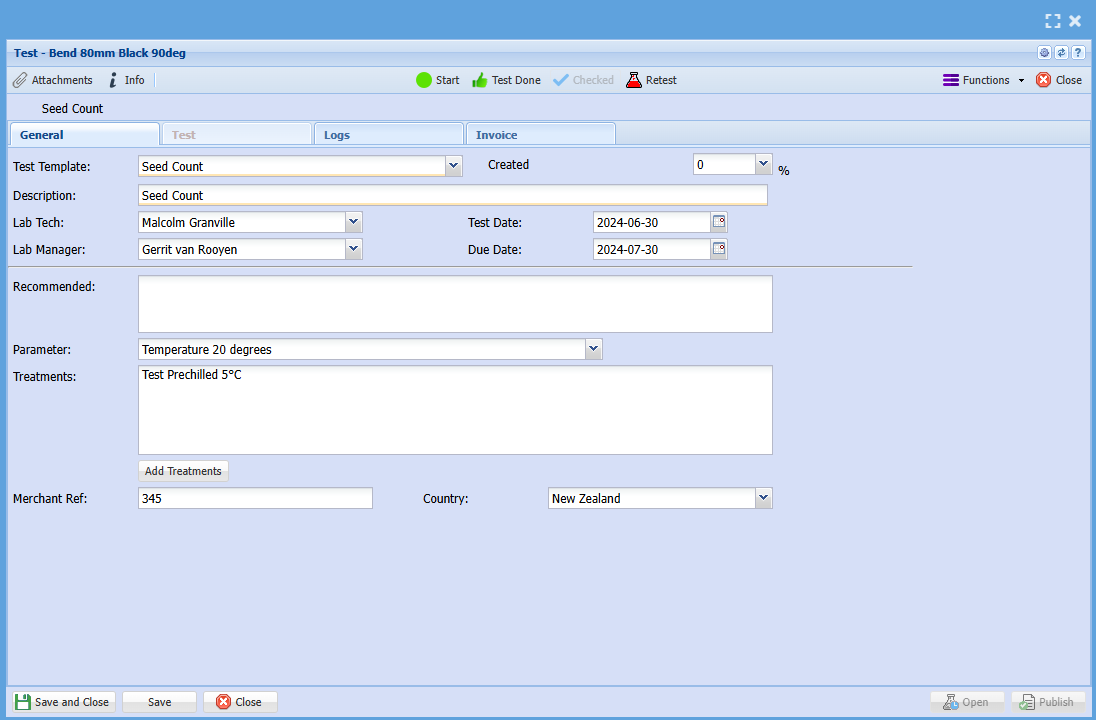
| General Tab | Details |
| Test No | The test number with the decimal points after |
| Percentage complete |
the percentage complete The percentage complete will automatically be set a certain status changes |
| Status |
Changes the status of the sub test Created, Started, In Progress, Checked, Retest, Certificate Issued, Publish, Completed |
| Test Type | The type of test done |
| Test Description | The description of the test |
| Date created | Date test is created |
| Lab Tech | Lab Tech assigned |
| Lab Manager | Lab Manager assigned |
| Invoice | Tick for invoice |
| Item Code |
Item code becomes active when invoice tick box is activated This item will be added to the Lab test chargers window |
| Certificate Issue | Certificate tick box with who by |
| Publish | Publish tick box with who by |
| Recommended | Shows recommended information from Test setup |
| Parameters | Select Parameter from dropdown |
| Treatments | Shows recommended information from Test setup |
Test Results tab
Add information on the test
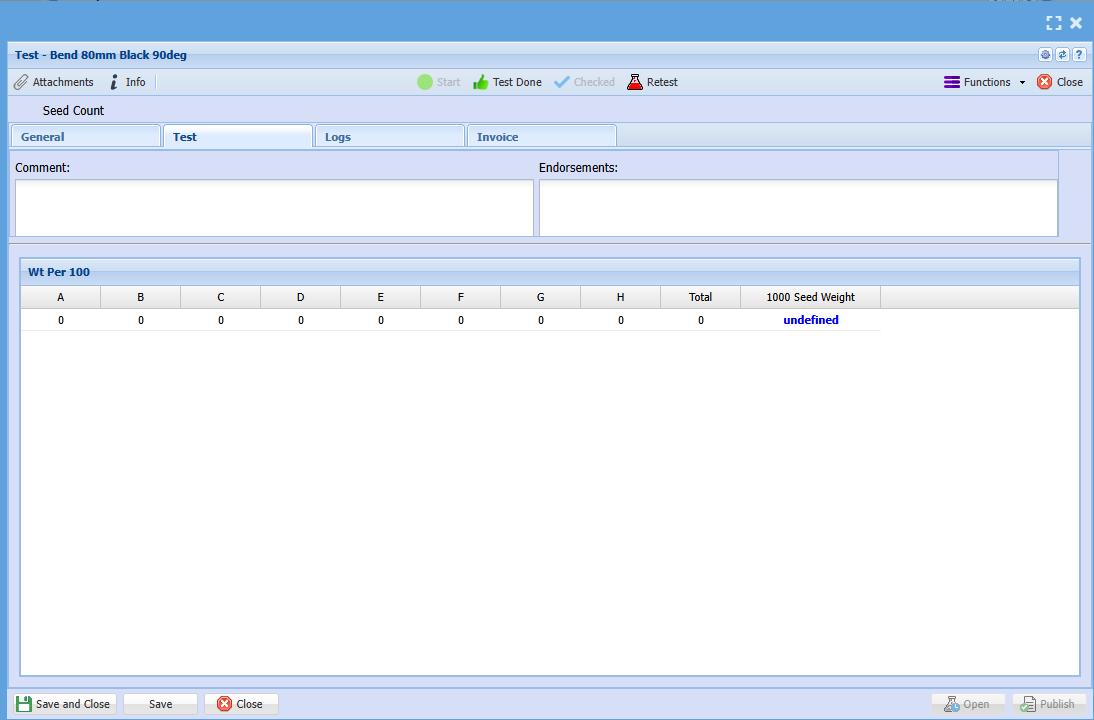
| Test Tab | Details |
| Checked | Checked tick box with checked by |
| Retest | Retest tick box with Retested by |
| Comments | Make comments |
| Test | Test results enter |
Logs Tab
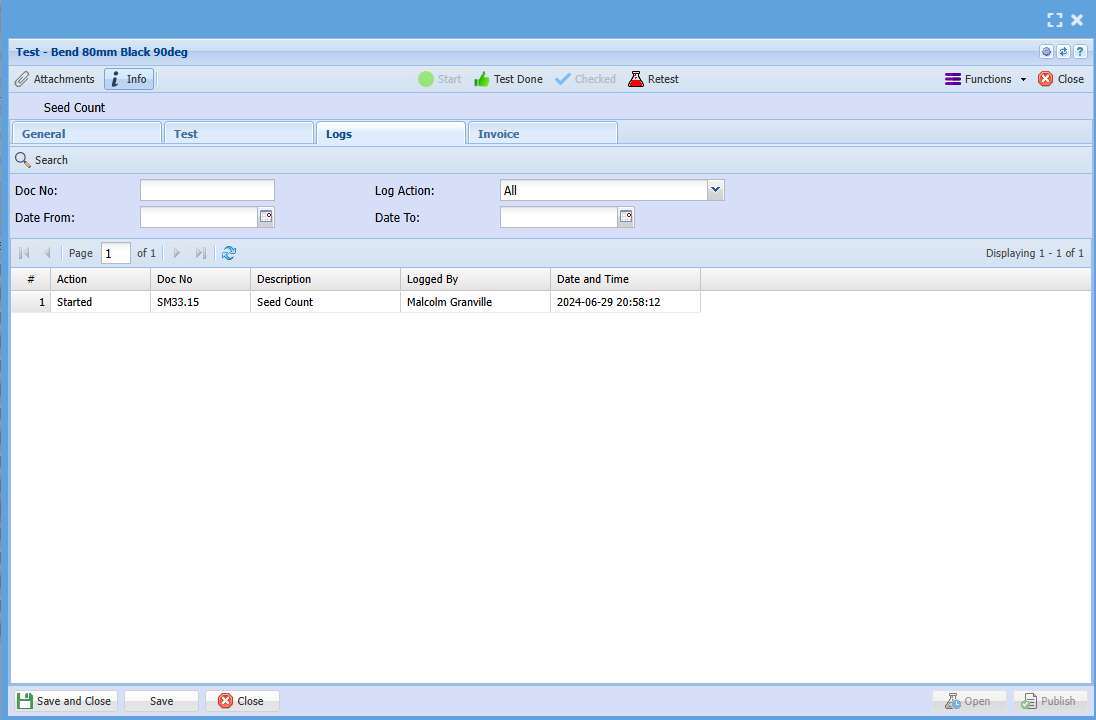
| Logs Tab | Details |
| Search button | Searches the logs |
| Print Grid | Prints the grid and allows to export |
| Action | Filter by Action |
| Doc No | Search by Document No |
| Date From and To | Searches logs by date from and to |
| Grid | Details |
| Action |
Type of action logged Status change of Lab test, Status change on tests, Authorised By, Percentage update on tests, Publish notice, invoice created |
| Doc No | Indicates which test is been logged, main Lab test or test |
| Date | Date of log |
| Description | Description of action |
| Logged by | User name logged of change |
| Date and Time | Date and time logged |
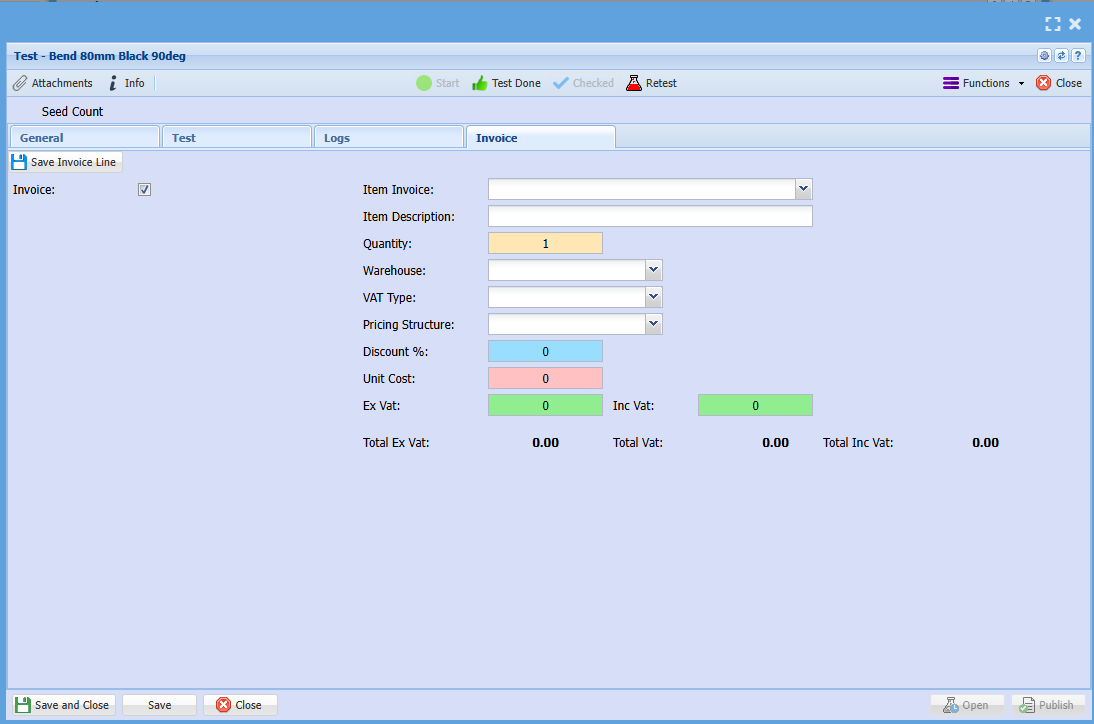
Invoice Tab
Tick Invoice box to activate certificate billing
Checklist Tab (Potential future development)
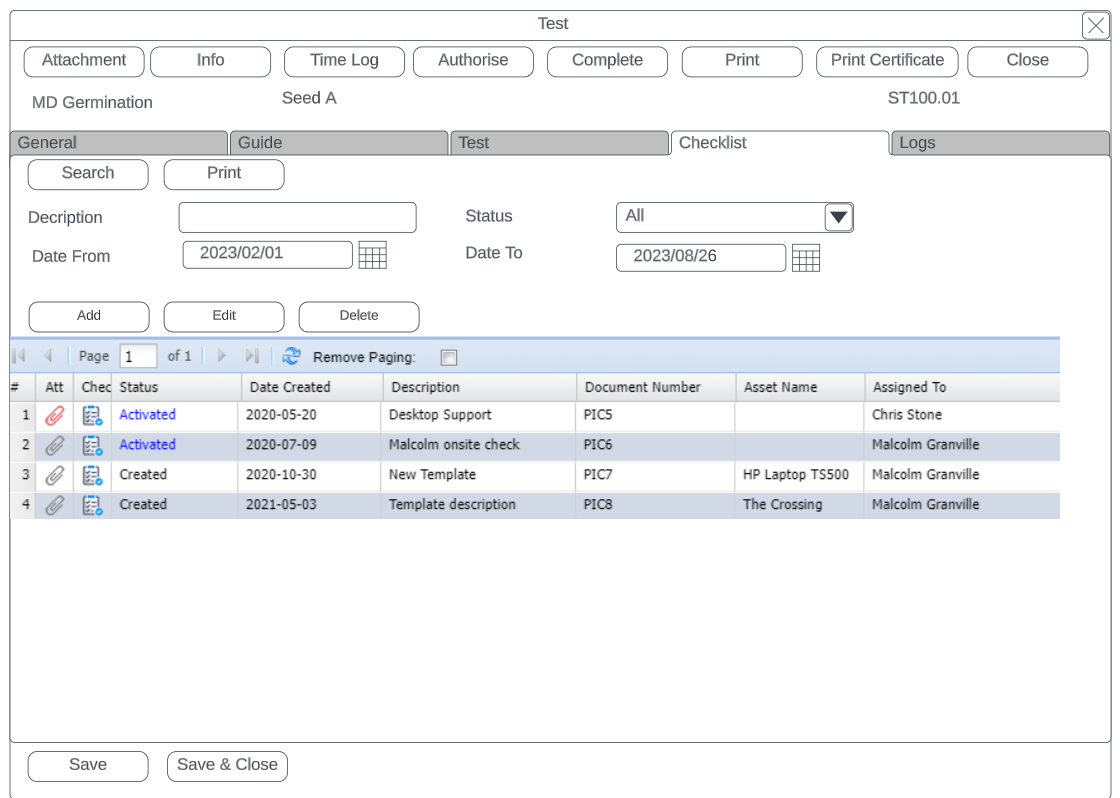
| Checklist Tab | Details |
| Search Button | Searches all checklists against lab test |
| Print Button | Print checklist out |
| Description | Description of checklist |
| Status | Status of checklist |
| Date from and to | Filter by date of checklists |
| Add, Edit and Delete | Add, edit or Remove checklists against lab test |
No Comments