
New Seeds upload
Seeds must exist in the database before submitting samples
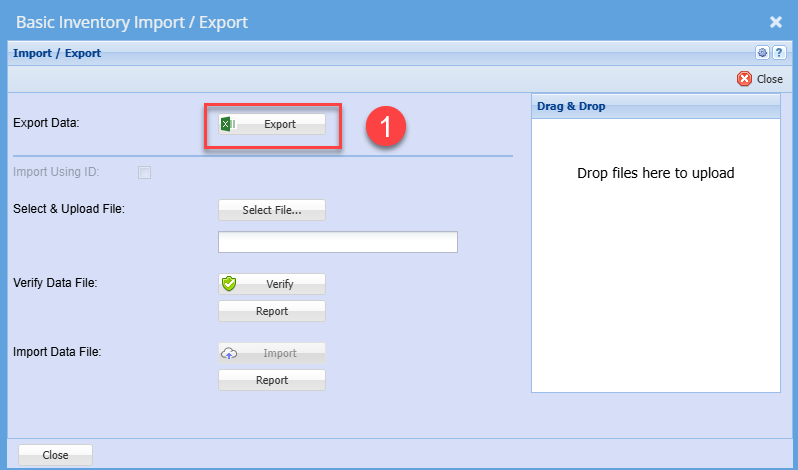
Prepare Import file for Seed/Stock items
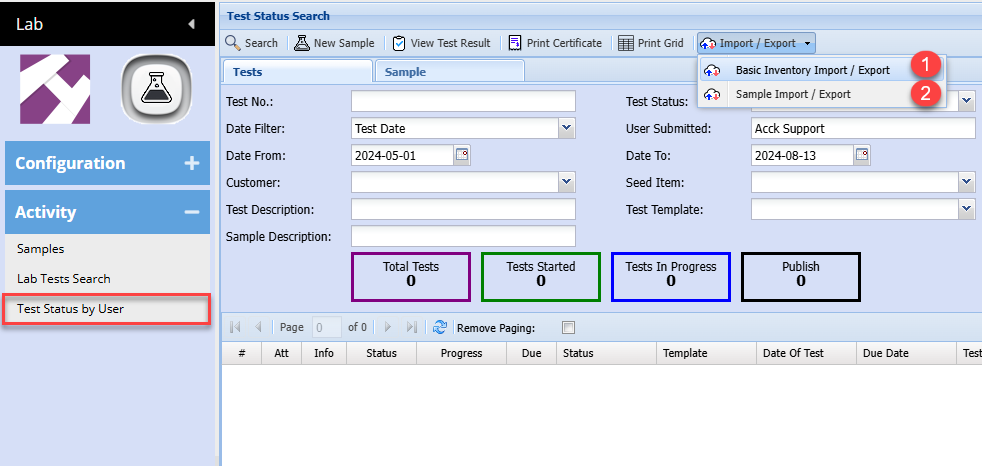
Export file layout for header information
See example of file layout - Basic Inventory Import Seed.xlsx
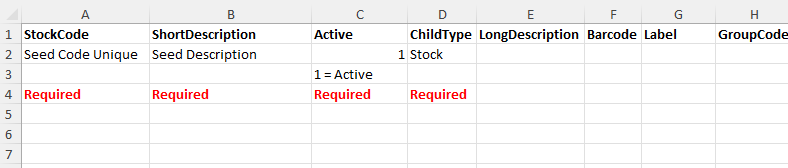
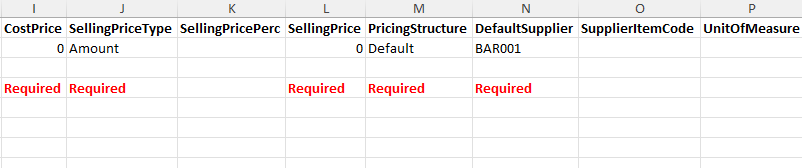
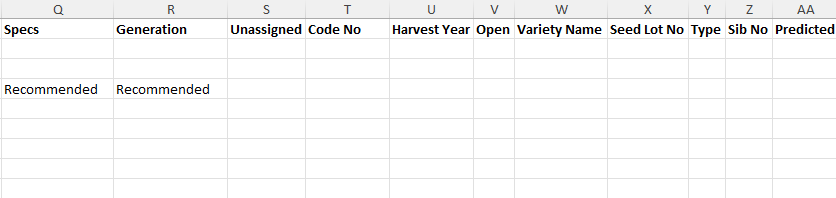
Once you have prepared the import file, save as an Excel document and close.
Importing will do the following:
- New items will be added if it does not exist
- Existing items will be updated
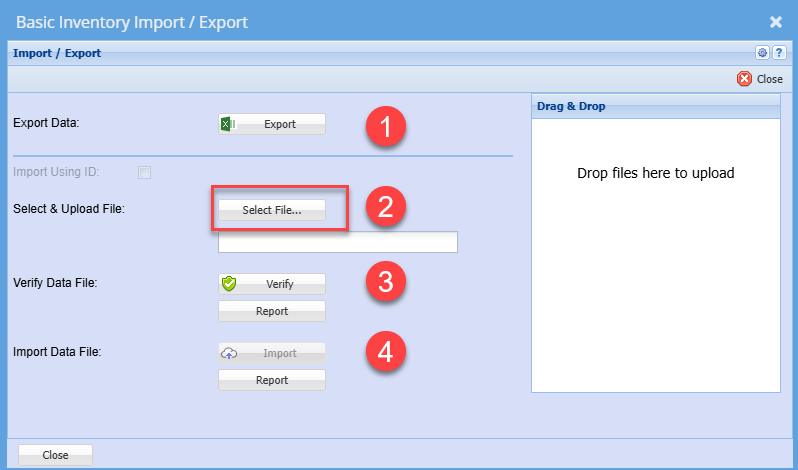
Follow steps 2 to 4 to upload new and existing items
No Comments