
13. Job on Hand Value
Job Costing>Reports>Reports List
Job on hand value will give you the value based on either cost or selling on the job
It gives you the comparison with
| a. | Budget - Quote |
| b. | Actual - WIP – quantity that was used on the Job |
| c. | Invoiced - Amounts invoiced on the job |
| Action | Conditions | |
| Exclude Zero | 1. | Job Not started and value is Zero. |
| 2. | Job started and Budgeted value is Zero and Invoiced value is Zero. | |
| 3. | Job started and Budgeted value is equal to Invoiced value. |
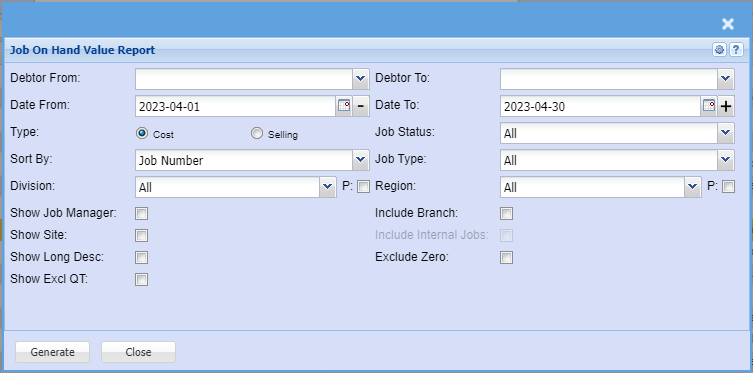
This report allows the user to view the summary of Job value either by cost or selling for budget, Actual and invoiced in a list of all jobs
| Debtor From and To | Select the debtor from and debtor to, for a quick or specific report. |
| Date From and To | Select the date from and the date to for a quick or specific report. |
| Type | Select the type of the report , either cost or selling. |
| Sort By | Sort the report by selecting from the drop down arrow. |
| Division | |
| Show Job Manager | |
| Show Site | |
| Show Long Desc. | |
| Show Excl QT | |
| Job Status | Select the status from the drop down arrow |
| Job Type | |
| Region | |
| Include Branch | |
| Include Internal Job | |
| Exclude Zero |
No Comments