
Financial Performance by Period
General Ledger > Reports > Report List
View a year of Financial Performance per period in one report, one can also drill down on the values to the detail
Report is also known as Financial Performance / Income Statement or Profit and Loss
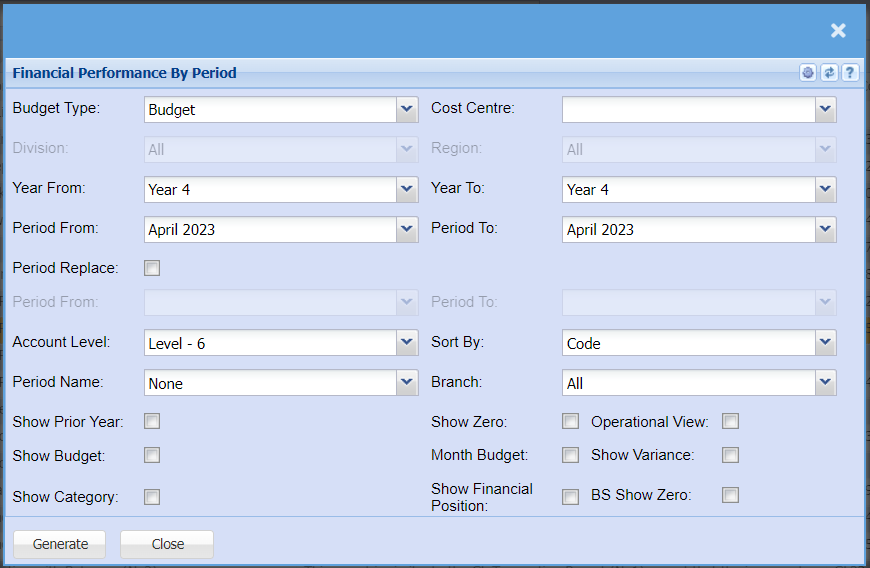
Report criteria defined
| Budget Type |
View the budget or the revised budget for this report Budget is the default |
| Cost Centre |
Select which cost centre you want to enable for division and region Division and region is disabled until a cost centre is stipulated |
| Division | Run the report for a specific division |
| Region | Run the report for a specific region |
| Year From | Select the year from to start your report |
| Period From | Select the period from which is derived from your year from |
| Year To | Select the year To for the end of your report |
| Period To | Select the period from which is derived from your year To |
| Period Replace |
Enable period replace so that your budgets replace the months that are still to come. Great report if you're looking at the whole year and you still have a few months to go to the end of the financial year. |
| Period From | Select the period from that you want budgets to replace actuals |
| Period To | Select the period To that you want budgets to replace actuals |
| Account Level | Select the level that you want to report on, the lower the number the more roll up will occur. Default is always the last level |
| Sort By | Allow the report to sort by General Ledger code or by General Ledger name |
| Period Name | These are three customizable names to run reports, mainly used in the dairy farming industry. |
| Branch | Filter the report by branch |
| Show Prior Year | Show the prior year for the same time in that period |
| Show Zero | Enable show zero to show all accounts that have not had a movement in them within the period that you have selected |
| Operational View |
This is a great report for operational managers, it splits the profit and loss into two versions, operational profit and loss and then general profit and loss. There is a tick on each ledger account to enable the ledger account to be in the operational view |
| Show Budget |
Show the budget total at the end of the report Shows total variance between actual and budget |
| Month Budget | Show the monthly budget |
| Show Variance | Show the variance between your actual and budget per month |
| Show Category |
Show the category of each ledger account Good to have when you're exporting and want to summarise by category |
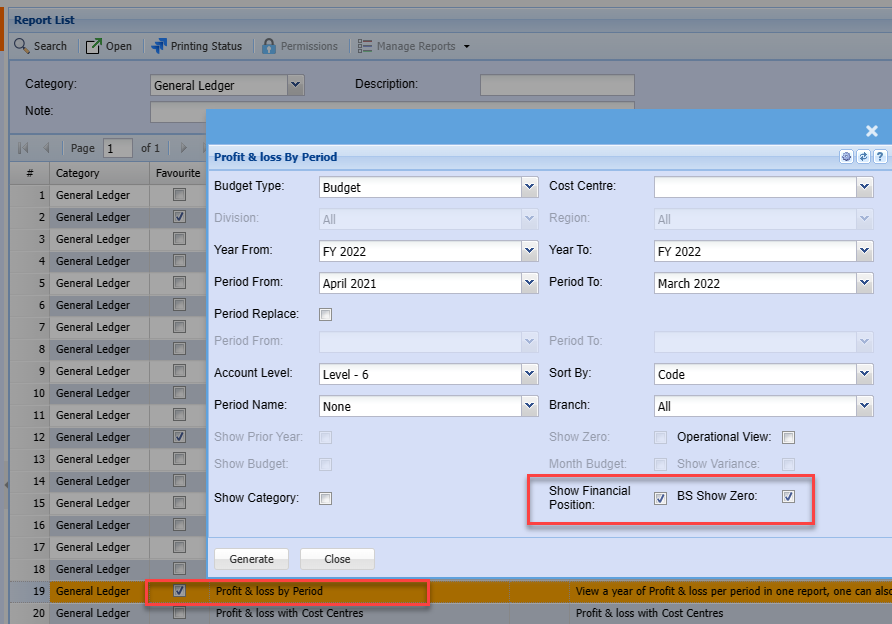
| Show Financial Position |
Show the financial position / Balance sheet at the bottom of the profit and loss report. This will show as a monthly movement with each month. The report shows the opening balance sheet balance and closing balance sheet balance with the movement in between |
| Show BS show zero | Show all accounts in the balance sheet that have not had a movement in that month |
Report example
The report allows for drill downs to source data
Click on a value to transaction detail

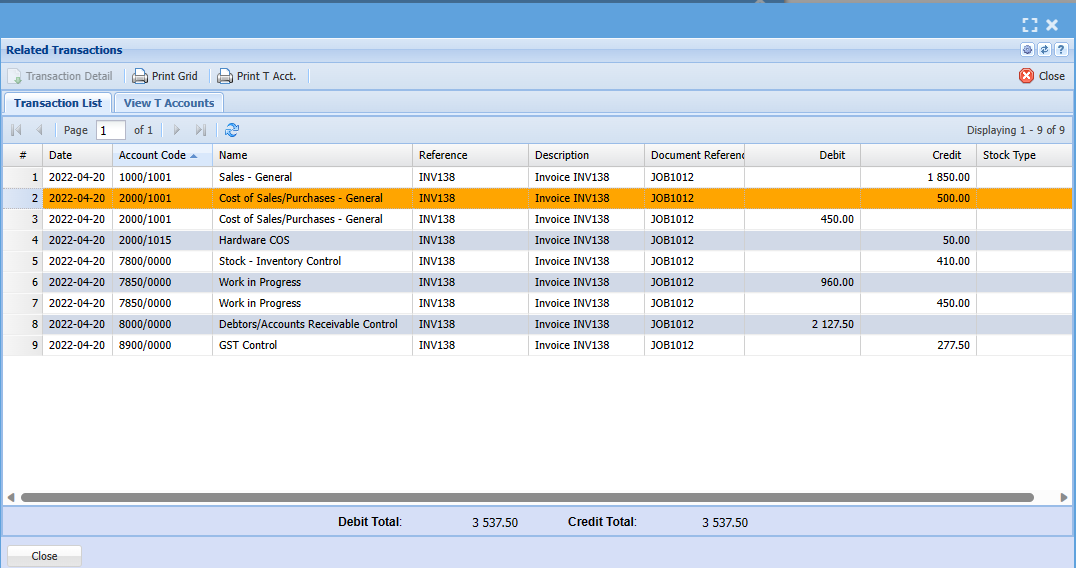
Click on the Date for Document T-Accounts debit and credits
Click on the Document number to view the source document
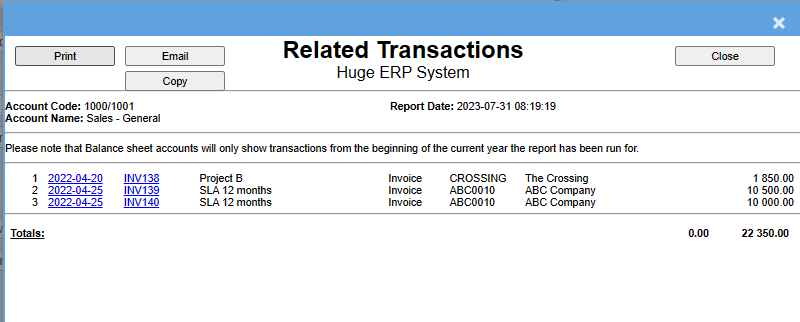
Date shows document GL transaction detail
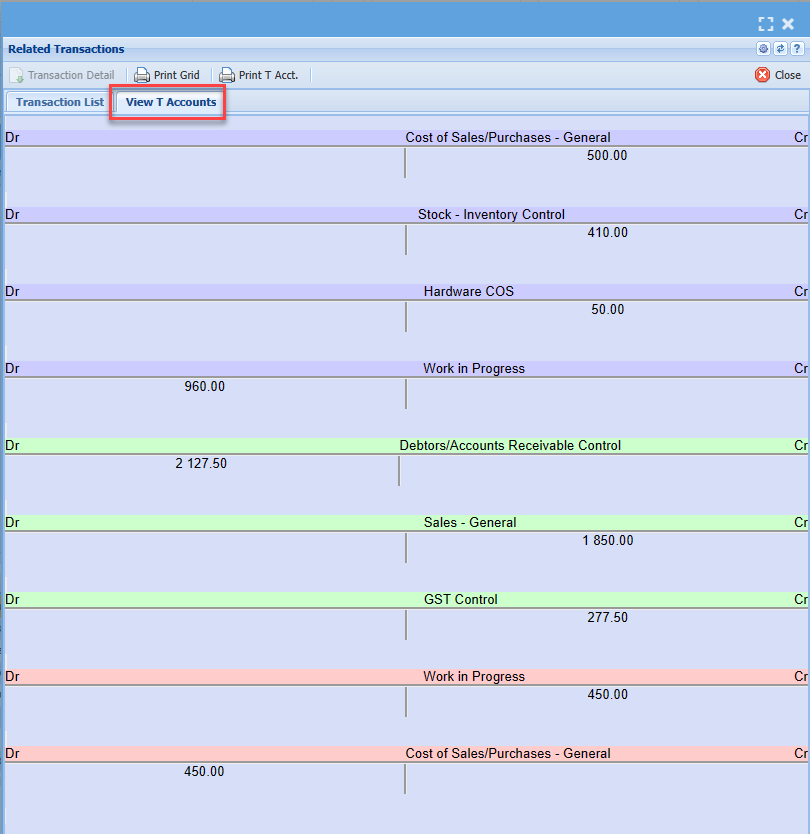
Click on the tab for T-Account view
Click on the document number to view the source document
Show Profit and Loss and Financial Position
Display both profit and loss and financial position in one report by selecting two ticks.
The Financial position will show at the bottom of the report
No Comments