
Customer Link Financial Performance
General Ledger>Reports>Report List
Customer Link financial performance report monthly
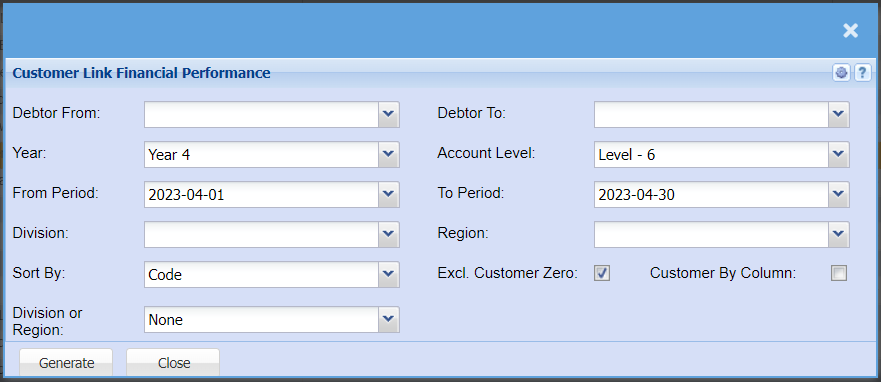
| Debtor From / To | Select a Customer/Debtor you wish to view the report from / Select the Customer/Debtor you wish to see up to in the report. |
| Year | Select the financial year you are running the report for |
| From Period / Period To | Select the period From and the period to from the drop-down arrow |
| Division | If you have multiple Divisions, by selecting this will add this column to your report. |
| Sort By | Sort the report by selecting one option from the drop-down arrow. Options area: by Code, Description, Group Code or Bin Location |
| Division or Region | Select if you are wanting to pull your report by Division or Region |
| Account Level | |
| Region | If you have Regions, this will add Regions to the report. |
| Excl. Customer Zero | |
| Customer By Column |
No Comments