
Debtor Interactions
CRM> Reports> Report List
This report shows all the interactions with Debtors, Prospects or opportunities. This report can be grouped by Debtor, Contact person or interaction type as well as Interaction Status.
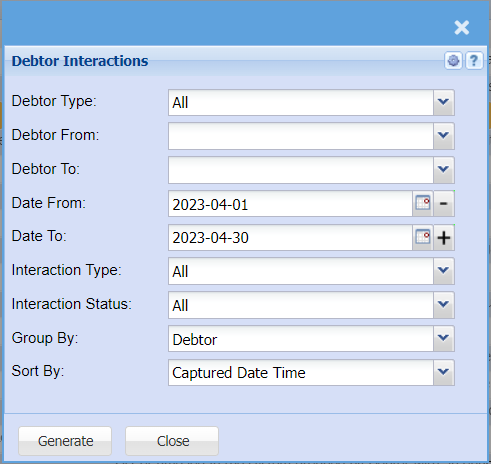
This is a report on the interaction between the user and the customers
To run the report, select from the following fields:
| Debtor Type | select the debtor’s type from the drop down arrow |
| Debtor From | select the debtor from or leave it blank |
| Debtor To | select the debtor to or leave it blank |
| Date From | select the date from which the report will run from. |
| Date To | select the date to which the report will run from. |
| Interaction Type | select the interaction type from the drop down arrow |
| Interaction Status | select the interaction status from the drop down arrow |
| Group By | group the report by selection either a debtor or contact person or interaction |
| Sort By | sort the report by selecting one option from the drop down arrow |
No Comments