
Tracking Buy and Sell Prices
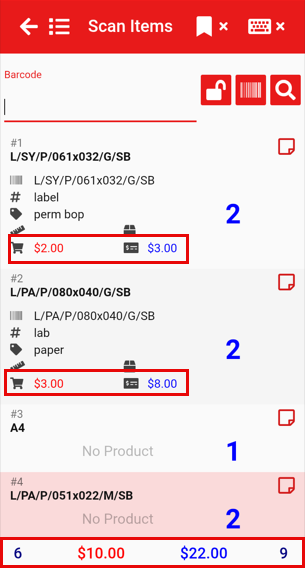
To view both the buy price and sell price of each item, along with the totals displayed at the bottom of the screen (as shown below), you’ll need to activate this feature. It can be activated on or off at any time, depending on your preference in settings.

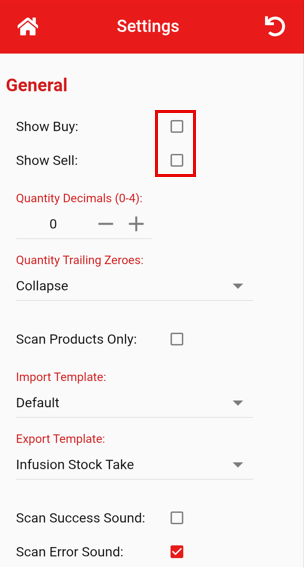
Open the Home menu at the top left of the screen  and select Settings. Under the General tab, tick the checkboxes to display the Buy Price, Sell Price, or both depending on your preference. This will automatically be there when you go back onto an existing count or start a new count.
No Comments