
Xero data files
When setting up Xero, the following master files need to be imported into Huge ERP
- Customer list
- Supplier list
- Inventory list
The customer and supplier codes are usually the same as the company names in Huge ERP.
The codes in Huge ERP which is the company names are the codes in Xero.
Make sure that the Debtors and Creditors codes are not duplicated in Huge ERP as Xero does not have separated databases for customers and suppliers. They are the contact list but marked as a customer and supplier. Having the the same code in debtors and creditors will cause problems in the sync.
Procedure
- Export customer, supplier and inventory lists from Xero
- Fix data files for Huge ERP import
- Import the data into Huge ERP
- Link API to Xero
- Verify codes for Customers
- Verify codes for Suppliers
- Verify codes for Inventory
Verify
Customers verify
Debtors Module> Configuration> Debtors Setup
Click Search all Debtors
Run this utility to check customers in Xero and Huge ERP.
When the utility finds the same customer, it will write an internal code from Xero into the tables of Huge ERP.
Whether the customer is updated, Huge ERP knows which customer to update in Xero.
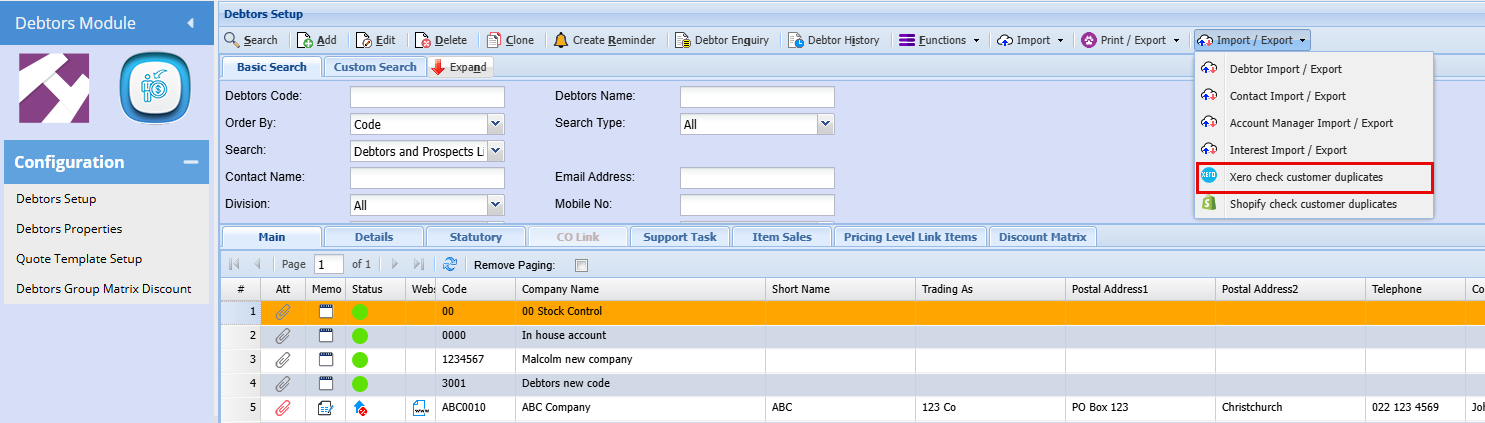
This is a once off setting that needs to be done, once this has been done and you Add a new debtor, it will automatically sync to Xero
Verify Creditors
Creditors Module> Configuration> Creditors Setup
Clock search all Creditors
Run this utility to check suppliers in Xero and Huge ERP.
When the utility finds the same supplier, it will write an internal code from Xero into the tables of Huge ERP.
Whether the supplier is updated, Huge ERP knows which Supplier to update in Xero.
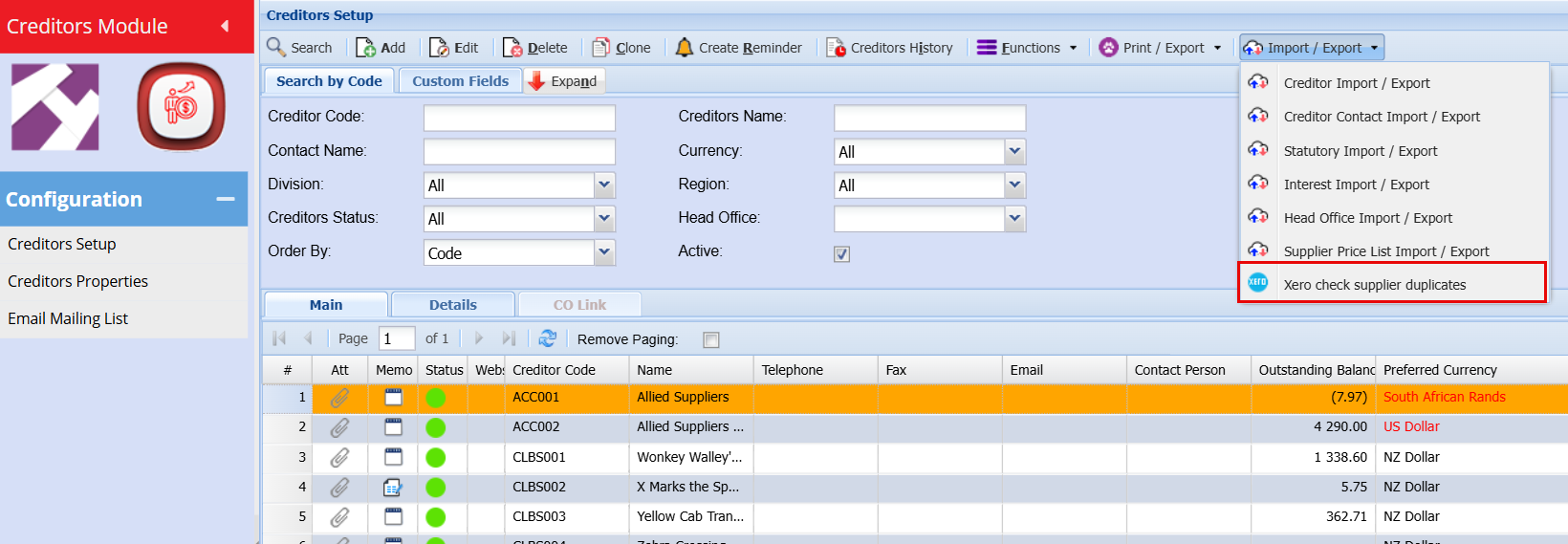
This is a once off setting that needs to be done, once this has been done and you Add a new Creditor, it will automatically sync to Xero
Inventory verify
Inventory Module> Configuration> Inventory Setup
Click Search all Items
Run this utility to check customers in Xero and Huge ERP.
When the utility finds the same inventory, it will write an internal code from Xero into the tables of Huge ERP.
Whether the inventory is updated, Huge ERP knows which item to update in Xero.
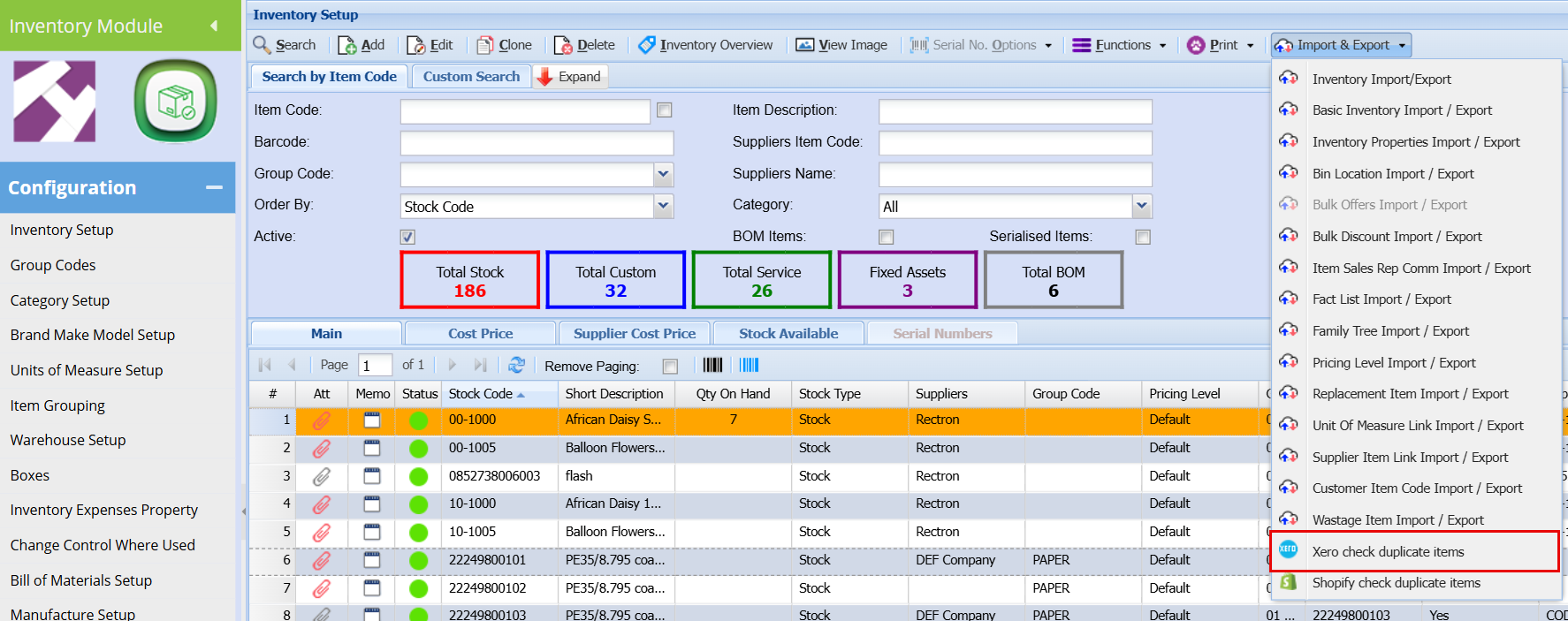
This is a once off setting that needs to be done, once this has been done and you Add a new Inventory item, it will automatically sync to Xero
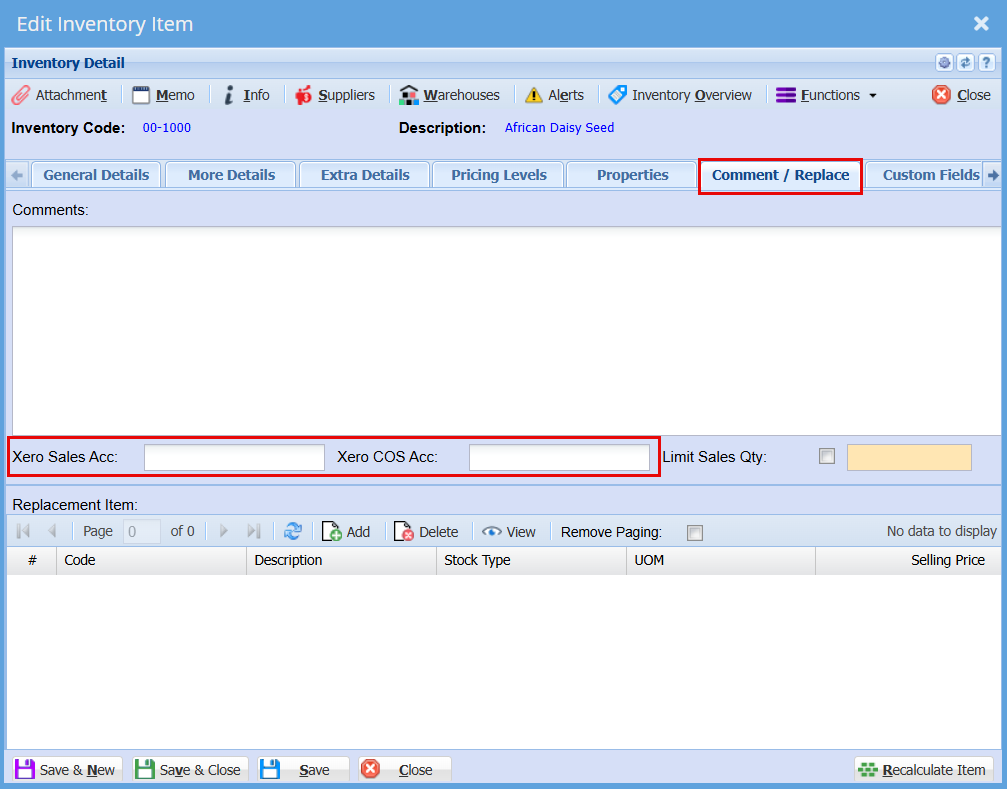
Xero Sales and Cost of Sales for an Inventory Item
To set up a specific Sales and COS account for an inventory item, double click on the inventory item
Go the Comment/Replace Tab, here you can stipulate a specific account that this item must go to when adding this item to an invoice.
No Comments